14. IMAGES AND VIDEO
14.1.3 Screenshot JPEG
Screenshot of current display in JPEG format. User can save the current display state, including overlays and
menu with the excepon of ADVANCED MENU (since capturing and recording while in ADVANCED MENU is not
supported).
14.1.4 IR Super‐Resoluon JPEG
Plain JPEG image from thermal camera without any overlays, containing addional temperature informaon for
super‐resoluon image reconstrucon.
Super‐Resoluon image capture leverages advanced algorithms that allow for a higher spaal resoluon to be
calculated, with high quality detail maintained and superior to typical single‐frame re‐scaling tools.
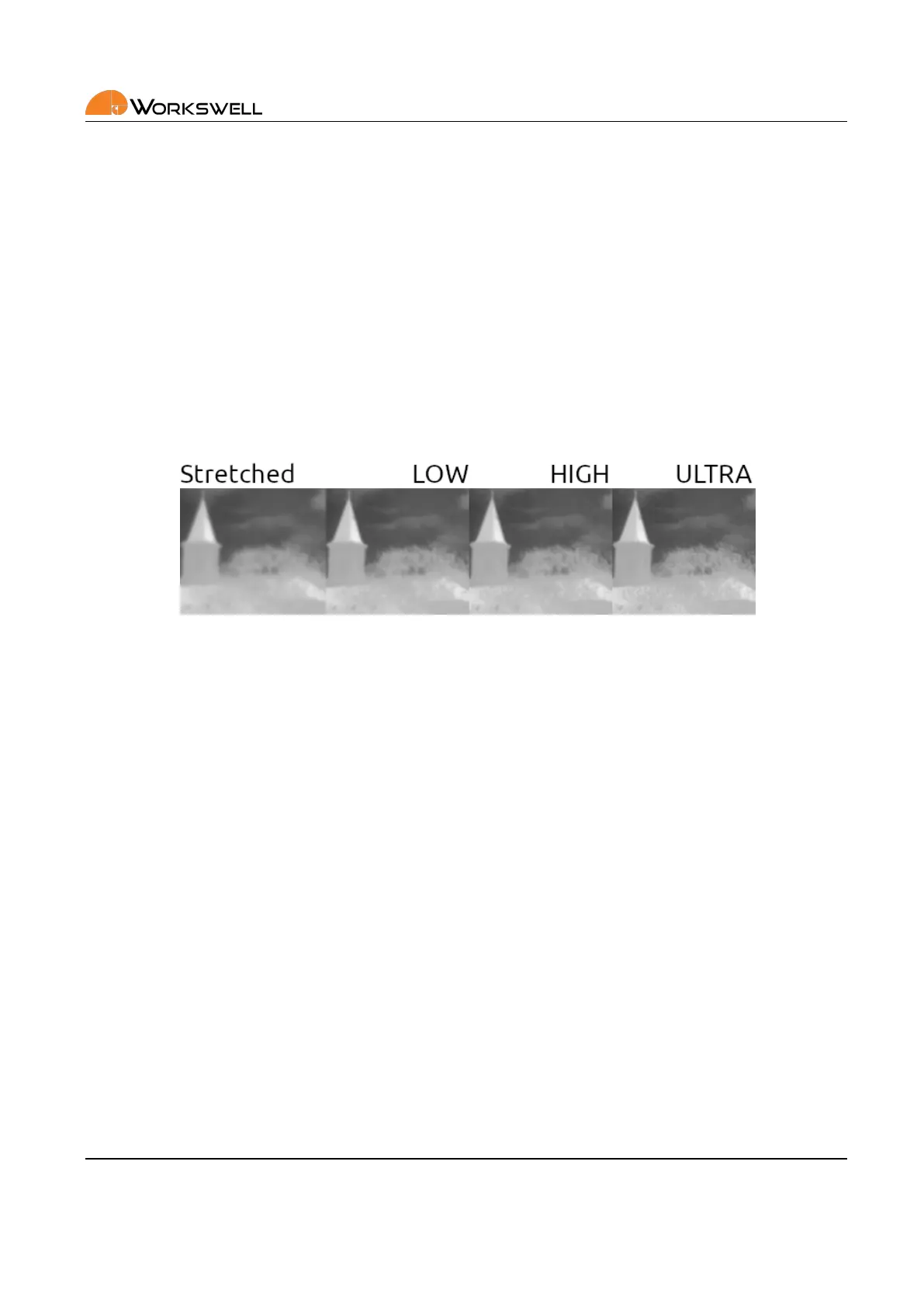
Figure 14.1: Example of the results aainable with Super‐Resoluon shots. The lemost sample is the same
image simply stretched using typical bicubic algorithm, the later three samples are reconstructed through the
superresoluon algorithm with varying number of samples (maximally 16) and processing me. The example
shows a slice of a larger picture.
Super‐Resoluon funcons by capturing a rapid succession of frames as if in a radiometric sequence, however
they’re then processed to produce a single higher resoluon (typically approximately double in both dimensions)
frame.
The funcon comes with certain caveats. The calculaon to produce the nal result is quite resource intensive
and cannot be performed on the WWP camera itself; instead, the data is captured in a special format and have
to be processed on an external computer aerwards, using the CorePlayer or Thermolab soware.
Another caveat is that while the algorithm can provide higher detail, it tends to be at cost of introducing or am‐
plifying addional noise or visual arfacts. In most situaons though, the resulng images should be universally
of higher quality and also retain radiometric, thermal measurement enabling quality.
Even the capture of the Super‐Resoluon data is quite demanding, with capture duraon depending on the IR
camera’s frame rate. It is recommended that Super‐Resoluon images are taken alone with no other formats
captured simultaneously, and it is recommended the number of Super‐Resoluon frames is kept low; even 16
frames typically produces very good results. User can decide the number of frames to be captured for a single
Super‐Resoluon image before capturing. Frames can be oponally discarded during processing, but it’s impos‐
sible to increase their number in processing beyond the count that has been set before capture.
While the Super‐Resoluon algorithm does aempt to account and compensate for moon in the scene, it is
recommended these shots are taken from as stable and stac posion as possible and work the best when
E‐mail and Web
info@workswell.eu
www.workswell.eu
Mobile:
+420 725 877 063
ID:
Reg. No.: 29048575
VAT No.: CZ29048575
Headquarters
U Albrechtova vrchu 12
155 00, Prague 13
Czech Republic
Version: 201215 EN, 15
th
Dec, 2020
All pictures are only for illustraon.
Real values may vary.
57



 To Next Page