7. SYSTEM ASSEMBLY
7.9 Focusing the Infrared Camera
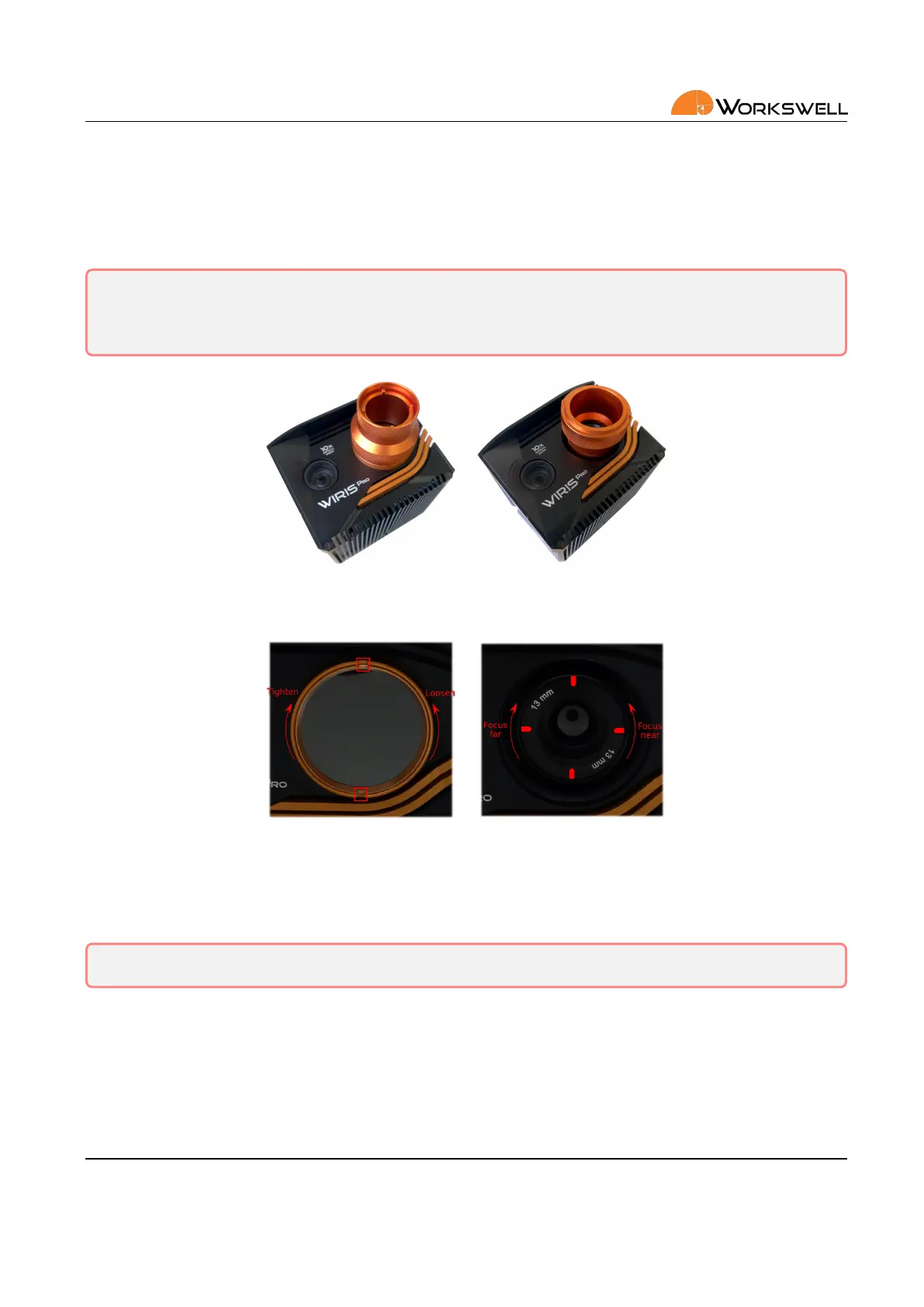
The infrared camera has adjustable focus. The focus can be set using the focus tool. Note that the depicted focus
tool is not part of standard accessories and is sold separately.
Warning: The WIRIS Pro camera is focused to innity during manufacturing and in most cases should
never need adjustments. Considering the delicate nature of the opcs it is beer to not aempt removal
of protecve glass or adjustment of the focus lens unless absolutely necessary.
Figure 7.8: Two funcons of the new focus tool; rst, removing the protecve glass, then focusing the lens.
Figure 7.9: Short distance ‐ rotate the lens counter‐clockwise. Long distance ‐ rotate the lens clockwise
In order to focus for short distance gently rotate the lens counter‐clockwise. During this movement, the lens
extends from the camera body.
Warning: Trying to rotate the lens too far much may cause the lens to fall out.
In order to focus on long distance (or innity) gently rotate the lens clockwise. During this movement, the lens
retracts to the camera body. Rotang the lens too far in this direcon can adjust beyond the intended focus
range. Innity focus is recommended for most of the applicaons.
E‐mail and Web
info@workswell.eu
www.workswell.eu
Mobile:
+420 725 877 063
ID:
Reg. No.: 29048575
VAT No.: CZ29048575
Headquarters
U Albrechtova vrchu 12
155 00, Prague 13
Czech Republic
Version: 201215 EN, 15
th
Dec, 2020
All pictures are only for illustraon.
Real values may vary.
16



 To Next Page