8. DIGITAL INPUTS
The device’s S.BUS connector plugs directly into the S.BUS output of these devices, although addional care and
resources might be required in case of male‐male connecon.
A seng important to the S.BUS port is the S.BUS Oset. Since S.BUS has up to 16 channels, the S.BUS Oset
can be set between 0 to 9. For more details, see Table 8.1.
S.BUS Oset S.BUS Channel WIRIS IO
0 1 1
0 7 7
1 1 ‐
1 2 1
1 7 6
9 10 1
9 16 7
Table 8.1: S.BUS Oset example ‐ which S.BUS Channel corresponds to WIRIS IO
8.1.1 S.BUS through Amimon Connex
S.BUS signal from RC transceiver can be sent through Amimon Connex, so there is no need for the receiver. For
this, you need the Amimon Connex and RC transceiver with TRAINER support.
1. Connect the RC transceiver TRAINER port to Amimon Connex receiver.
2. Connect the Amimon Connex transceiver S.BUS port to WIRIS S.BUS input.
3. Set up the TRAINER channels in RC transceiver.
This seng was tested with Futaba T148G RC controller (TRAINER seng to 8 CH. mode).
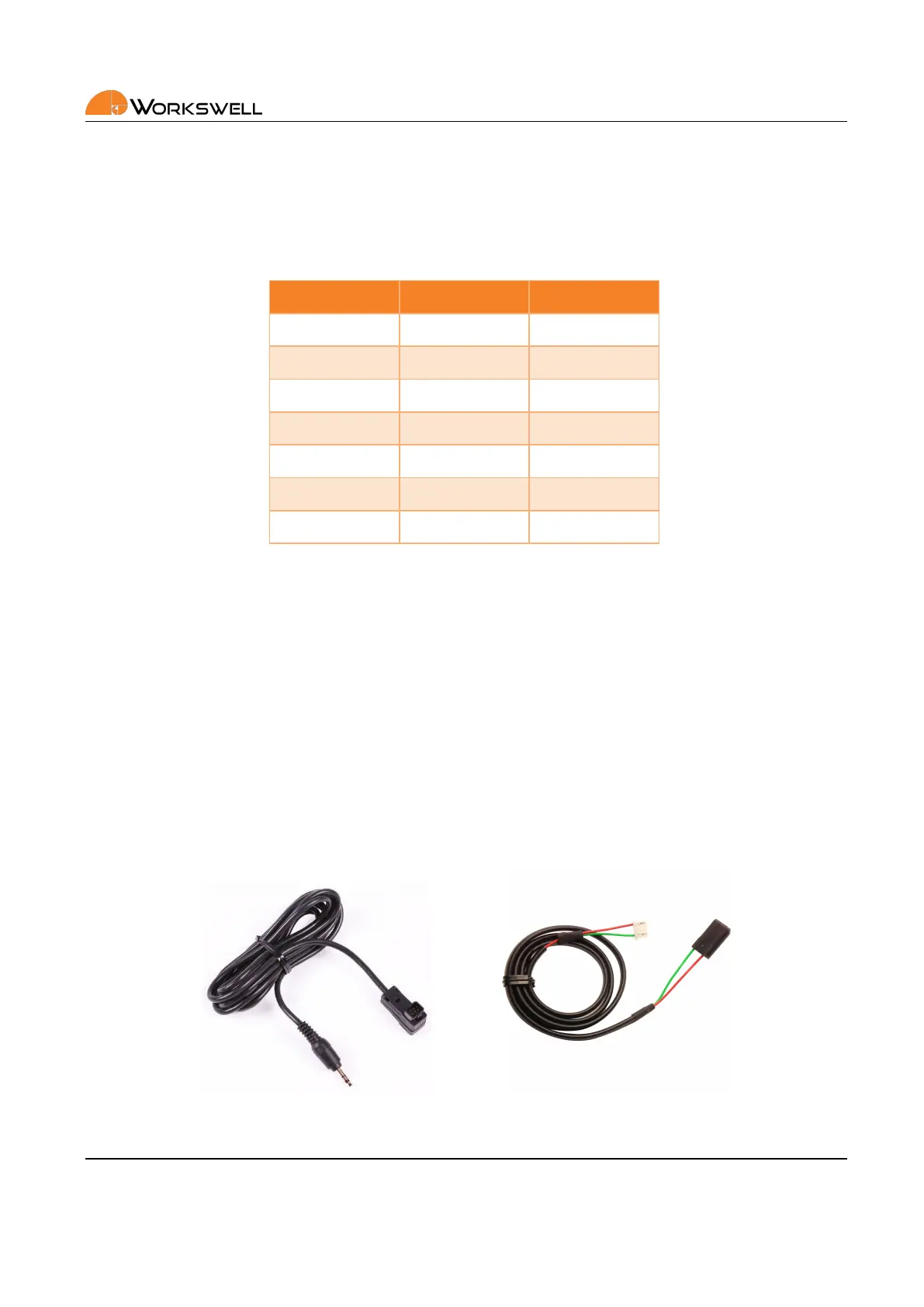
Figure 8.5: Amimon Connex TRAINER cable (le) and S.BUS cable (right).
E‐mail and Web
info@workswell.eu
www.workswell.eu
Mobile:
+420 725 877 063
ID:
Reg. No.: 29048575
VAT No.: CZ29048575
Headquarters
U Albrechtova vrchu 12
155 00, Prague 13
Czech Republic
Version: 201215 EN, 15
th
Dec, 2020
All pictures are only for illustraon.
Real values may vary.
21



 To Next Page