8. DIGITAL INPUTS
8.1.2 S.BUS through DJI Lightbridge 1
S.BUS signal from RC transceiver can be sent through DJI Lightbridge 1, so there is no need for the receiver. For
this, you need the DJI Lightbridge 1 and RC transceiver with TRAINER support.
1. Connect the RC transceiver TRAINER port to DJI Lightbridge 1 receiver (mono jack to TRAINER port and
stereo jack to DJI Lightbridge 1).
2. Connect the DJI Lightbridge 1 transceiver S.BUS port to WIRIS S.BUS input.
3. Set up the TRAINER channels in RC transceiver.
This seng was tested with Futaba T148G RC controller (TRAINER seng to 12 CH. mode).
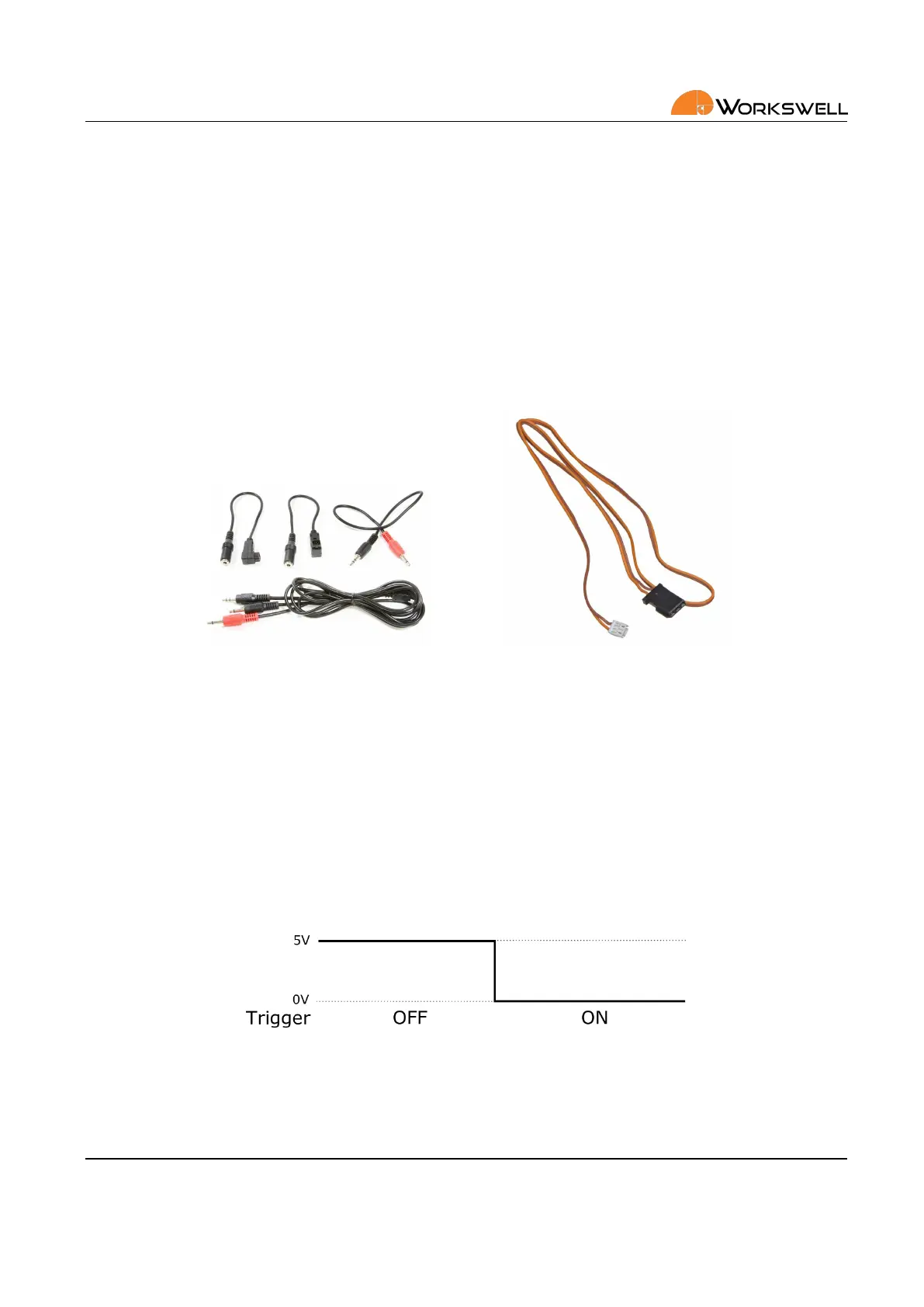
Figure 8.6: DJI Lightbridge 1 TRAINER cable (le) and S.BUS cable (right).
8.2 Trigger Signal
Aside from the more sophiscated S.BUS control soluon, WIRIS SECURITY retains a single basic digital input that
can be used for manual capture triggering.
The capture trigger is intended as an oponal, user‐implemented fallback. To signal on the trigger input signal,
user is expected to connect and then disconnect the Trigger wire from the +5V wire on any of the S.BUS or GPS
or CAN connectors.
The trigger signal is triggered with zero or ground on falling edge, the signal should be at least 100 ms long.
Figure 8.7: Trigger signal
E‐mail and Web
info@workswell.eu
www.workswell.eu
Mobile:
+420 725 877 063
ID:
Reg. No.: 29048575
VAT No.: CZ29048575
Headquarters
U Albrechtova vrchu 12
155 00, Prague 13
Czech Republic
Version: 201215 EN, 15
th
Dec, 2020
All pictures are only for illustraon.
Real values may vary.
22



 To Next Page