10. DJI DRONES AND CAN BUS
10 DJI Drones and CAN Bus
WORKSWELL WIRIS Pro comes with a cable for connecng the system to DJI CAN Bus on M600 drone with Ronin
gimball.
WIRIS Pro can read the DJI GPS coordinates from the CAN bus, so there is no need for external GPS. It can also
be controlled with DJI Lightbridge 2 controller.
Currently WIRIS Pro supports the A2 and A3 controllers.
10.1 System Connecon
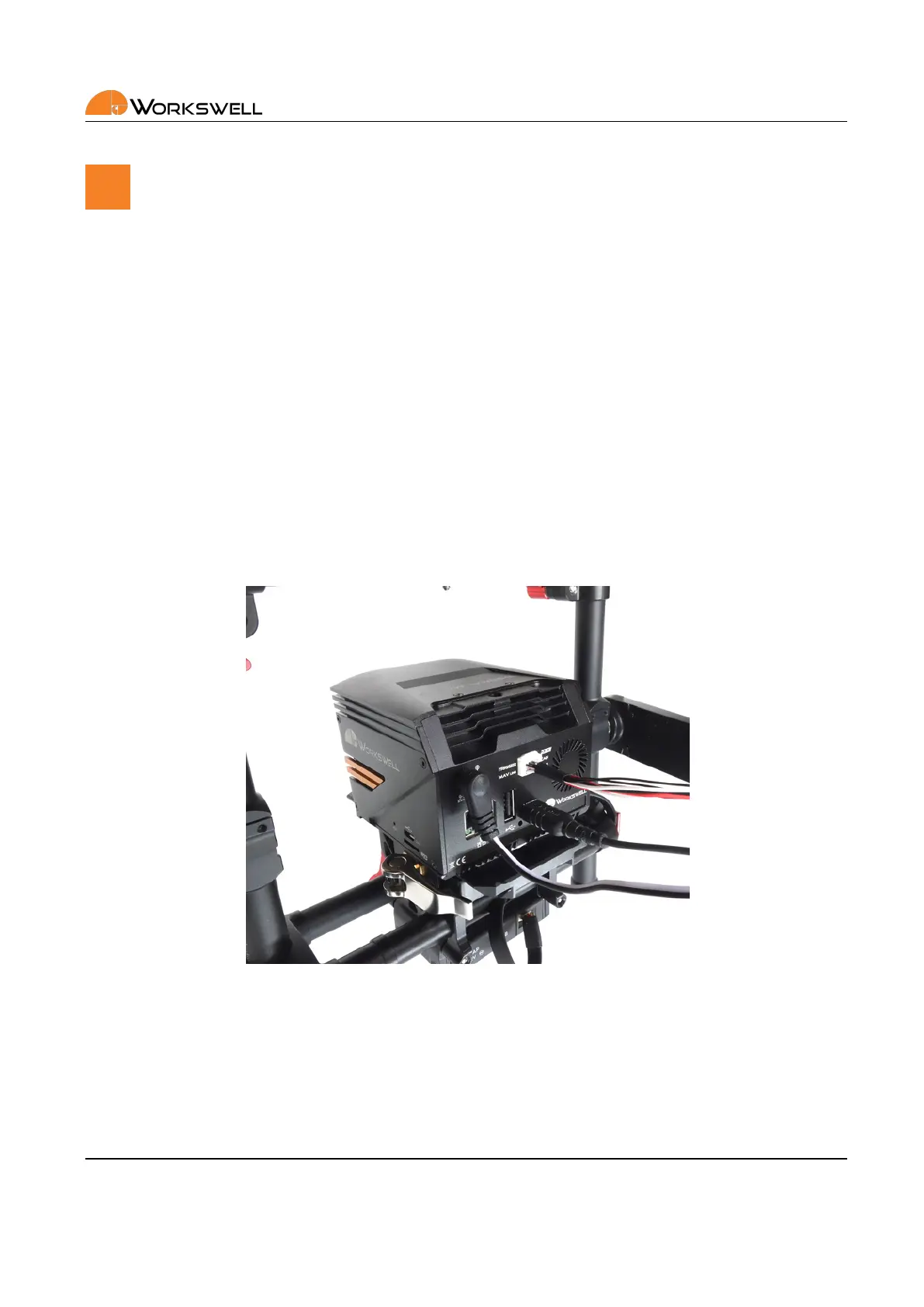
1. Connect the 10 wire standard cable to the WIRIS Pro and the CAN plug on the cable to the CAN1 port on
the DJI Ronin.
2. Connect the power cable to your DJI Ronin DTAP connector.
3. Connect the power cable barrel side to the WIRIS.
4. Power up your DJI Ronin. WIRIS Pro should power on automacally.
Figure 10.1: WIRIS Pro ‐ DJI Ronin connecon.
10.2 System Control
You can control the WIRIS with your remote controller and use several of its funcons directly. You can see
descripon of these funcons in the Table 10.1. Some of the buons have more funcons assigned. They behave
E‐mail and Web
info@workswell.eu
www.workswell.eu
Mobile:
+420 725 877 063
ID:
Reg. No.: 29048575
VAT No.: CZ29048575
Headquarters
U Albrechtova vrchu 12
155 00, Prague 13
Czech Republic
Version: 201215 EN, 15
th
Dec, 2020
All pictures are only for illustraon.
Real values may vary.
27



 To Next Page