13. MAIN MENU (SETTINGS)
13.7.8 System
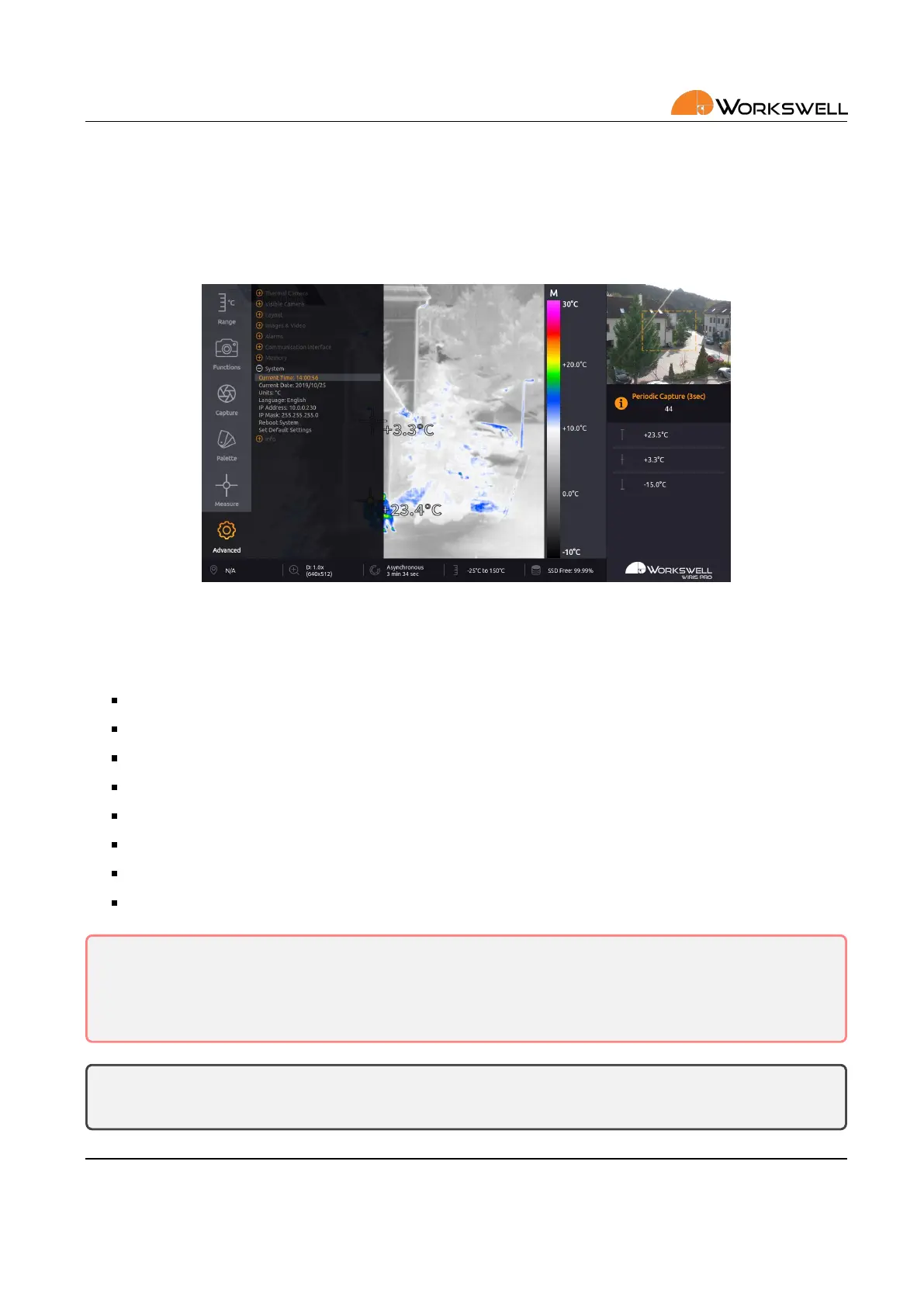
SYSTEM category allows user to set the current me and date, set the temperature unit, set the system language,
set ethernet network interface sengs, reboot the system and to revert default sengs.
Figure 13.16: System menu.
SYSTEM menu consists of the following items:
CURRENT TIME ‐ Current system me
CURRENT DATE ‐ Current system date
UNITS ‐ Cycles through the available temperature units (degrees Celsius, Fahrenheit or Kelvin)
LANGUAGE ‐ Cycles through the available system language opons
IP Address ‐ IPv4 network address of the WWP camera
IP Mask ‐ IPv4 netmask of the WWP camera
REBOOT SYSTEM ‐ Restarts the device
SET DEFAULT SETTINGS ‐ Sets the system to factory default sengs
Warning: The WWP camera can connect on ethernet for advanced funconality. It is only intended to be
operated within secure, local networks and its security cannot be guaranteed on open public networks.
In case transmission over public networks is necessary, it’s recommended to route the trac through a
secure virtual private network.
Note: Correctly set system me and date are important for correct tagging of date and me in the cap‐
tured images and recorded videos.
E‐mail and Web
info@workswell.eu
www.workswell.eu
Mobile:
+420 725 877 063
ID:
Reg. No.: 29048575
VAT No.: CZ29048575
Headquarters
U Albrechtova vrchu 12
155 00, Prague 13
Czech Republic
Version: 201215 EN, 15
th
Dec, 2020
All pictures are only for illustraon.
Real values may vary.
54



 To Next Page