12. SYSTEM APPEARANCE
12 System Appearance
The Workswell WIRIS Pro system will automacally start within seconds of the power supply being provided.
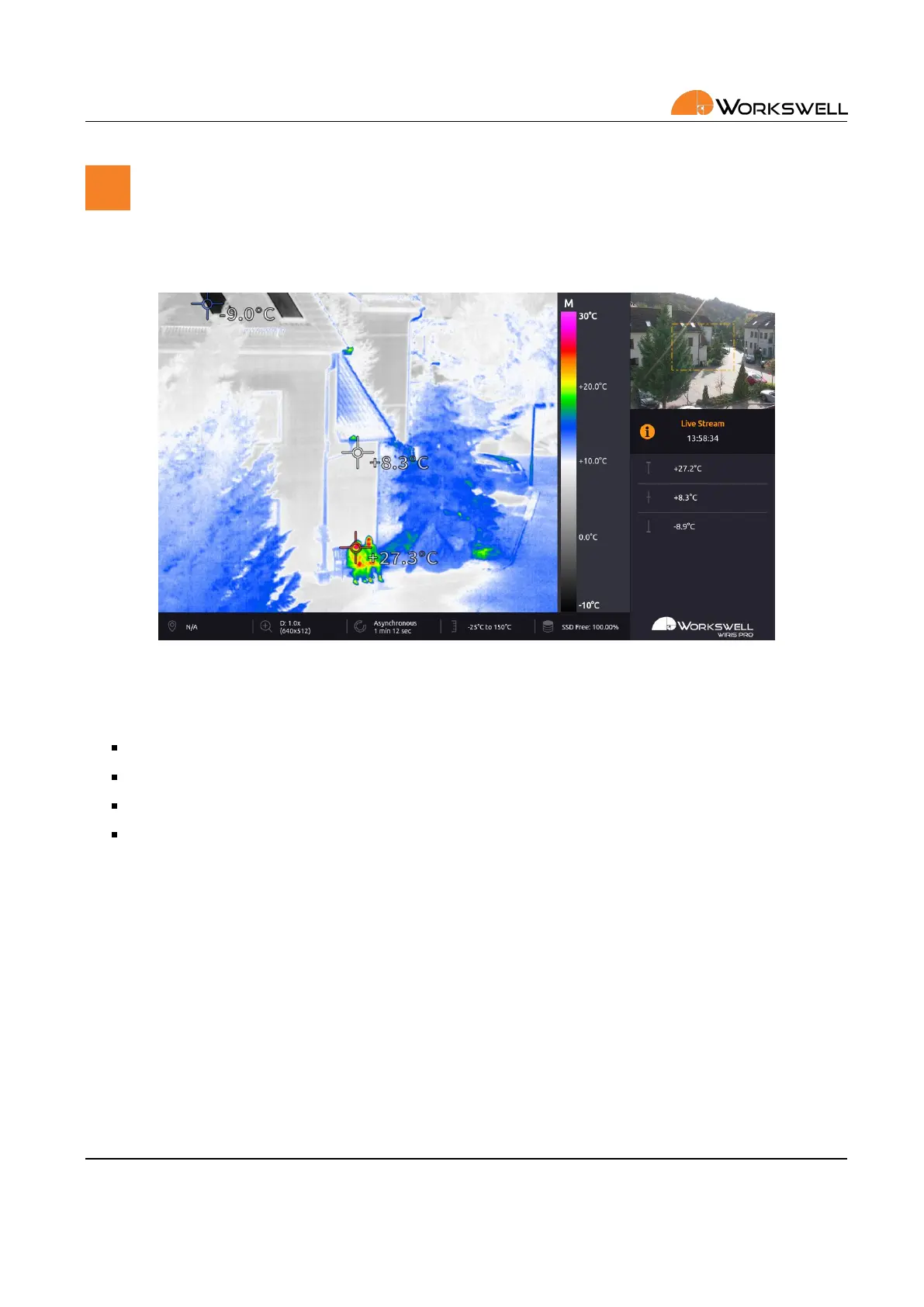
Once the system loads the following screen appears, by default set in the Inspecon layout.
Figure 12.1: Main screen.
This screen consists of the following parts
PRIMARY CAMERA SCREEN ‐ live stream from the camera currently selected as primary
SECONDARY CAMERA SCREEN ‐ live stream from the other camera
INSPECTION PANEL ‐ customizable display of select datapoints
STATUS BAR ‐ displays some summary informaon about state of the device (only present in Inspecon
mode)
E‐mail and Web
info@workswell.eu
www.workswell.eu
Mobile:
+420 725 877 063
ID:
Reg. No.: 29048575
VAT No.: CZ29048575
Headquarters
U Albrechtova vrchu 12
155 00, Prague 13
Czech Republic
Version: 201215 EN, 15
th
Dec, 2020
All pictures are only for illustraon.
Real values may vary.
30



 To Next Page