13. MAIN MENU (SETTINGS)
Note: Aside of the storage capacity cost of each le type, requesng simultaneous capture and recording
of many concurrent le types will signicantly load the device and performance issues might be encoun‐
tered. It is strongly advised that the user chooses only the capture formats they do need in the given
situaon even if storage capacity isn’t of a concern.
Note: While les of sll image capture can be recorded directly to the oponal storage media (SD Card,
Flash Disk), video sequence les can be only recorded to the internal SSD. User can move the nished
video sequence les to the oponal storage media later through the MEMORY submenu within the AD‐
VANCED menu.
13.7.5 Alarms
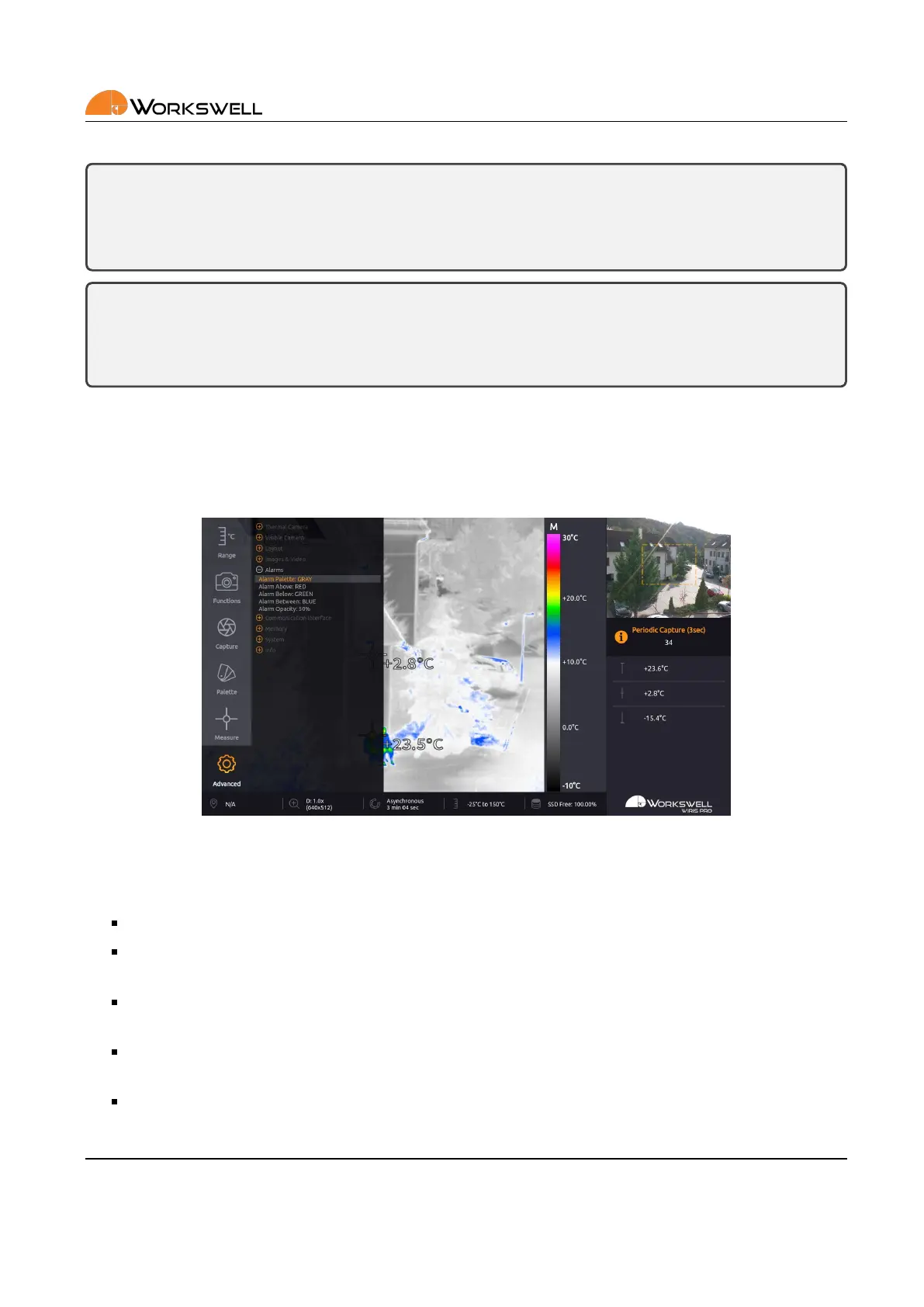
ALARMS submenu allows the user to further specify appearance of the ALARMS display as dened and invoked
within the MEASURE menu.
Figure 13.13: Images & Video submenu.
ALARMS submenu consists of the following items:
ALARM PALETTE ‐ Toggles automac switch to the GRAY palee when Alarm display acvates
ALARM ABOVE ‐ Cycles through the color opons (RED, GREEN, BLUE) which will be used to mark areas
with temperature above the upper threshold
ALARM BELOW ‐ Cycles through the color opons (RED, GREEN, BLUE) which will be used to mark areas
with temperature below the lower threshold
ALARM BETWEEN ‐ Cycles through the color opons (RED, GREEN, BLUE) which will be used to mark areas
with temperatures below the upper and above the lower threshold
ALARM OPACITY ‐ Sets the degree of opacity of the ALARM display; lower opacity values will allow for more
of the basic palee colors to show
E‐mail and Web
info@workswell.eu
www.workswell.eu
Mobile:
+420 725 877 063
ID:
Reg. No.: 29048575
VAT No.: CZ29048575
Headquarters
U Albrechtova vrchu 12
155 00, Prague 13
Czech Republic
Version: 201215 EN, 15
th
Dec, 2020
All pictures are only for illustraon.
Real values may vary.
51



 To Next Page