13. MAIN MENU (SETTINGS)
13 Main Menu (Sengs)
13.1 General Descripon
The Workswell WIRIS Pro system oers many customizaon opons. All the conguraon can be done using
the MAIN MENU. It can be opened by moving the joysck to the right side (if connected to an RC transmier
as recommended) or by pressing ENTER buon (if standard USB keyboard is connected). The MAIN MENU will
appear on the le side of PRIMARY CAMERA SCREEN.
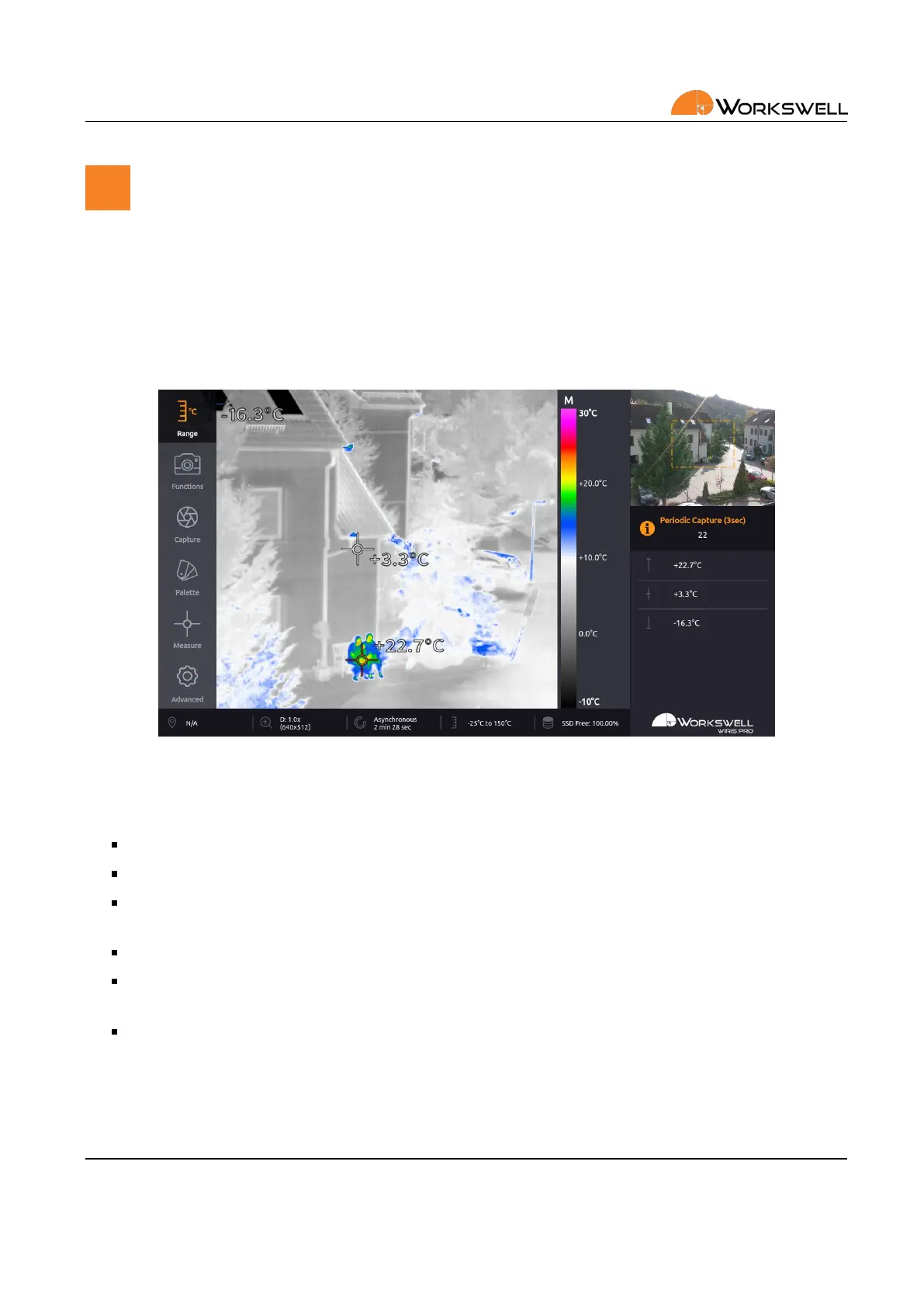
Figure 13.1: Main menu.
The MAIN MENU is divided into 6 categories:
RANGE ‐ Automac or manual temperature range, temperature limits.
FUNCTIONS ‐ Zoom, Primary camera screen selecon, Layout selecon.
CAPTURE ‐ Opon to manually trigger immediate capture or recording, Image Correcon (NUC) and to
toggle capture between periodic and one‐o. Newly added the Geofencing opons.
PALETTE ‐ Choice from 19 dierent color palee opons.
MEASURE ‐ Opon to toggle the temperature extreme marking crosses on and o and to acvate the
temperature threshold based alarm display.
ADVANCED ‐ Measurement, Display, Save Images, Isotherms, Communicaon Interface, Memory, System
and Info
E‐mail and Web
info@workswell.eu
www.workswell.eu
Mobile:
+420 725 877 063
ID:
Reg. No.: 29048575
VAT No.: CZ29048575
Headquarters
U Albrechtova vrchu 12
155 00, Prague 13
Czech Republic
Version: 201215 EN, 15
th
Dec, 2020
All pictures are only for illustraon.
Real values may vary.
36



 To Next Page