13. MAIN MENU (SETTINGS)
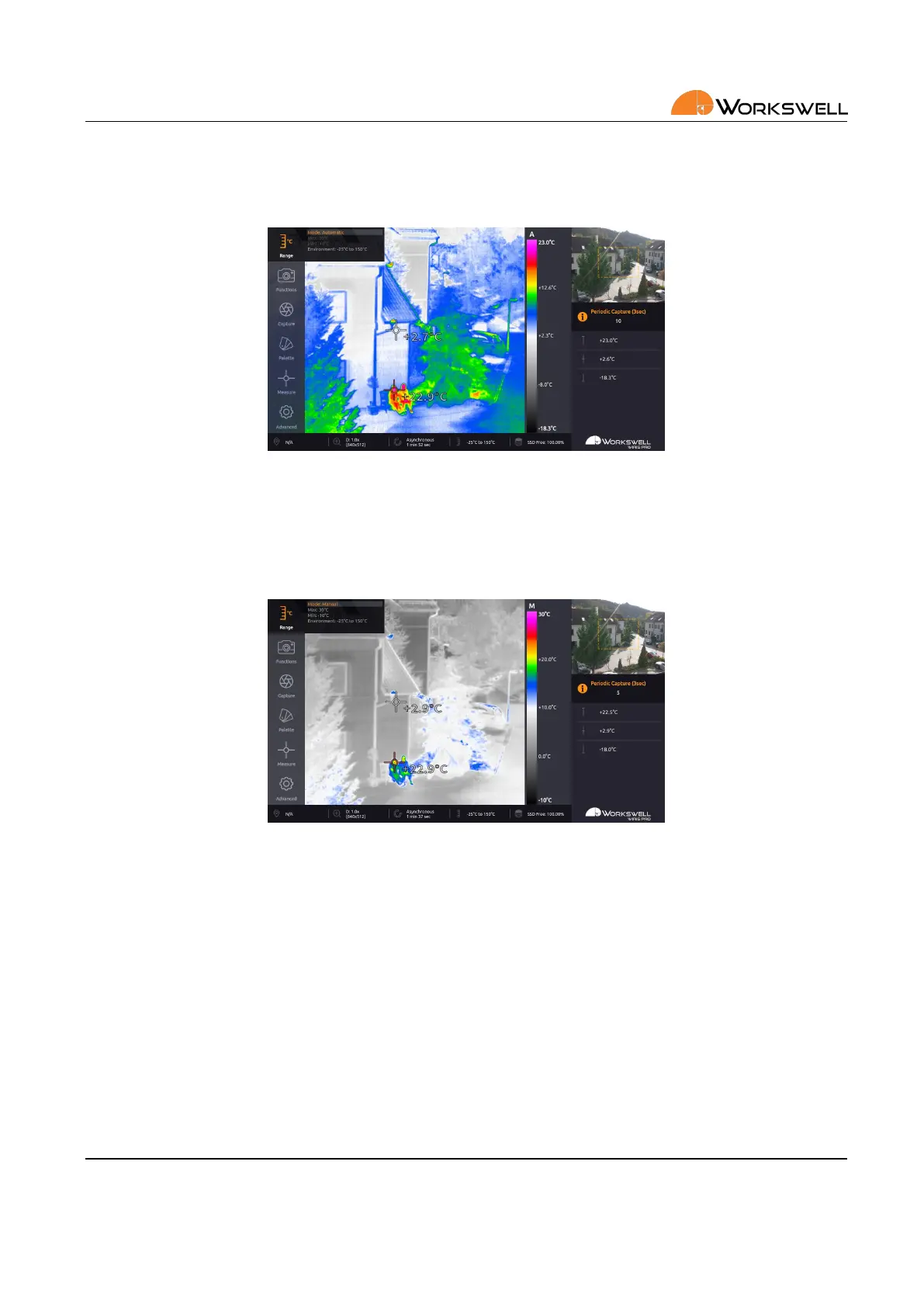
AUTOMATIC temperature range sets the color palee with regards to minimum and maximum temperature mea‐
sured in the scene. Automac range is indicated by the A leer shown above the temperature legend.
Figure 13.2: Range sengs – AUTOMATIC.
MANUAL temperature range distributes the colors of the selected color palee linearly between minimum (MIN)
and maximum (MAX) limits that were set by user. Manual range is indicated by the M leer shown above the
temperature legend.
Figure 13.3: Range sengs – MANUAL.
Changes are previewed in real me and can be conrmed to be kept or canceled, in which case the last value set
is maintained.
SPAN range is analogous to MANUAL range in funcon, but the limits of the range are automacally determined
from the CENTER and WINDOW parameters. Span range is indicated by the S leer shown above the temperature
legend.
E‐mail and Web
info@workswell.eu
www.workswell.eu
Mobile:
+420 725 877 063
ID:
Reg. No.: 29048575
VAT No.: CZ29048575
Headquarters
U Albrechtova vrchu 12
155 00, Prague 13
Czech Republic
Version: 201215 EN, 15
th
Dec, 2020
All pictures are only for illustraon.
Real values may vary.
38



 To Next Page