Setups
Xerox 4112/4127 Copier/Printer 9-105
System Administration Guide
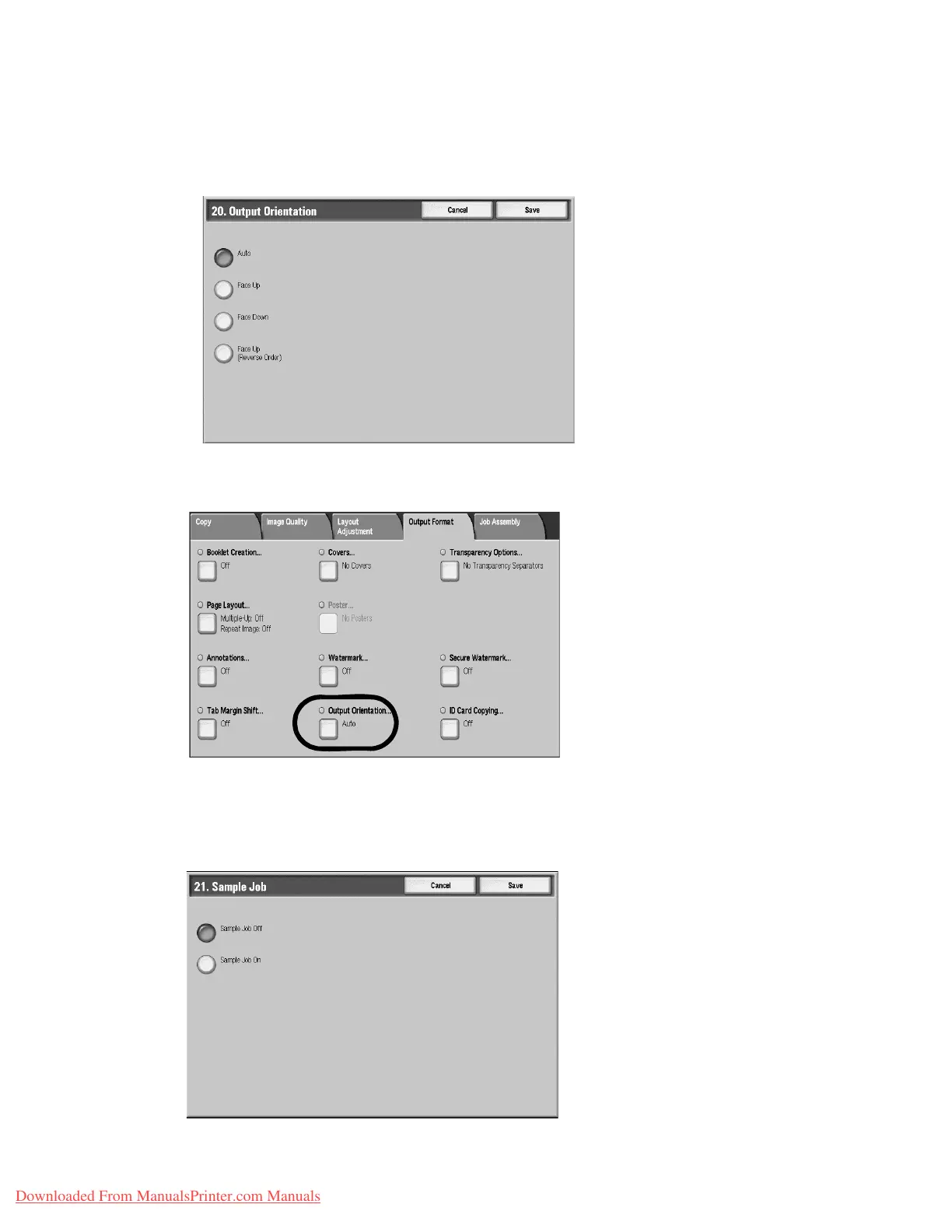
Output Orientation
Select the default setting for the Output Orientation feature on the Output Format
screen. Select one of the following as your default option.
The selection made here appears as the default setting for the Output Orientation feature on
the Output Format tab (Copy feature); refer to the below illustration:
Sample Job
Select the default setting for the Sample Job feature on the Job Assembly screen. Select one
of the following as your default option.
Downloaded From ManualsPrinter.com Manuals


 To Next Page
 Loading...