Installation and User Manual ADPRO Presidium by Xtralis
34 Doc. 12384_05
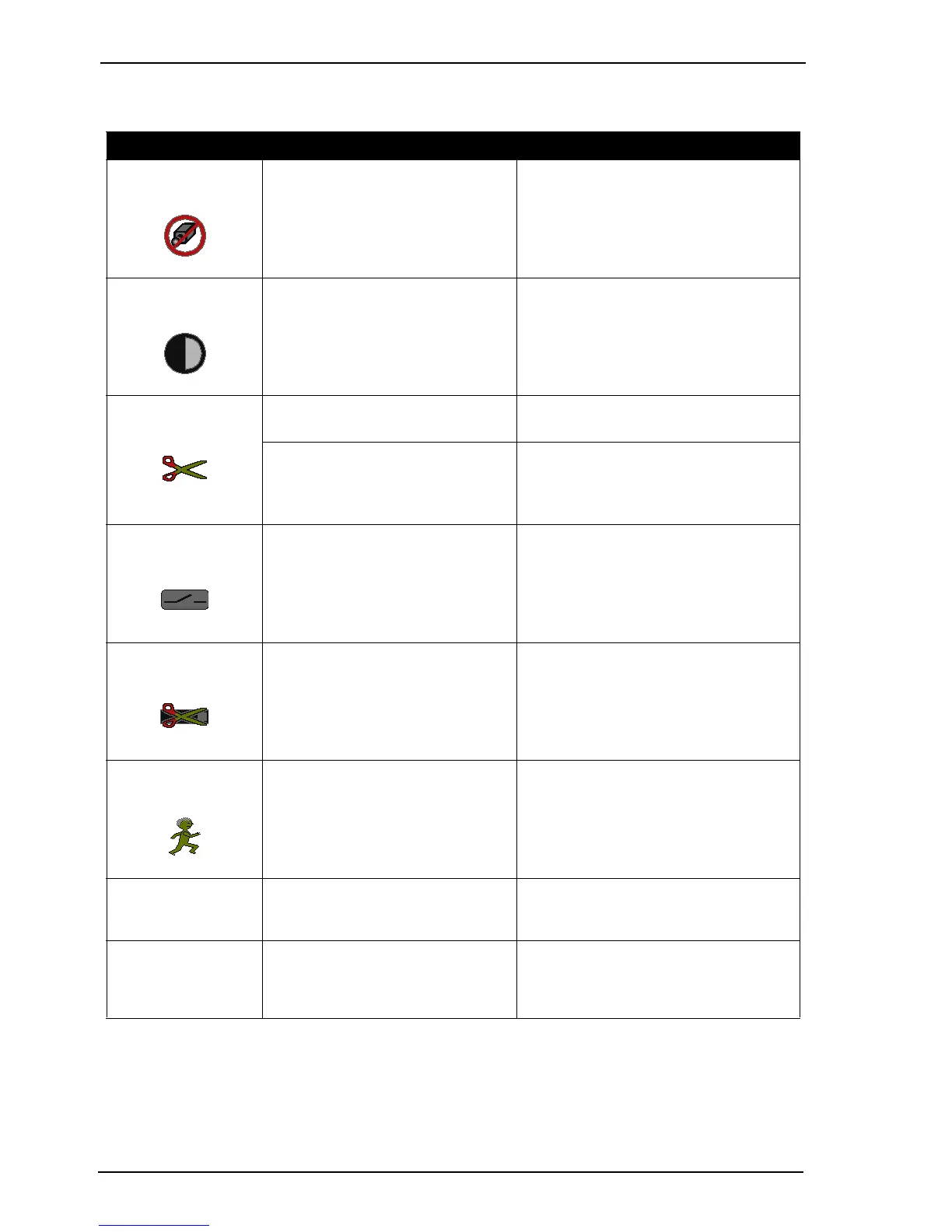
The following table details graphics that are displayed on the video outputs:
Table 2: Video Output Display
Display When Explanation
No Video Screen No video detected (refer to No-Video
Detection on page 65)
A blue screen is displayed with the No Video
icon superimposed if valid video signal is not
detected at the channel input.
Contrast Icon Contrast Alert active (refer to Contrast
Monitoring on page 65)
Displayed when a message is sent to indicate
that the video quality is too poor for reliable
VMD operation. The Contrast icon is
superimposed over the video.
Tamper Icon Alarm Input Tamper active Displayed when a tamper on an alarm input
triggers an alarm
Isolate Tamper active Displayed when tamper on the isolate input
triggers an alarm.
The Tamper icon is superimposed over the
video.
Alarm Input Icon Alarm Input active (refer to Alarm Inputs on
page 35)
Displayed when the alarm input is in the 'alarm'
state.
Chassis Tamper Icon Secure Tamper active (refer to Access/
Secure Input on page 38)
Displayed when a tamper on the access/secure
input triggers an alarm
Video Detection Icon Video Movement Detection active Displayed when an alarm is generated by video
movement in the detection area.
Alarm Tracks Alarm event active and Alarm Tracks
selected (refer to Display Alarm Tracks on
Video Output on page 54)
A target bounding box and track history is
displayed from the time that an alarm triggers.
All Tracks Connected and All Tracks selected (refer
to Display All Tracks on Video Output on
page 54)
All active tracking information is displayed. Pre
and post alarm tracking is distinguished using
colour. Any movement (real or imagined) is
tracked. This mode is primarily for diagnostics.



 To Next Page