Installation and User Manual ADPRO Presidium by Xtralis
72 Doc. 12384_05
4.5.4 Upgrading Presidium Software
Ensure the Presidium Setup Utility is first upgraded to the latest version (refer to the Xtralis web
site). The latest version of the Setup Utility is available on the website: www.xtralis.com/adpro
Important: Do not upgrade the Presidium software to Version 2 or greater with a
Setup Utility V1.xx as this process may leave the unit in a state whereby
the default setting may need to be reloaded.
Use the ADPRO Presidium Setup Utility to select and connect to the Presidium site to be
upgraded.
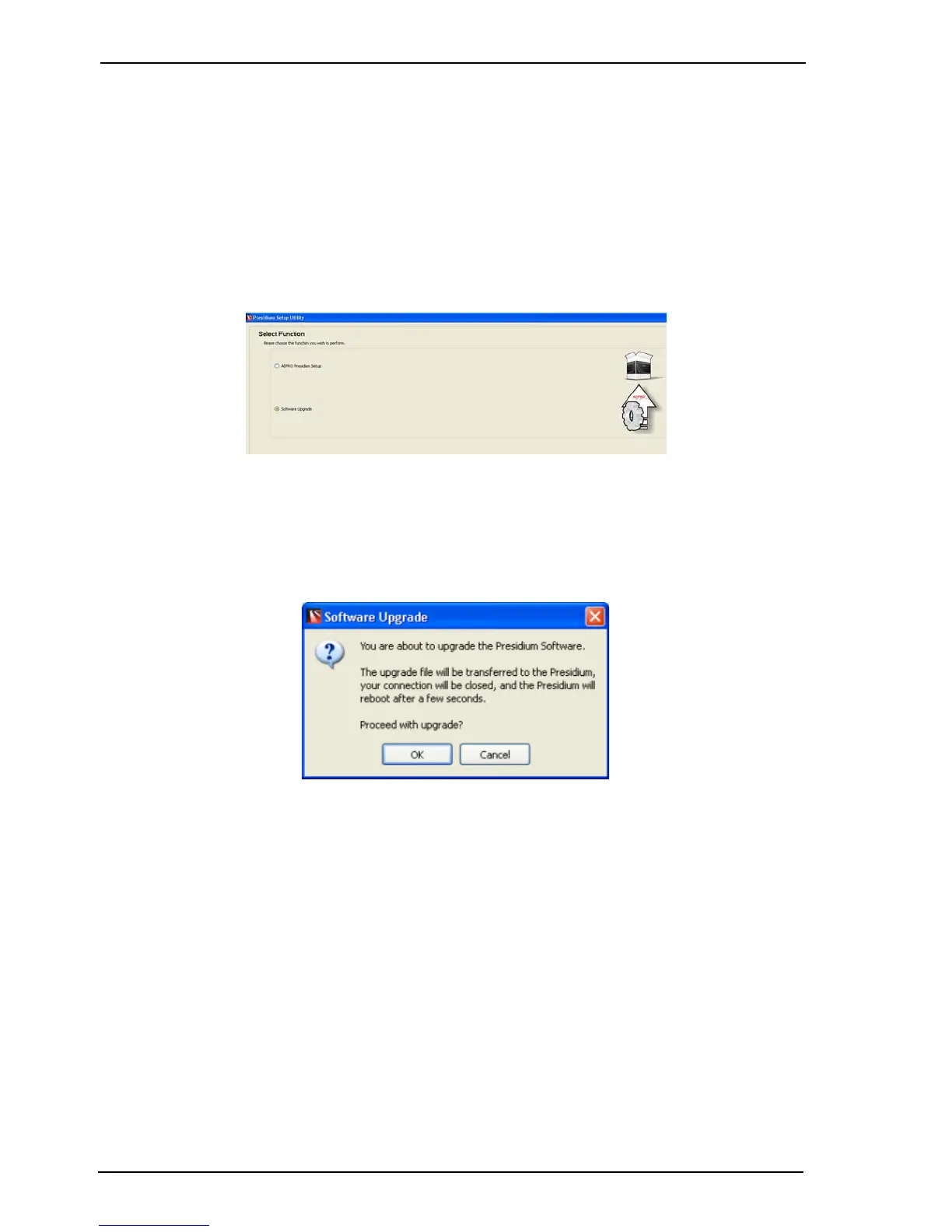
Figure 65: Software Upgrade option
• Check the Software Upgrade option
• Browse to the location of the upgrade file and select the file to be used (for example;
Presidium_upgrade_02.00.02_0001.adu)
• Click the Upgrade button to start the process. The following warning message is displayed;
• Click OK to continue.
Important: It is not recommended the Presidium Mini be upgraded over any type of
WAN connection. This is because if the link is dropped during the
upgrade process the unit may be left in an inoperatable state.
Important: Upgrades performed over a WAN communications network such as
xDSL may take upto 30 minutes to complete. Also updates to video
images within the Setup Utility can typically take 10-15 seconds.
Important: Do NOT switch off the power to the Presidium during the upgrade
process, as it may leave the unit in a non-operational state which will
require the unit to be returned to the manufacturer for restoration.
Important: Once the upgrade has been completed, reconnect to the unit and follow
the process described in Saving a Configuration to File on page 69 to
save a copy of the settings. This procedure is required as previous
“saved settings” files cannot and should not be loaded.



 To Next Page