ADPRO Presidium by Xtralis Installation and User Manual
Doc. 12384_05 85
6 Connection to a Third-Party DVR
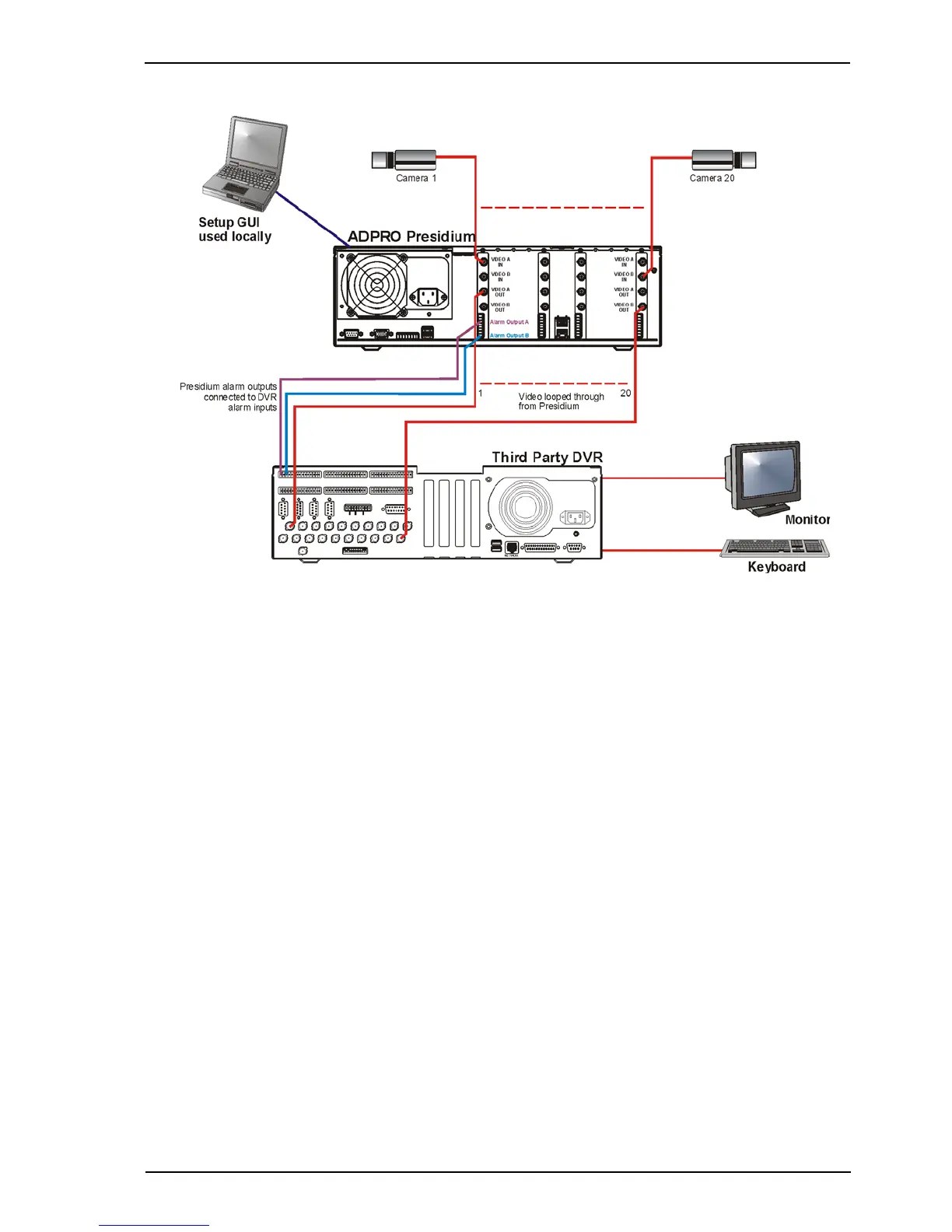
Figure 78: Typical Connections to a Third Party DVR
The above diagram shows a sample configuration for connecting a Presidium to a third-party
DVR. The following section describes settings and behaviour associated with the equipment.
When a no-video or contrast alarm occurs, the Presidium still sends video with an error message
displayed. This means that if the DVR has a no-video or contrast monitoring function, it will not
detect these fault conditions. The alarm output of the channel in alarm is activated and will
remain active until the problem is rectified.
Channels may be isolated by wiring relay outputs from the DVR, to the Alarm Isolate inputs on
the Presidium (refer to Alarm Inputs on page 35).
The Presidium may be switched between access/secure, by wiring a relay output from the DVR
to the Access/Secure pin of the I/O connector on the Presidium (refer to Access/Secure Input on
page 38).
The Presidium does not supply camera names or time/date information with the video. The DVR
must be used to supply channel names and time/date.
Tracking information can be supplied by the Presidium. There a two types of tracking provided:
• Display Alarm Tracks on Video Output: A track is displayed showing the path taken by a
target as it moves through the detection area. The track is only displayed once an alarm has
been generated.
• Display All Tracks on Video Output: This option should only be used for diagnostics.
Tracking may be disabled if required (refer to General Setup on page 54).



 To Next Page