ADPRO Presidium by Xtralis Installation and User Manual
Doc. 12384_05 67
2. Select the Advanced... button to display the Advanced Communication screen.
Figure 57: Advanced Communication
The port used to accept connections may be changed, if required. By default, the port used is
port 80. The valid port range is 80 - 65535 (excluding 88 and 20001 - 20004). The default port
should be used in most installations.
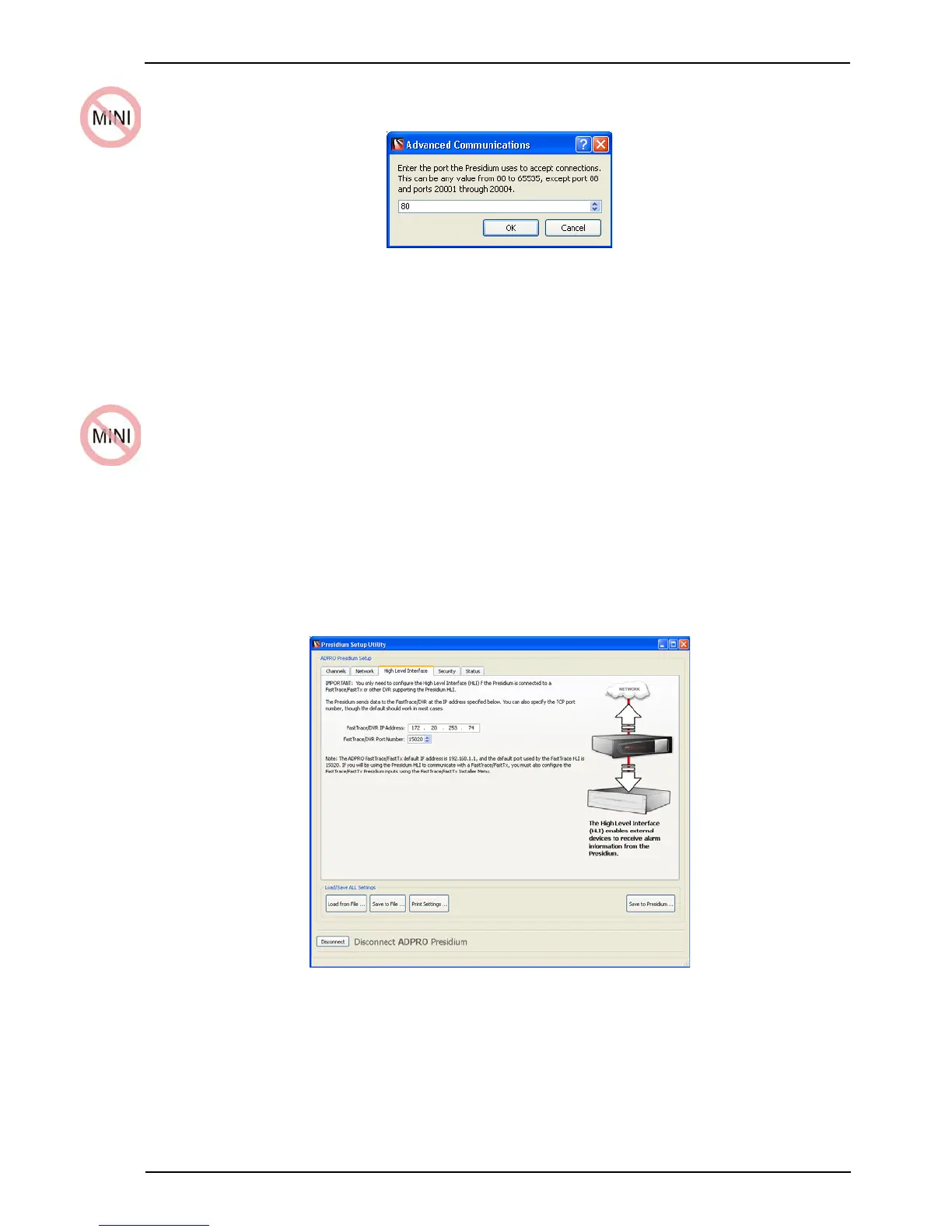
4.4.7 High Level Interface Tab
The High Level Interface (HLI) only requires configuration if the Presidium is connected to an a
FastTrace / FastTx / FastTrace-R or other DVR which supports the Presidium HLI.
Note: The address of the FastTrace / FastTx / FastTrace-R must be programmed in the
FastTrace / DVR IP address field.
Warning: It should not be necessary to change the port number on which the
Presidium High Level Interface communicates with the FastTrace /
FastTx / FastTrace-R. Do not change this setting unless instructed by
Xtralis technical support.
Figure 58: High Level Interface
Refer to the High Level Interface Manual (available on the website: www.xtralis.com/adpro) for
details of the Presidium HLI operation.



 To Next Page