Installation and User Manual ADPRO Presidium by Xtralis
80 Doc. 12384_05
5.2 Presidium Inputs
Note: At least one Presidium Input must be configured. If there are no inputs configured,
the following Presidium system alarms will not work at the FastTrace / FastTx /
FastTrace-R:
- Presidium Operational
- Tamper alert
- Over Temperature
- Communication to Presidium Lost
- Communication to Presidium Resumed
- Presidium Fault
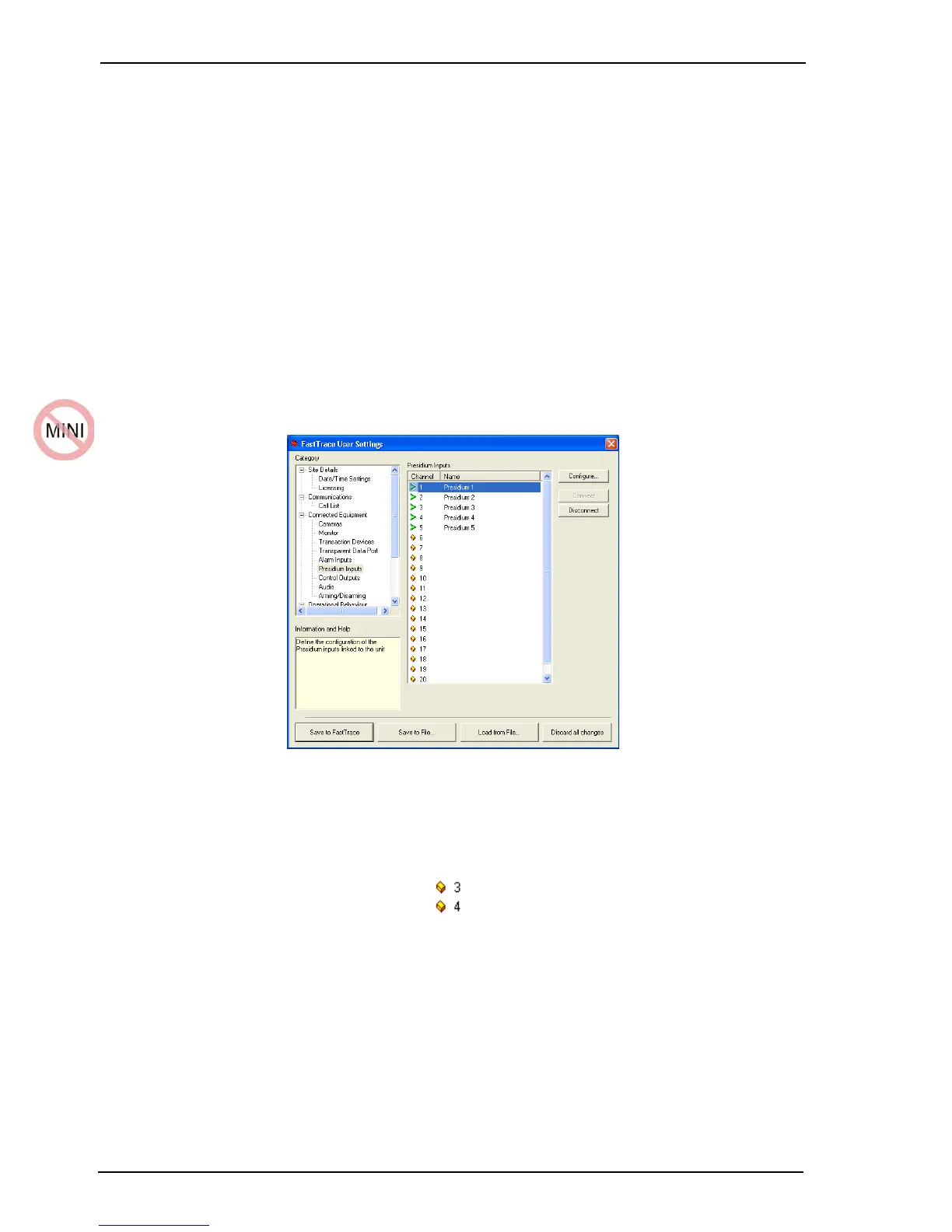
The Presidium Inputs option (under the Connected Equipment menu) enables the
configuration of video motion detection alarm output from a Presidium to enable alarms on the
FastTrace / FastTx / FastTrace-R unit.
1. Select the Presidium Input number from the displayed list.
Figure 72: Presidium Inputs List
The status of an Presidium Input is shown by a small icon to the left of the channel number.
• A Presidium Input is unallocated when no name is shown next to the number.
Figure 73: Unallocated Icon
•The Connect button is used to enable a Presidium Input. A green tick is shown and details
can be modified.
• To disable the use of an Presidium Input, the Disconnect button is used and a red cross is
shown. For example, set Disconnect if maintenance is being performed in that area or the
sensor is being replaced.



 To Next Page