ADPRO Presidium by Xtralis Installation and User Manual
Doc. 12384_05 79
5.1 Entering the FastTrace / FastTx / FastTrace-R
Setup Screen
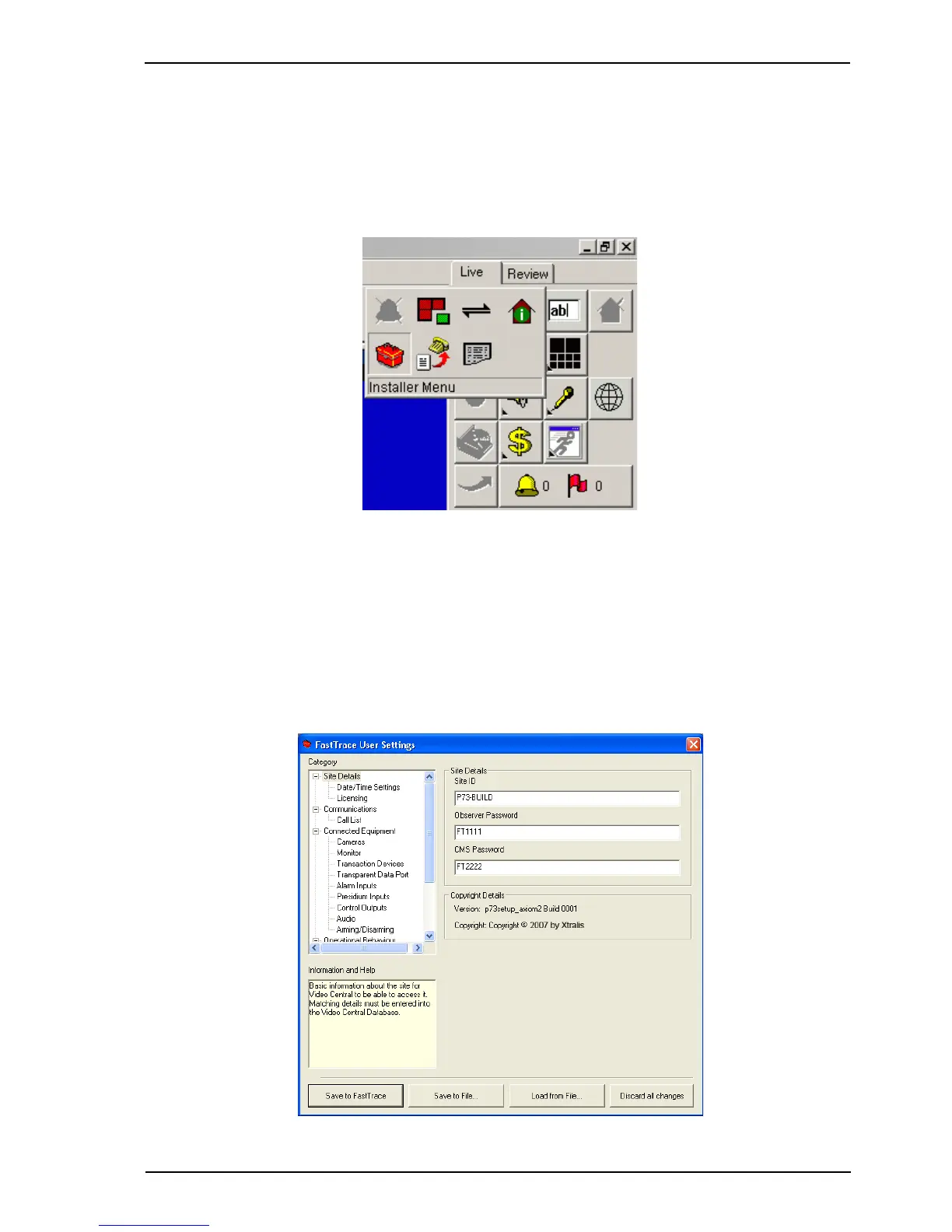
Remote programming of ADPRO video transmitters is carried out via a screen as shown below.
To start the programming operation, connect to the attached FastTrace / FastTx / FastTrace-R
and click on the Installer Menu button behind the Site Actions button in the main VideoCentral
User Interface GUI:
Figure 70: Installer Menu Icon
Note: Only operators logged on to the system either as Administrators or Installers have
access to this icon. Users defined as Operators do not have access to this function.
If this icon does not appear or appears greyed out, log out the current operator and
log-on a new operator with the correct access rights.
The current settings within the FastTrace / FastTx / FastTrace-R will be downloaded to the
VideoCentral system and the following (typical) screen will appear (Note that FastTrace-R
transmitters have some options disabled).
Figure 71: Typical Video Transmitter User Settings



 To Next Page