Installation and User Manual ADPRO Presidium by Xtralis
46 Doc. 12384_05
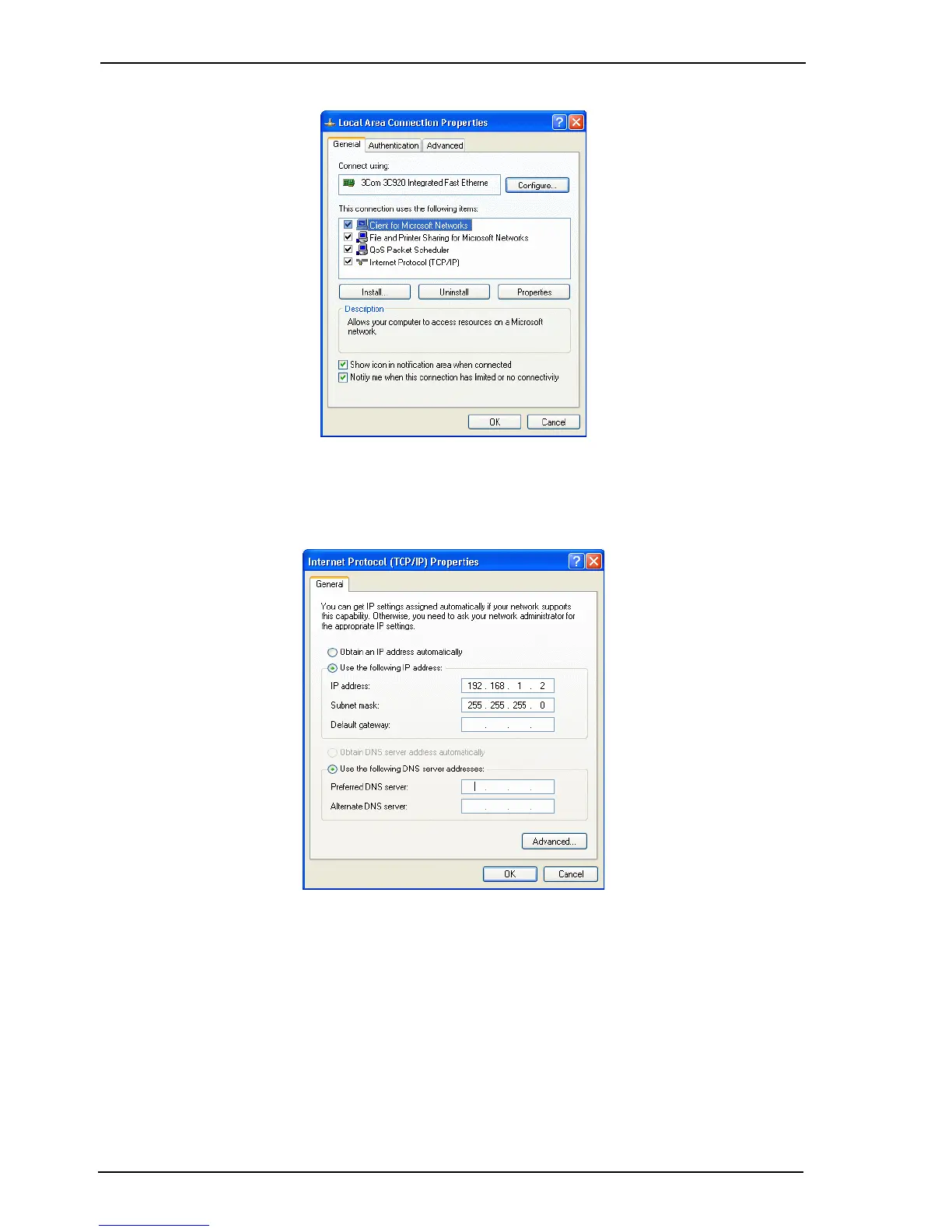
3. Select Properties. The following screen is displayed.
Figure 35: Local Area Connection Properties
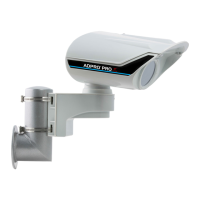
4. Highlight Internet Protocol (TCP/IP) and select Properties. The following screen is
displayed.
Figure 36: Internet Protocol Properties
5. Change the PC IP settings to the following: 192.168.1.2
6. Set the subnet mask address to: 255.255.255.0
7. Click OK, and the Local Area Connection Properties box is displayed again. Click OK and
close the Network and Dial up Connections panel.



 To Next Page