Installation and User Manual ADPRO Presidium by Xtralis
52 Doc. 12384_05
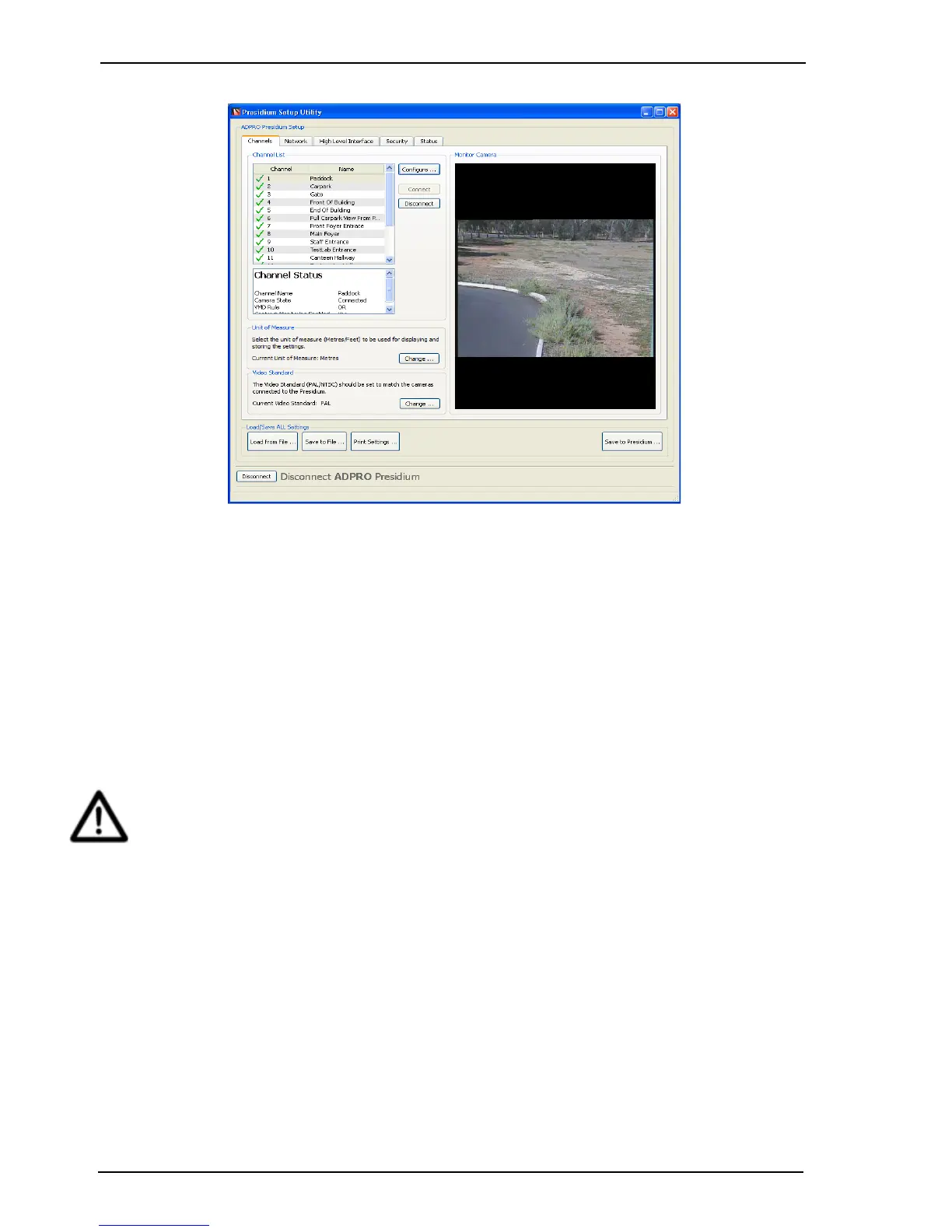
Figure 44: Presidium Setup
The Connect button is used to enable a channel to detect alarm conditions.
To temporarily disable the use of a camera and any alarms that may be generated by it, the
Disconnect button is used. For example, Disconnect can be set if maintenance is being
performed on that camera, or if no camera is connected to that input.
The Channel Status area displays the settings that have been applied to this channel.
Selecting the Change button in the Unit of Measure section enables metres or feet to be
selected as the displayed unit of measurement.
Selecting the Change button in the Video Standard section enables PAL or NTSC to be
selected as the video standard.
Important: The Presidium detection is disabled when the Presidium Setup Utilty is
connected to the unit. Once the Presidium has been programmed then ensure
that the setup utility is disconnected and displaying the site list (refer to
Figure 37 – Establish Connection to the Presidium on page 47).



 To Next Page