ADPRO Presidium by Xtralis Installation and User Manual
Doc. 12384_05 83
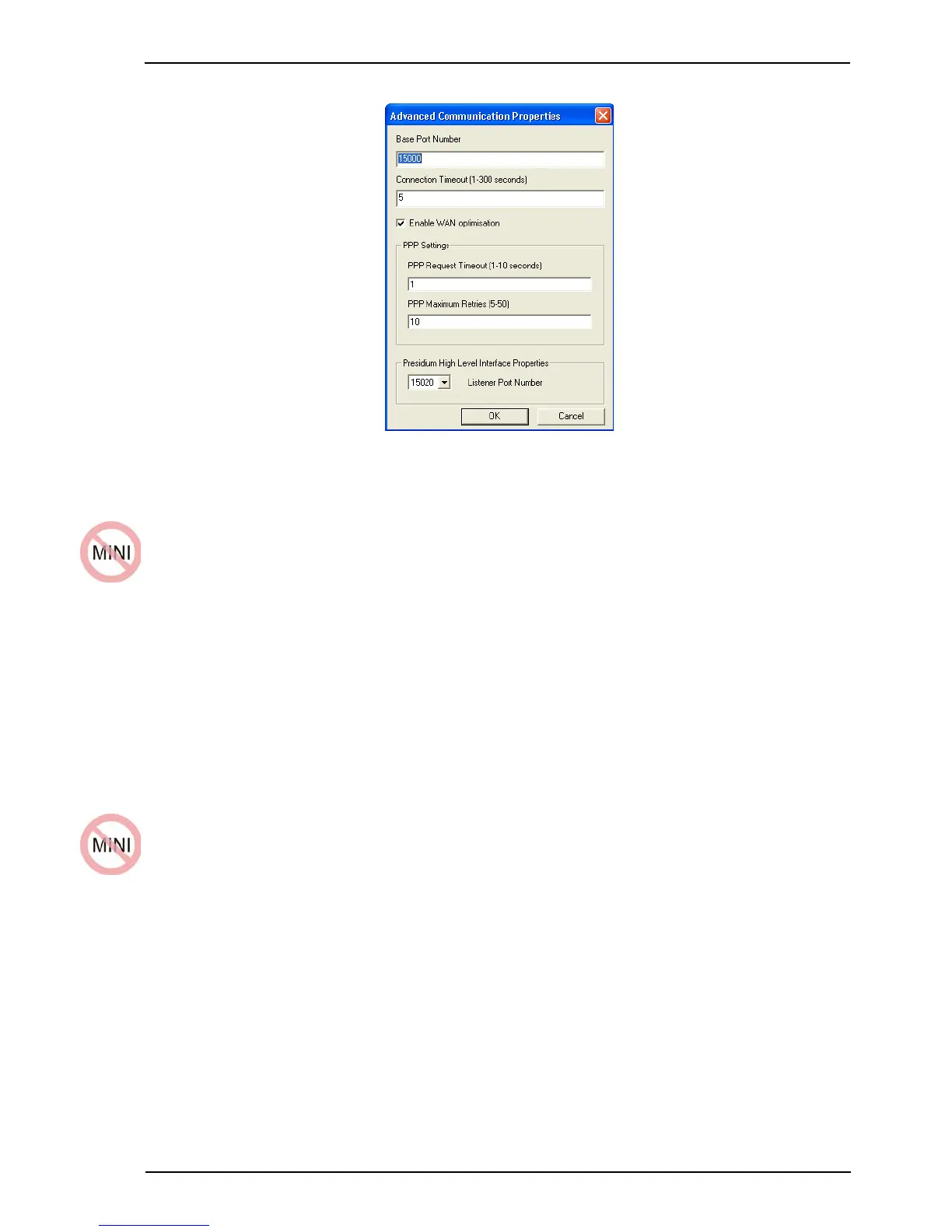
Figure 77: Advanced Communication Properties
5.3.1 Presidium High Level Interface Properties
When a Presidium is connected to the FastTrace / FastTx / FastTrace-R, the Listener Port
Number defines on which port the Presidium High Level Interface communicates with the
FastTrace / FastTx / FastTrace-R.
Warning: It should not be necessary to change the port number on which the
Presidium High Level Interface communicates with the FastTrace /
FastTx / FastTrace-R. Do not change this setting unless instructed by
Xtralis technical support.
Note: Ports 15020 to 15029 are valid for connection to the Presidium. This setting must be
the same port as that selected in the Presidium Setup Utility, High Level Interface
tab (refer to High Level Interface Tab on page 67).
5.4 IP Address Requirements
Once the Presidium and the FastTrace / FastTx / FastTrace-R have been configured, it may be
necessary to change the IP Addresses to suit the network requirements.
Note: When choosing the FastTrace / FastTx / FastTrace-R and Presidium IP addresses,
it is important to ensure no other devices on the network are using those IP
addresses. Ask your network administrator if you are unsure what IP addresses can
be used.



 To Next Page