ADPRO Presidium by Xtralis Installation and User Manual
Doc. 12384_05 55
Figure 46: Contrast Level Indicator
The contrast level indicator shows the dynamic range of the video on the current channel, with
black level at the base and peak white at the top.
The black portion at the base shows the unused levels at the lower range of the video signal. If
there is no black at the base of the indicator then the black level of the video is correct. This can
be changed by adjusting the camera's brightness level.
The green portion shows the active video range, and should ideally extend from the base of the
indicator to near the top of the indicator in order to maximise detection capability.
The white portion at the top shows the unused levels at the upper range of the video signal. This
can be changed by adjusting the camera's contrast level after the black level has been set.
Important: It is not recommended to enable the Display All Tracks function during
general use of the Presidium. It should only be used as a diagnostics
tool when setting up the Presidium.
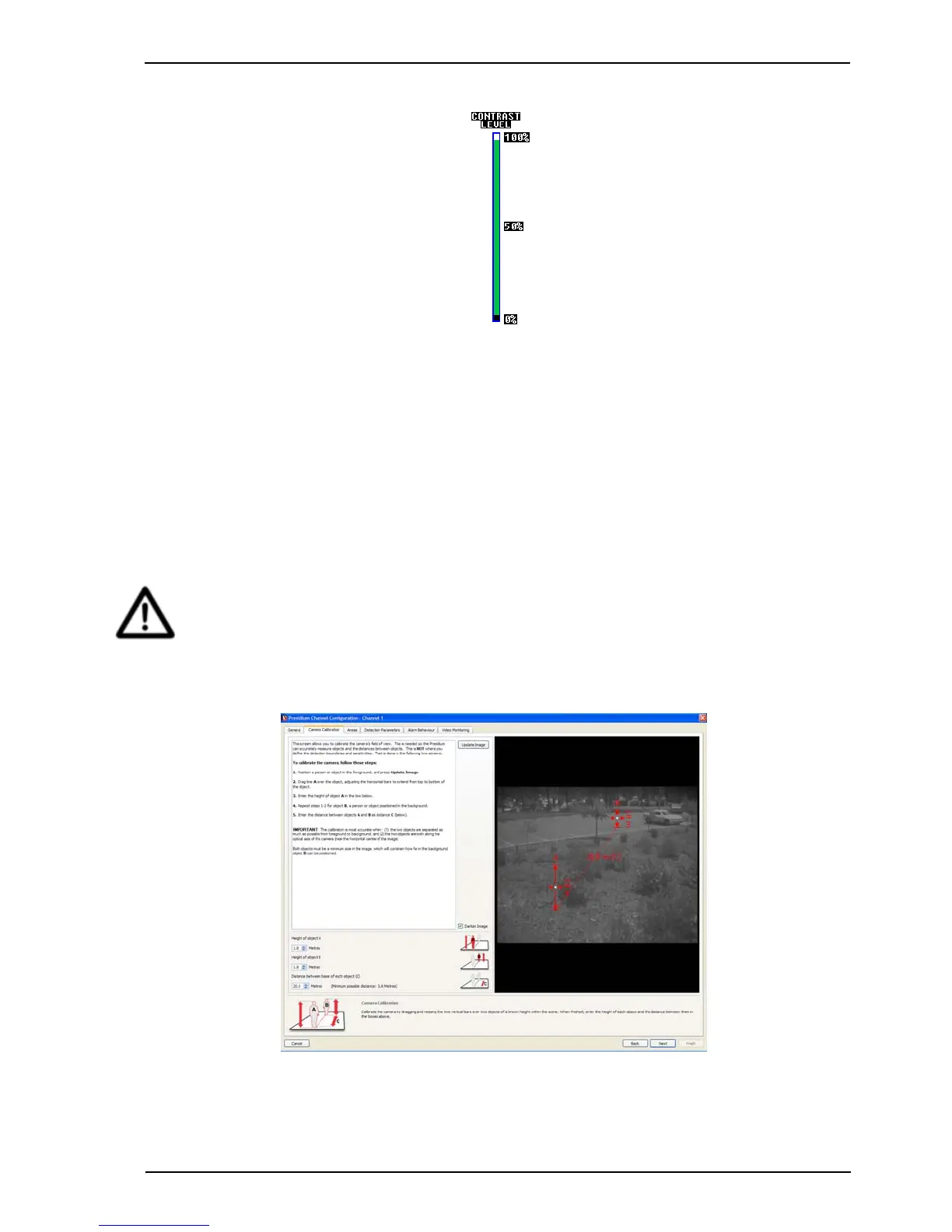
1. Once all settings are selected, select Next. The following screen is displayed.
Figure 47: Camera Calibration



 To Next Page