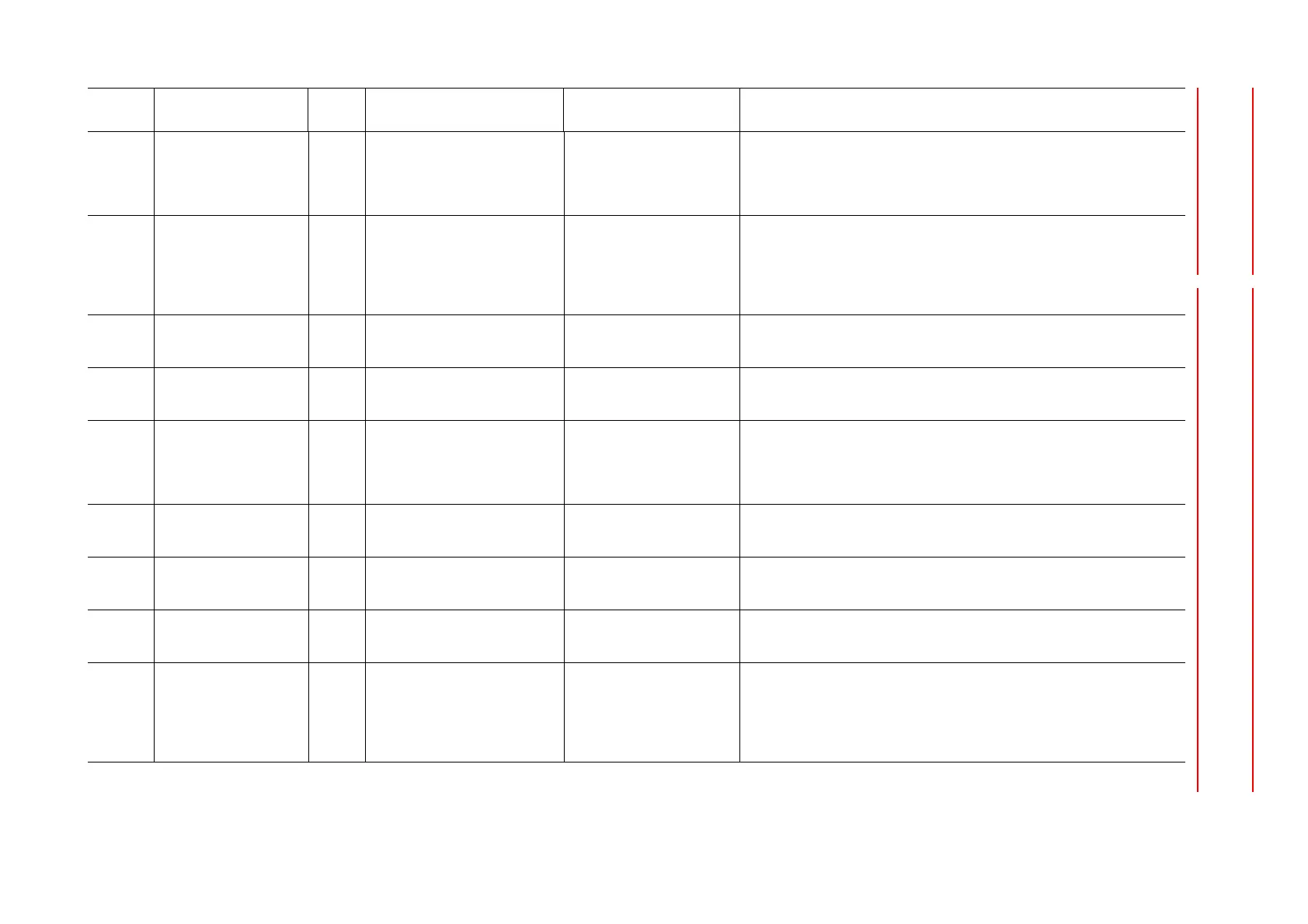
9Alarm
DX100 9.4 Alarm Message List
9-15
8 An error was detected in
communications with the I/O
module board connected with 8th
serial bus when the control power
turned ON.
Setting error (1)Check the following settings.
·The rotary switch setting which specifies slot numbers of each I/O module
·I/O module settings in maintenance mode
Connection failure (1)Turn the power OFF then back ON.
(2)If the alarm occurs again, check the connecting or inserting state of the
following cables or connectors.
·IO module cable of the corresponding slot.
·Terminator
·24V power of the corresponding IO module.
Board failure (I/O module) (1)Turn the power OFF then back ON.
(2)If the alarm occurs again, replace the following board. Save the CMOS.BIN
before replace the board to be safe.
Main CPU board failure (1)Turn the power OFF then back ON.
(2)If the alarm occurs again, replace the controller. Save the CMOS.BIN before
replacement to be safe.
100 COMMUNICATION
ERROR (servo#1)
1 The error was detected during the
check of the serial communication
watchdog data.
Counter value received from
Servo control board is invalid.
Setting error (1)Turn the power OFF then back ON.
(2)If the alarm occurs again, replace the controller. Save the CMOS.BIN before
replacement to be safe.
Connection failure (1)Turn the power OFF then back ON.
(2)If the alarm occurs again, replace the controller. Save the CMOS.BIN before
replacement to be safe.
Servo control board failure (1)Turn the power OFF then back ON.
(2)If the alarm occurs again, replace the controller. Save the CMOS.BIN before
replacement to be safe.
Main CPU board failure (1)Turn the power OFF then back ON.
(2)If the alarm occurs again, replace the controller. Save the CMOS.BIN before
replacement to be safe.
2 The error was detected during the
check of the number of the serial
communications.
Counter value received from
Servo control board is OFF by
one cycle.
Setting error (1)Turn the power OFF then back ON.
(2)If the alarm occurs again, replace the controller. Save the CMOS.BIN before
replacement to be safe.
Alarm
Number
Alarm Name
Sub
Code
Meaning Cause Remedy










 To Next Page