9Alarm
DX100 9.4 Alarm Message List
9-215
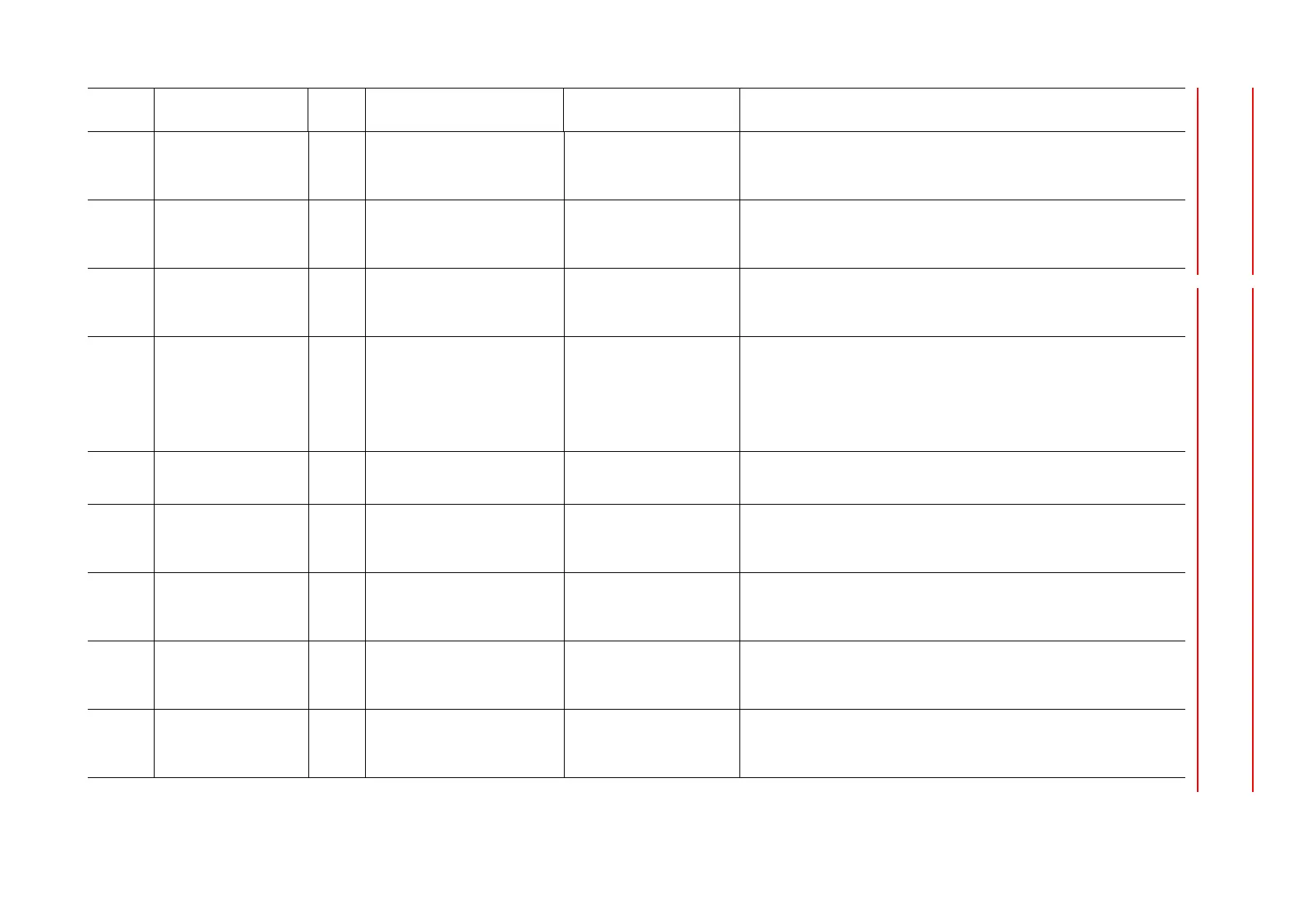
4946 PG POWER ON
INCOMPLETE (SV)
Software operation error
occurred
(1)Reset the alarm.
(2)If the alarm occurs again, save the CMOS.BIN in maintenance mode, and
then contact your Yaskawa representative about occurrence status (operating
procedure).
4947 SERVO ON MULTIPLE
REQUEST (SV)
Software operation error
occurred
(1)Reset the alarm.
(2)If the alarm occurs again, save the CMOS.BIN in maintenance mode, and
then contact your Yaskawa representative about occurrence status (operating
procedure).
4948 ENCODER ALARM
(SERVO)
Software operation error
occurred
(1)Reset the alarm.
(2)If the alarm occurs again, save the CMOS.BIN in maintenance mode, and
then contact your Yaskawa representative about occurrence status (operating
procedure).
4953 ENCODER COUNTER
DIFF. ERROR(SV)
Sub Code: Signifies the axis in
which the alarm occurred
Connection failure (1)Reset the alarm
(2)If the alarm occurs again, check the connection and inserting state of the
following cables and connectors.
{Robot axis}
·Cable between encoders
{External axis}
·Cable between encoders
Servo control board failure (1)Reset the alarm.
(2)If the alarm occurs again, replace controller. Save the CMOS.BIN before
replace controller to be safe.
4955 AVERAGING DATA
ERROR (SERVO)
Software operation error
occurred
(1)Reset the alarm.
(2)If the alarm occurs again, save the CMOS.BIN in maintenance mode, and
then contact your Yaskawa representative about occurrence status (operating
procedure).
4956 AVERAGING SUM
ERROR (SERVO)
Software operation error
occurred
(1)Reset the alarm.
(2)If the alarm occurs again, save the CMOS.BIN in maintenance mode, and
then contact your Yaskawa representative about occurrence status (operating
procedure).
4957 AVERAGING STATUS
ERROR (SERVO)
Software operation error
occurred
(1)Reset the alarm.
(2)If the alarm occurs again, save the CMOS.BIN in maintenance mode, and
then contact your Yaskawa representative about occurrence status (operating
procedure).
4958 HIGH RESOLUTION
PRM UNDEFINED(SV)
Software operation error
occurred
(1)Reset the alarm.
(2)If the alarm occurs again, save the CMOS.BIN in maintenance mode, and
then contact your Yaskawa representative about occurrence status (operating
procedure).
Alarm
Number
Alarm Name
Sub
Code
Meaning Cause Remedy


 To Next Page