Accessories
128
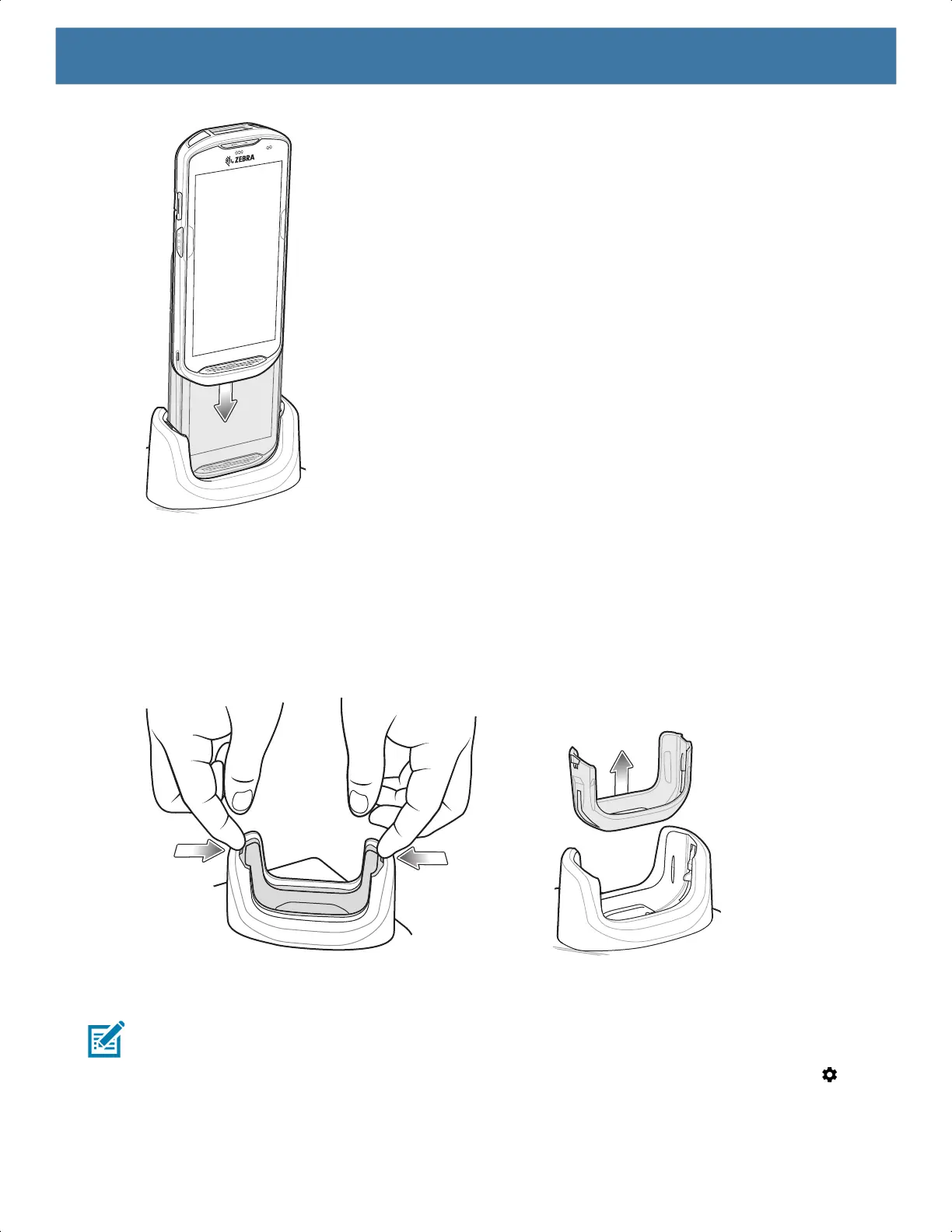
2. Ensure the device is seated properly.
Inserting a TC52 with Rugged Boot into Cradle
Each cradle cup has an insert that must be removed prior to inserting the device with Rugged Boot. Remove
the insert and then insert the device into the cup.
Figure 64 Remove Insert from Cup
Establishing Ethernet Connection
NOTE: Refer to the TC52 Touch Computer Integrator Guide for Android 8 Oreo for information on configuring
the Ethernet settings.
1. Swipe down with two fingers from the status bar to open the quick access panel and then touch .
2. Touch Ethernet.
3. Slide the Ethernet switch to the ON position.
MN-003834-01ENa_tc52-android-10-ug-en.book Page 128


 To Next Page
 Loading...
