Accessories
142
3.5 mm Audio Adapter
NOTE: The Audio Adapter is available for the device standard configuration.
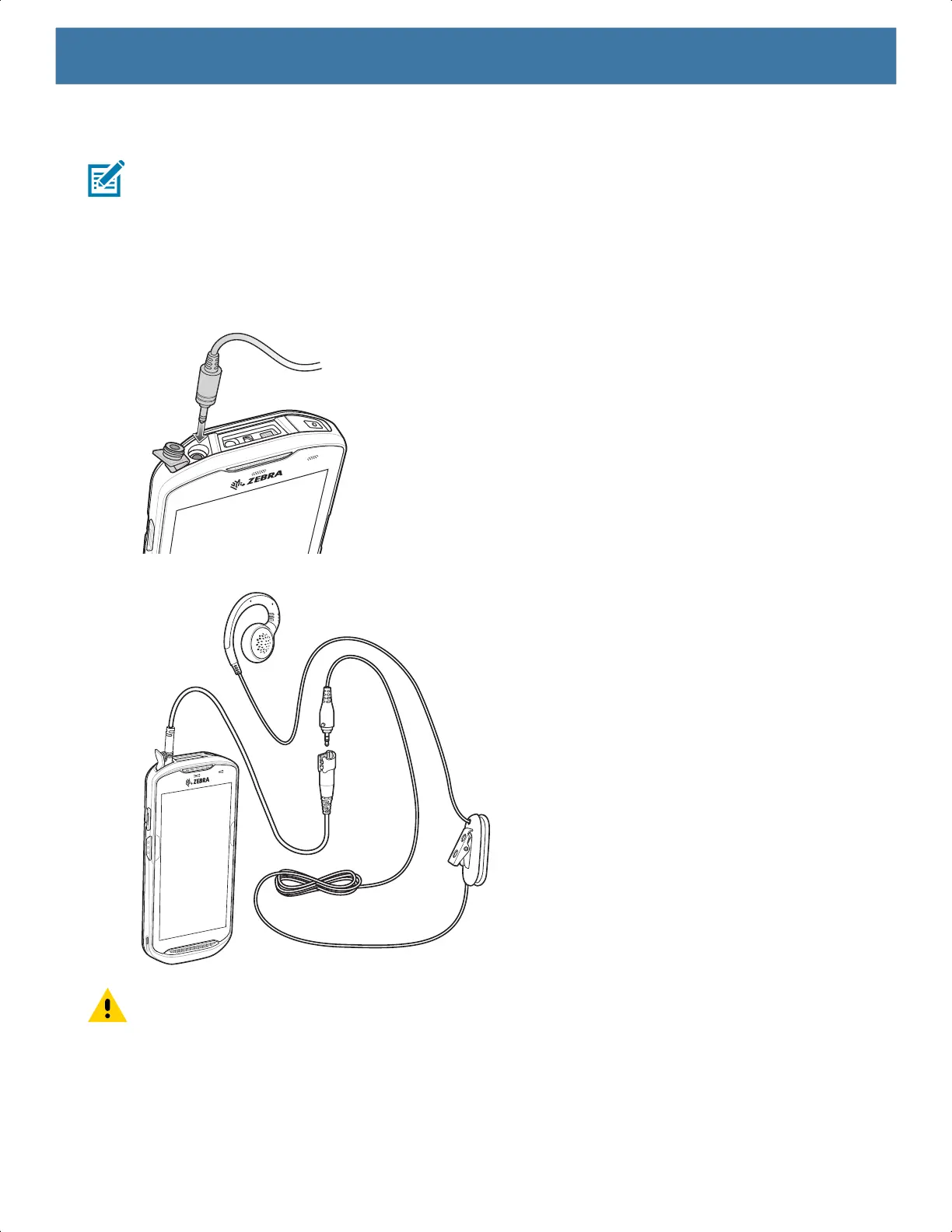
The 3.5 mm Audio Adapter plugs into the device and connects to a wired headset with a 3.5 mm plug.
To attach a 3.5 mm headset:
1. Open the headset jack cover.
2. Insert the 3.5 mm Audio Adapter plug into the headset jack.
3. Connect the 3.5 mm connector plug of the headset into the 3.5 mm Audio Adapter.
CAUTION: After removing headset, headset jack cover must be replaced and securely seated to ensure
proper device sealing.
MN-003834-01ENa_tc52-android-10-ug-en.book Page 142


 To Next Page
 Loading...
