Accessories
135
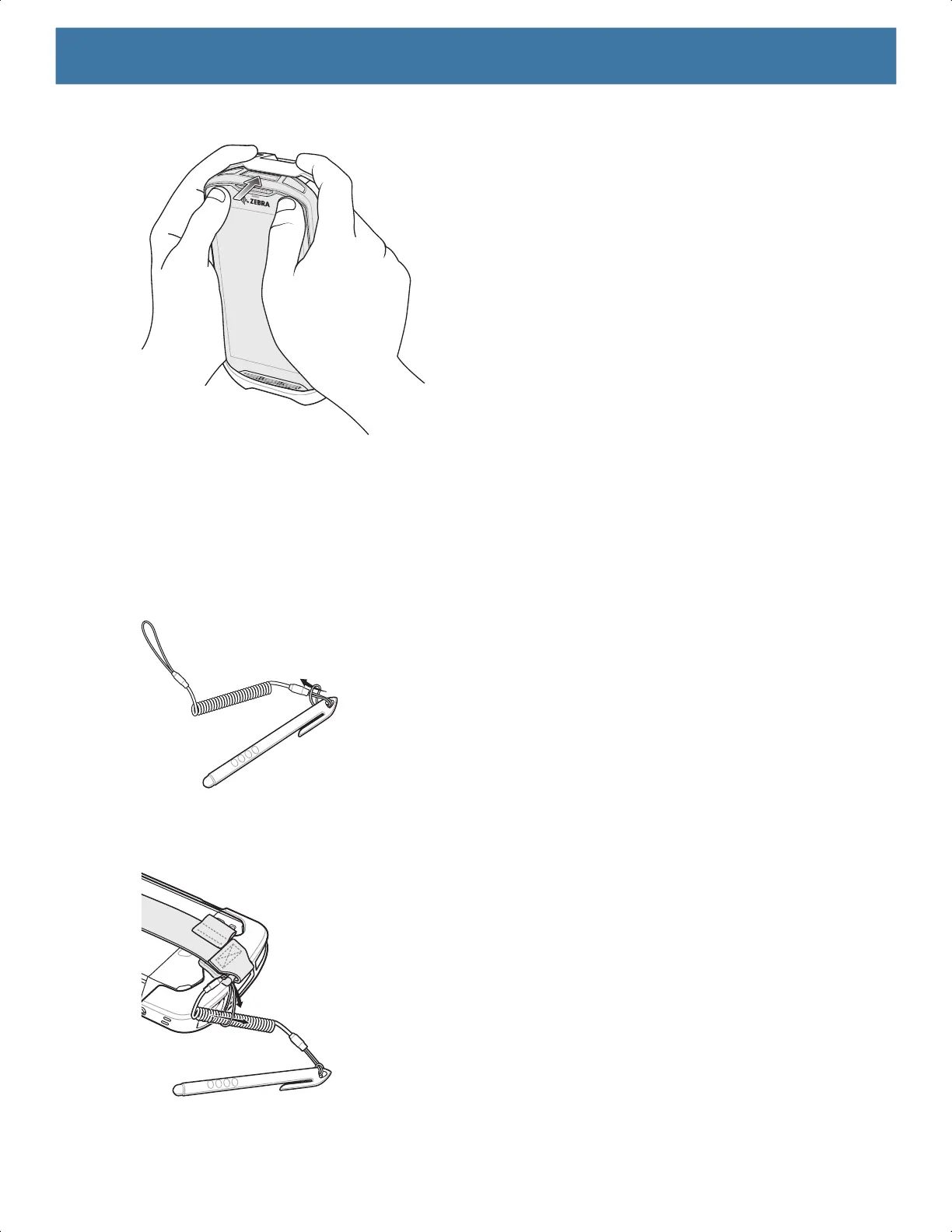
3. Push the device into the Rugged Boot.
Installing Stylus
To install the optional stylus:
1. Insert one of the loop ends of the tether through the hole in the stylus.
2. Feed the tether through the loop.
3. Pull the tether until the loop tightens.
4. Insert the loop into the hand strap holder.
5. Feed the stylus through the loop.
MN-003834-01ENa_tc52-android-10-ug-en.book Page 135


 To Next Page
 Loading...
