ZEISS 5 First Operating Steps | 5.8 Switching Off the Microscope System
Procedure
1. Click the All: button in the Status Bar.
2. Select Shutdown Gun from the pop-up menu.
3. Exit the SmartSEM user interface. Refer to Closing the SmartSEM User Interface [
}
109].
4. Close all programs and software.
5. Select Windows start button > Power icon > Shut down.
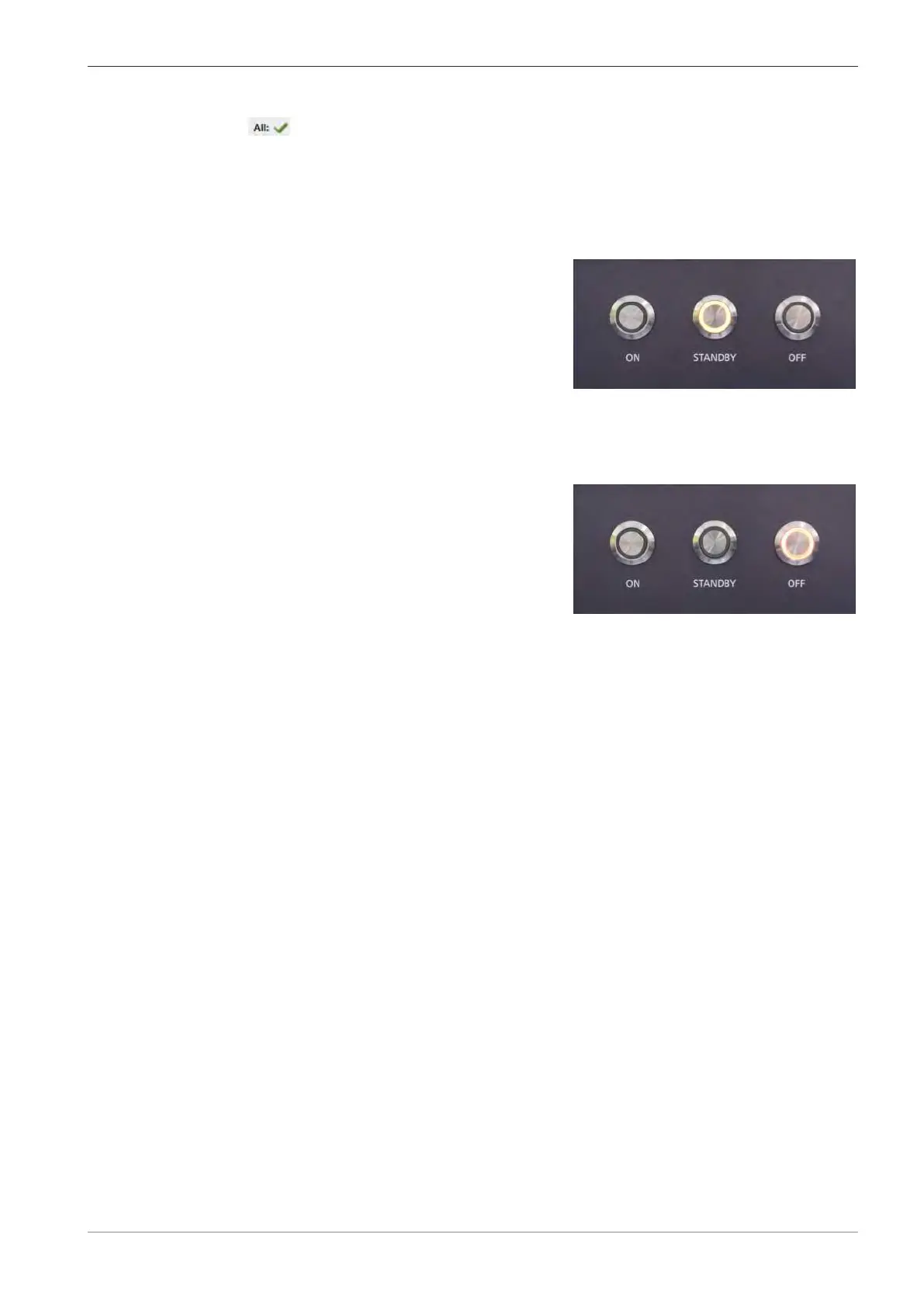
6. At the front of the plinth, press the STANDBY button.
à
The microscope switches to Standby mode.
7. Only when interrupting work for longer periods: Press the OFF button.
à The microscope switches to OFF mode.
à The electron column is partially vented.
à Computer, electronic components, and vacuum system are switched off.
à
A 24 V auxiliary voltage is still present to
restart the microscope.
5.8.3 Closing the SmartSEM User Interface
5.8.3.1 Logging off from the SmartSEM User Interface
Procedure
1. From the Menu Bar, select File > Log Off.
à A system message is displayed.
2. Click Yes.
3. Close the EM Server.
à A system message is displayed.
4. Click Yes.
INFO: The EM server remains active.
5.8.3.2 Closing the SmartSEM User Interface
Procedure
1. From the Menu Bar, select File > Exit.
à A system message is displayed.
2. Click Yes.
3. Close the EM Server.
à A system message is displayed.
4. Click Yes.
Instruction Manual ZEISS EVO | en-US | Rev. 10 | 354706-0780-006 109



 To Next Page