5 First Operating Steps | 5.6 Finding Appropriate Detector Settings ZEISS
§ Analysis mode: Specimen remains in focus for any change in probe current.
§ Field mode: A large field of view for navigation with a long depth of field.
§ Resolution mode: Smallest probe diameter for a chosen probe current at any working dis-
tance or acceleration voltage.
§ Depth mode: Largest depth of field or a chosen probe current at any working distance or ac-
celeration voltage.
§ Fisheye mode: Extreme field of view for navigation and a very large depth of field.
If the fixed aperture is fitted, some Optibeam modes may not be available. The fixed apertures are
apertures, which are screwed into the column of the microscope and which you need to distin-
guish from the click-stop apertures.
Prerequisite
ü
Fisheye mode requires the optional SmartSEM software license FISHEYE.
Procedure
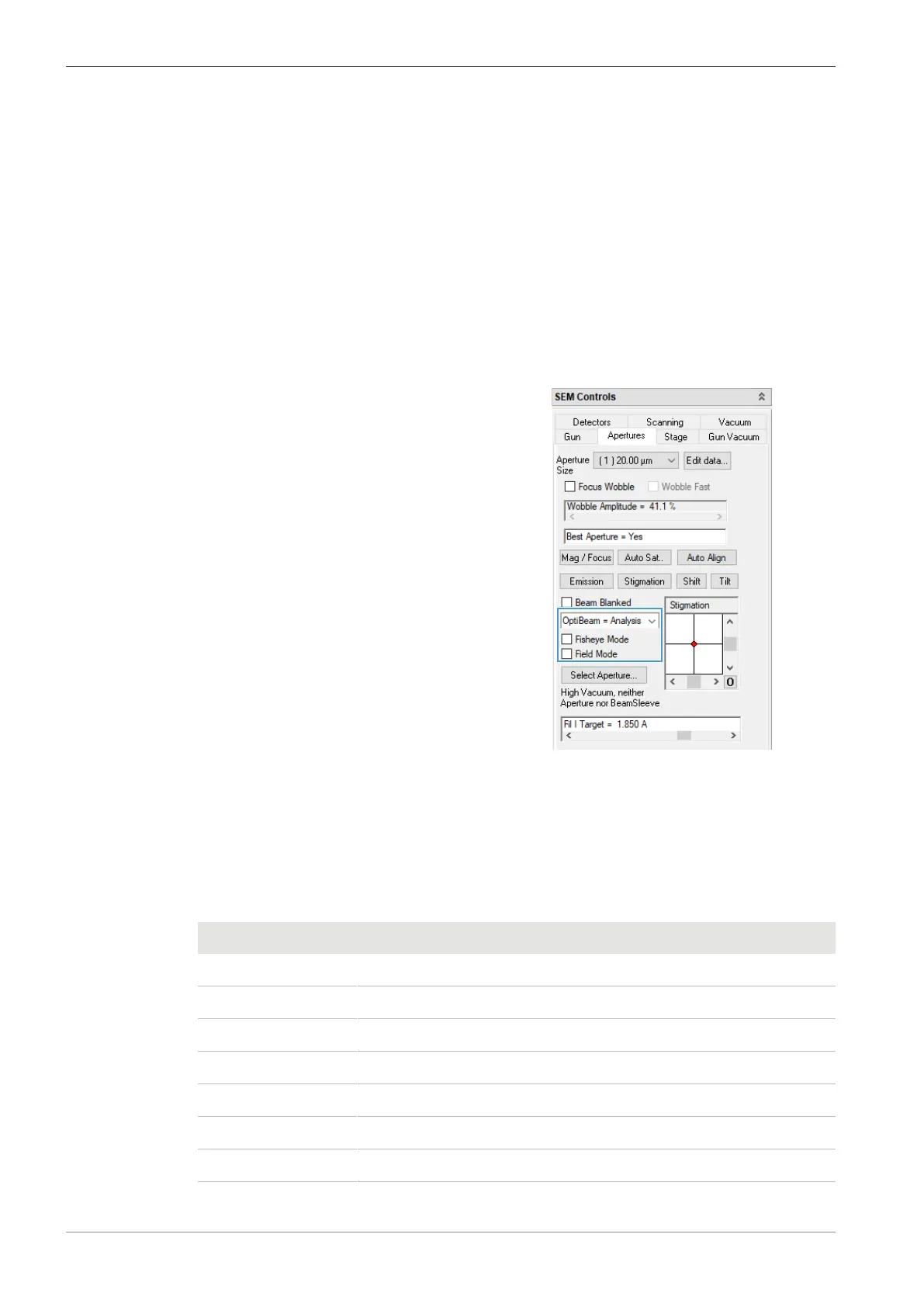
1. In the SEM Controls panel, select the Apertures tab.
2. Use the drop-down list and the checkboxes to
select the operation mode.
5.6 Finding Appropriate Detector Settings
5.6.1 Selecting a Detector
You need to select an appropriate detector depending on the application and the pressure mode.
In addition to the standard SE detector, several optional detectors are available.
Detector Pressure mode
SE HV
C2D VP
C2DX VP, EP
BSD HV, VP
YAG BSD HV, VP
STEM HV, VP
CL HV, VP
82 Instruction Manual ZEISS EVO | en-US | Rev. 10 | 354706-0780-006



 To Next Page