5 First Operating Steps | 5.2 Switching On the Microscope System ZEISS
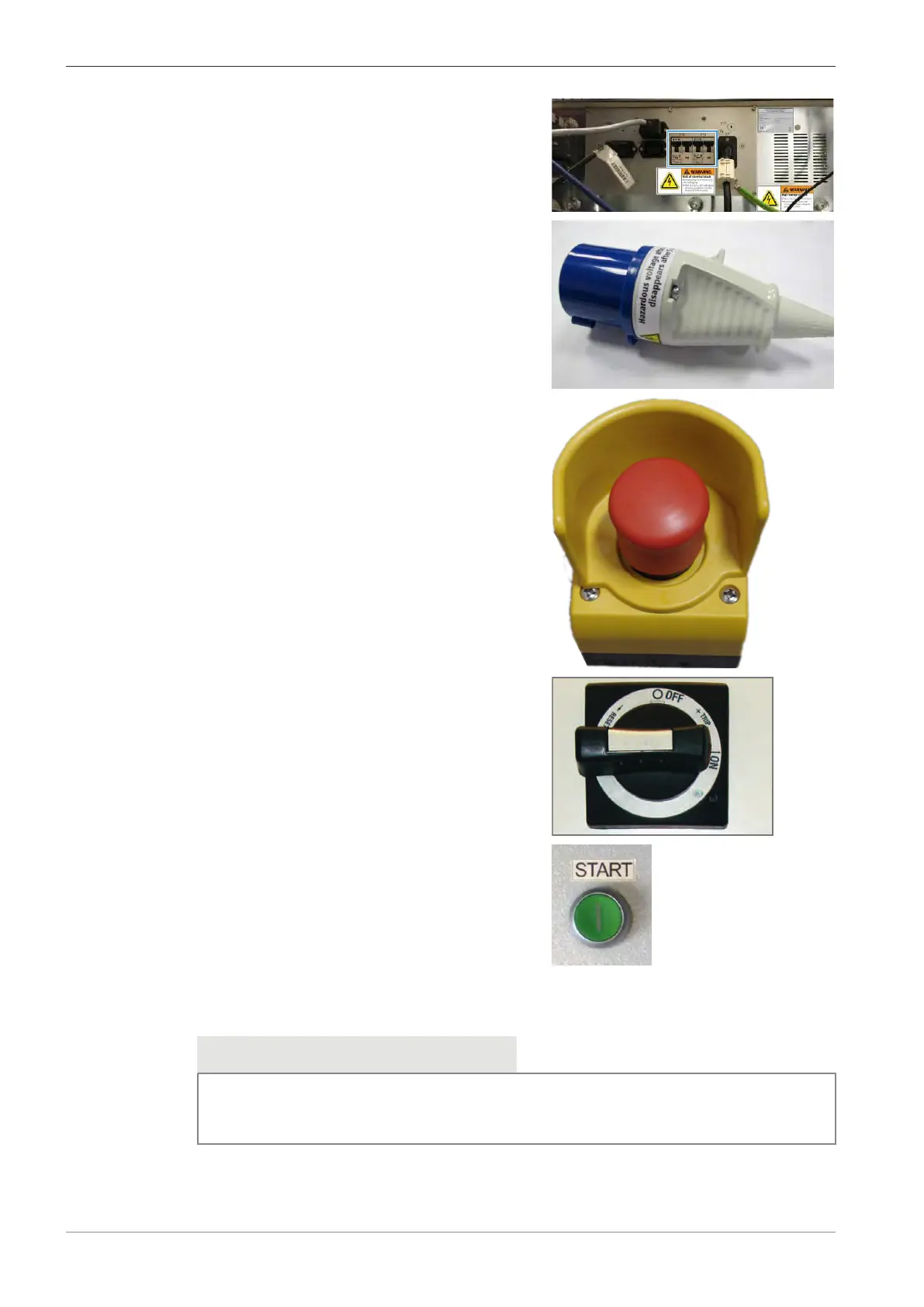
2. Make sure the circuit breakers (F10, F11) are in
the upper position.
3. If the EMO circuit is not installed, plug the CEE
connector into the CEE FEMALE RECEPTACLE of
the mains supply.
4. If the EMO circuit is installed, pull the EMO
button to release it.
5. Turn the Main switch counter-clockwise to the
Reset position and then back via OFF to the
ON position.
6. Press the green Start button.
5.2.2 Starting the Microscope
Info
If the system was powered off for a longer time period, the ion getter pump might fail to start.
In this case, bake-out the gun head (supervisor user rights required) or contact your local ser-
vice center. Refer to Baking out the Gun Head [
}
120].
To start the microscope, you need to use the buttons at the front of the plinth and follow a de-
fined procedure.
58 Instruction Manual ZEISS EVO | en-US | Rev. 10 | 354706-0780-006



 To Next Page