ZEISS 3 Product and Functional Description | 3.6 Software Description
Displays thumbnail views of the contents of the eight image buffers.
Status Bar
Displays the current machine state and contains the SEM Control Buttons.
Data Zone
Displays image information and acquisition parameters from the microscope.
Annotation Bar
Enables you to add information to the SEM image and provides several measurement
functions.
Panel Configuration Bar
Enables you to choose the panels to be placed in the Docking Panel.
Docking Panel
Enables you to arrange frequently used SmartSEM panels for convenient access.
Mini Bar
Provides quick access to recently used dialogs and to the recipe management.
3.6.2 Graphical Control Elements
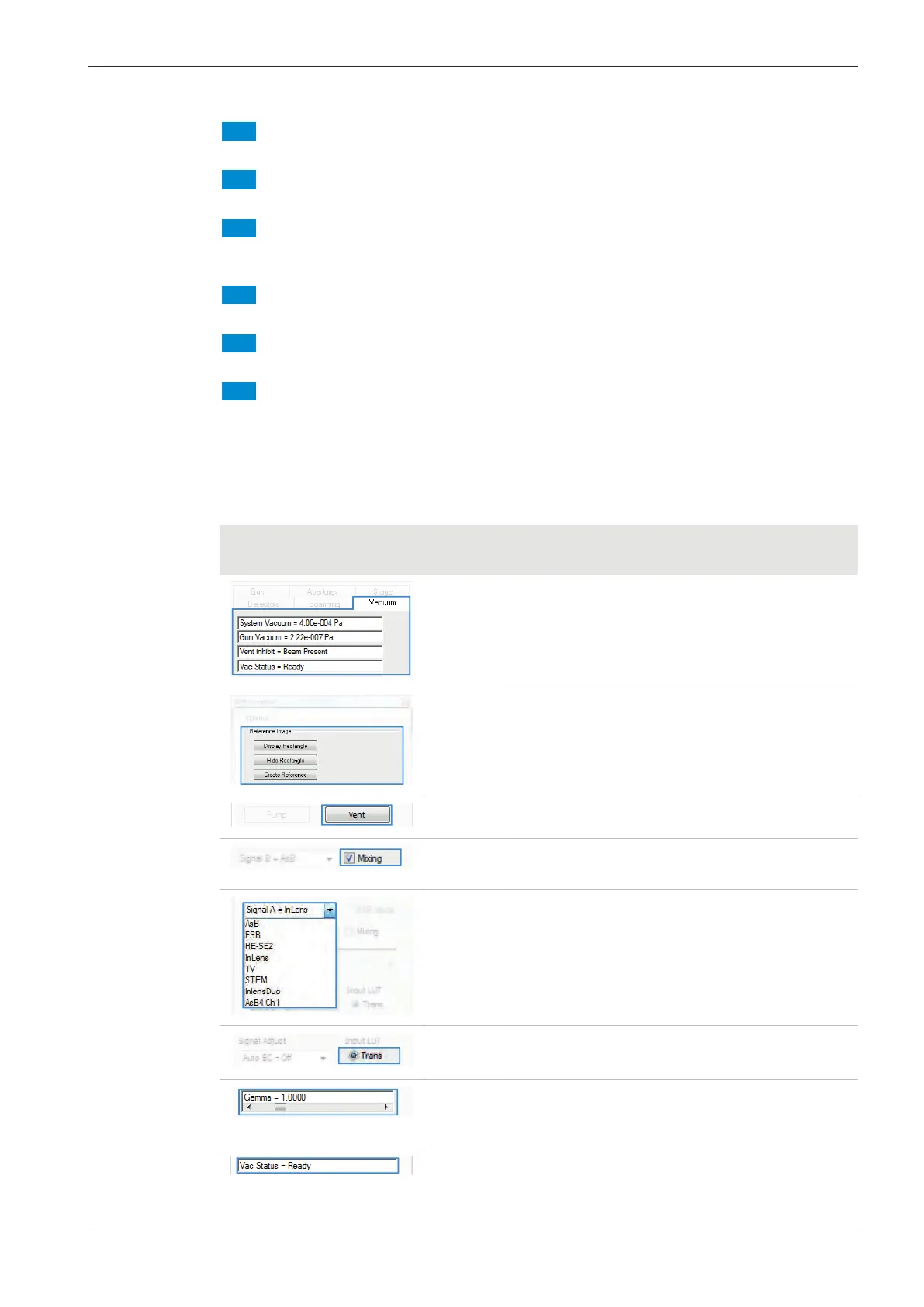
The following graphical control elements are used in the SmartSEM GUI.
Screenshot Control
Element
Function
Tab Provides a group of graphical control elements.
Section Forms a group of control elements with related
functions.
Button Enables you to start an action.
Check-
box
Enables you to activate or deactivate a function.
Drop-
down list
Enables you to select the desired element.
Radio
button
Enables you to activate the desired option.
Scroll bar Enables you to adjust a value by moving the scroll
bar or pressing the arrow button until the desired
value is set.
Readout Displays the status of a system entity.
Instruction Manual ZEISS EVO | en-US | Rev. 10 | 354706-0780-006 51



 To Next Page