ZEISS 5 First Operating Steps | 5.7 Working with Specific Specimen Types
6. Click Emission.
7. Adjust the Emission Zoom to 35.
8. To zero the aperture alignment, select Aperture Align from the Panel Configuration
Bar.
à The Aperture Align window is displayed.
9. To set the Aperture Align value to zero, click the 0 button.
10. Make sure that the filament is saturated.
11. Set Brightness and Contrast to 50%.
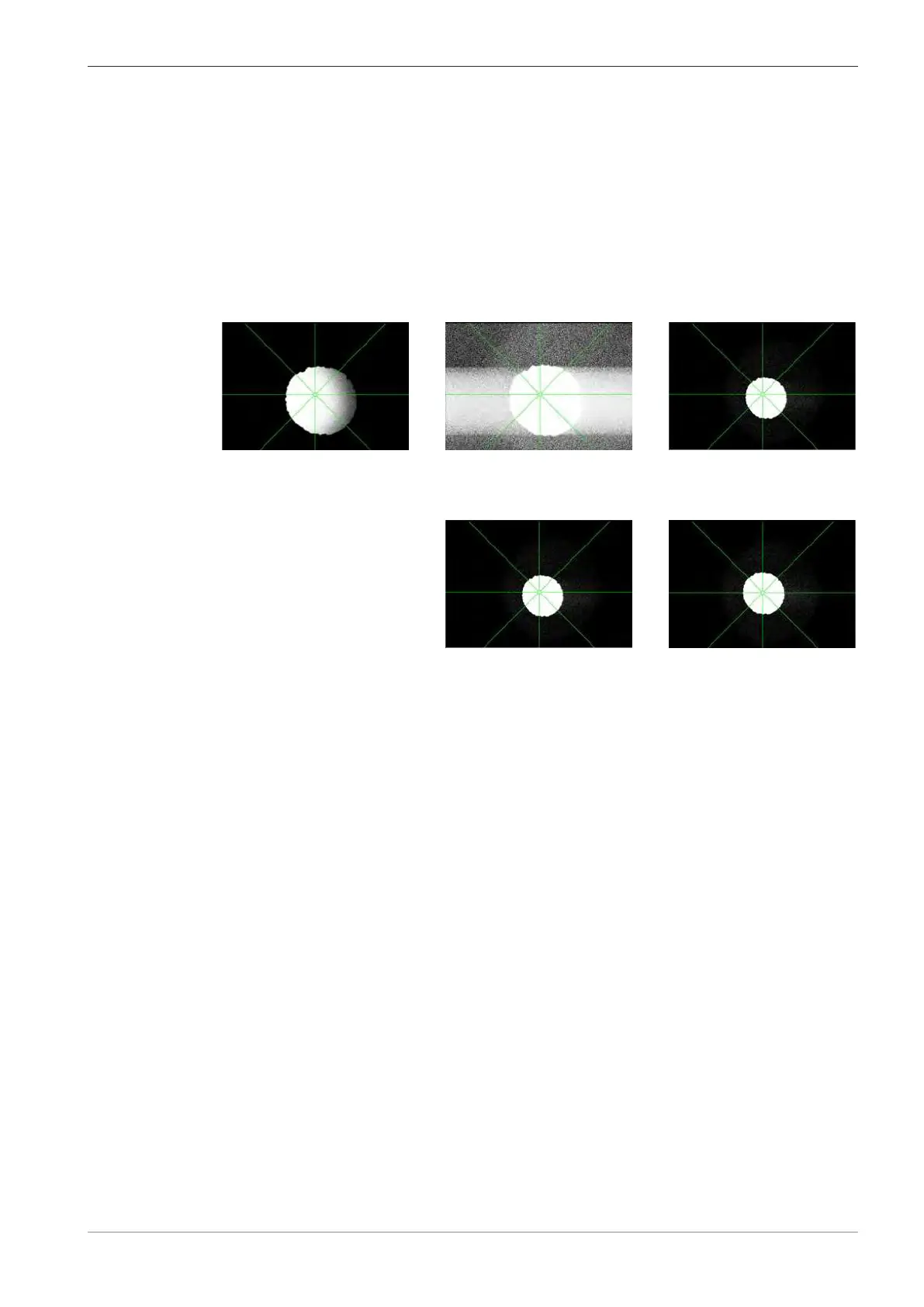
12. Adjust Contrast to make the outer region of the emission image visible around the brighter,
central part of the emission image.
13. Adjust the Brightness and Emission Zoom to improve the visibility.
14. Adjust the emission image with Gun Shift and Gun Tilt so that the bright part is at the cen-
ter of the image.
15. Focus a feature on the specimen.
16. Select a fast scan speed, e.g. Scan Speed = 1.
17. To align the mid-column aperture, select the Apertures tab in the SEM Controls panel.
18. Activate the Focus Wobble checkbox.
19. Adjust the Wobble Amplitude and activate the Wobble Fast checkbox.
20. Carefully adjust the X and Y micrometers gauges of the mid-column aperture changer to
align the mid-column aperture and eliminate any lateral image shift.
21. To carry out a hysteresis correction, press <Shift + F2>.
22. If necessary, repeat steps 14 to 21.
5.7.3 Hydrated Specimen
Observation of hydrated (moist) specimen at low kV (start at 1kV) slows down the dehydration of
moist specimens that leads to structural collapse.
Optimum imaging of moist specimens, requires an EVO microscope with the options Peltier cool-
stage and Extended Pressure (EP) mode. This setup enables you to study hydrated specimen in
their native state with little or no loss of water. For EP mode, the 100μm EP aperture is installed
as well as the 500 or 1000μm beamsleeve.
The imaging in EP mode consists of the following steps:
§ Installing or Deinstalling the EP and Beemsleeve Apertures [
}
98]
§ Mounting the Peltier Coolstage [
}
101]
§ Activating the Peltier Coolstage [
}
105]
§ Purging the Chamber [
}
106]
§ Setting Initial Operating Parameters [
}
106]
§ Adjusting Operating Parameters [
}
107]
Instruction Manual ZEISS EVO | en-US | Rev. 10 | 354706-0780-006 97



 To Next Page