ZEISS 5 First Operating Steps | 5.7 Working with Specific Specimen Types
5.7.3.3 Activating the Peltier Coolstage
You need to activate the stage and the EP option in the software and set the working pressure
before you can use the EP mode.
NOTICE
Rotating the Peltier coolstage
The Peltier coolstage can be damaged when stage rotation is used.
4 Only move the stage in X and Y direction.
Procedure
1. Switch on the Peltier coolstage power supply.
2. To evacuate the system, click Pump in the Vacuum tab of the SEM Controls panel.
3. Wait until Vac Status = Ready and EHT Vac ready = Yes are displayed.
This can take some time.
4. From the Menu Bar, select Stage > Navigation.
à The Stage Navigation panel is displayed.
5. Click Settings.
à The Stage Navigation Settings dialog is displayed.
6. In the Stage Navigation Settings dialog, click Show Holder Gallery.
à The Sample Holder Gallery dialog is displayed.
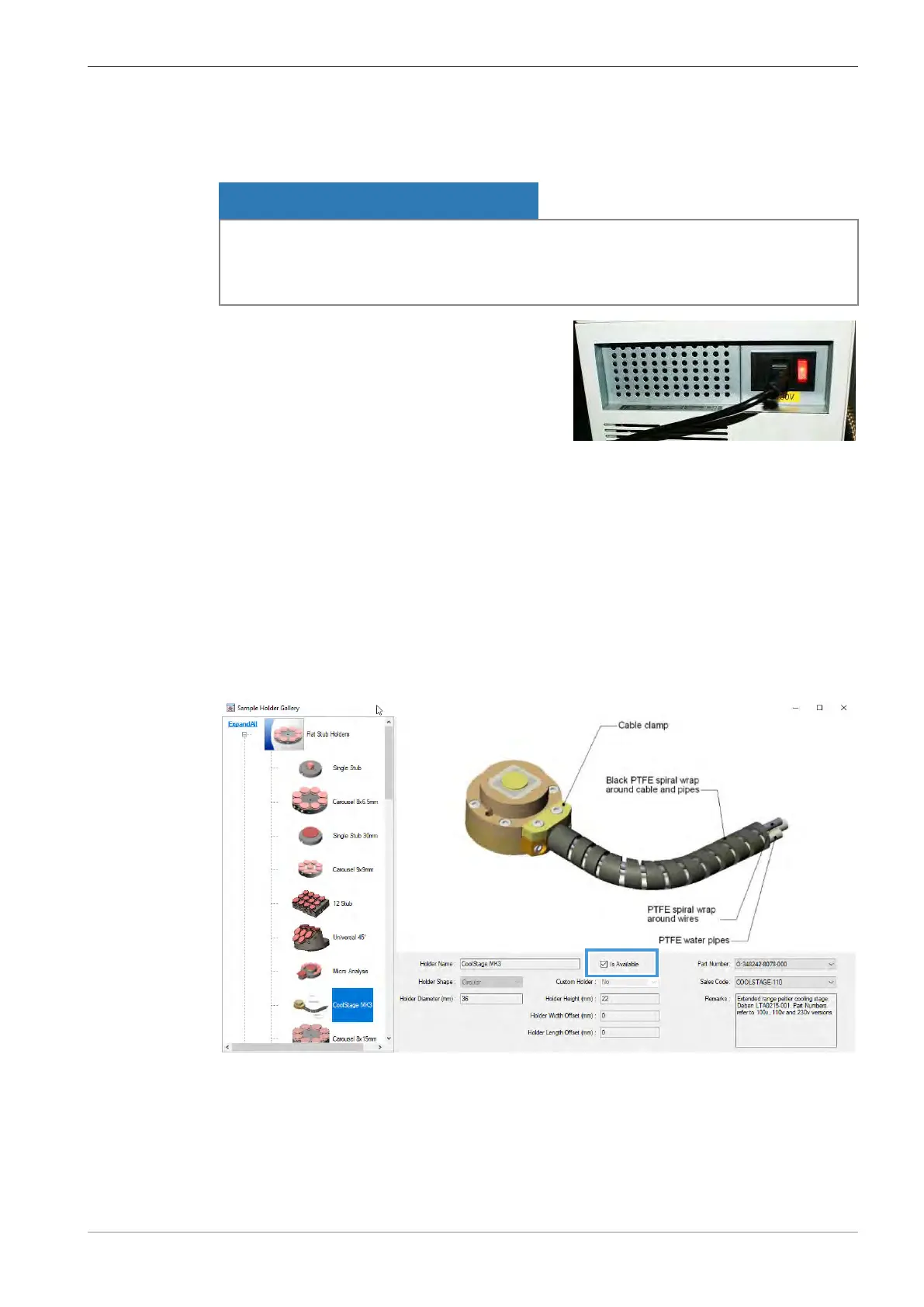
7. In the Sample Holder Gallery dialog, click CoolStage MK3.
8. Activate the Is Available checkbox.
9. Close the Sample Holder Gallery dialog.
10. Close the Stage Navigation Settings dialog.
11. Select Tools > Administrator and log in with your username and password.
12. Select Other and activate the Peltier Fitted checkbox.
Instruction Manual ZEISS EVO | en-US | Rev. 10 | 354706-0780-006 105



 To Next Page