ZEISS 5 First Operating Steps | 5.4 Acquiring an Image
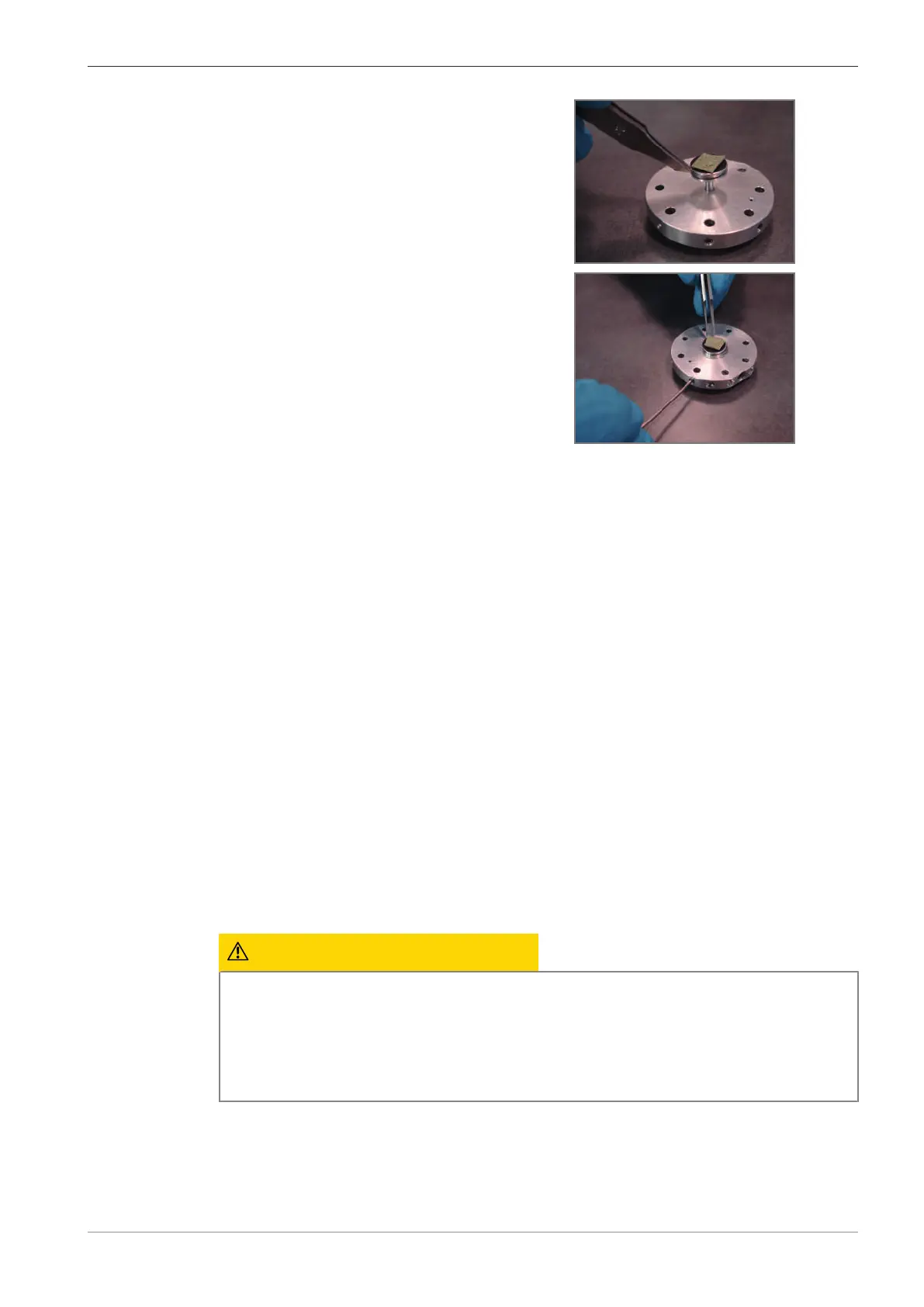
2. To insert the stub into the specimen holder, use
stub pliers.
3. To fix the stub to the specimen holder, tighten
the location screw with the hex key.
4. Note down which fix position is occupied by the specimen.
5.4.2 Loading the Specimen Chamber
This procedure consists of the following steps:
1. Displaying the SEM Control Panel [
}
63]
2. Driving the Stage to a Low Position [
}
63]
3. Venting the Specimen Chamber [
}
64]
4. Installing the Specimen Holder [
}
65]
5. Evacuating the Specimen Chamber [
}
66]
5.4.2.1 Displaying the SEM Control Panel
Prerequisite
ü
The SmartSEM user interface is started.
Procedure
1. From the Menu Bar, select Tools > Goto panel.
à The Panel Configuration Bar is displayed. It contains an alphabetical list of functions.
2. Double-right-click SEM Controls.
à The SEM Controls panel is added to the docking panel.
5.4.2.2 Driving the Stage to a Low Position
CAUTION
Moving the specimen stage
Fingers can be trapped by the moving specimen stage.
4 Always close the chamber door before moving the specimen stage.
4 To remove parts fallen into or near to the stage use a tool (e.g. tweezers) instead of your
fingers.
Prerequisite
ü
The stage is initialized.
Procedure
1. To activate the navigation camera, activate the Stage Navigation Bar checkbox from
Menu Bar > View > Toolbars and navigate to the Camera tab.
à The inside of the specimen chamber is visible in the Stage Navigation Bar.
Instruction Manual ZEISS EVO | en-US | Rev. 10 | 354706-0780-006 63



 To Next Page