ZEISS 5 First Operating Steps | 5.4 Acquiring an Image
5.4.9 Acquiring an Image
Info
The following procedure describes the best way to quickly obtain an image without the con-
trol panel. You can also use the control panel to adjust aperture alignment, magnification/fo-
cus and brightness/contrast.
The following procedure describes how to acquire an image in high vacuum (HV) mode.
For further information on pressure and operating modes, refer to Selecting the Optibeam Opera-
tion Mode [
}
81].
Info
You can also use the Automated or Semi-automated Functions to help you with these tasks.
This procedure consists of the following steps:
1. Selecting the Optibeam Mode and the Apertures [
}
73]
2. Setting EHT and Probe Current [
}
74]
3. Selecting the SE Detector [
}
74]
4. Setting a Fast Scan Speed [
}
75]
5. Setting a Low Magnification [
}
75]
6. Setting a Long Working Distance [
}
75]
7. Adjusting Brightness and Contrast [
}
75]
8. Visualizing Details on the Specimen Surface [
}
76]
5.4.9.1 Selecting the Optibeam Mode and the Apertures
Procedure
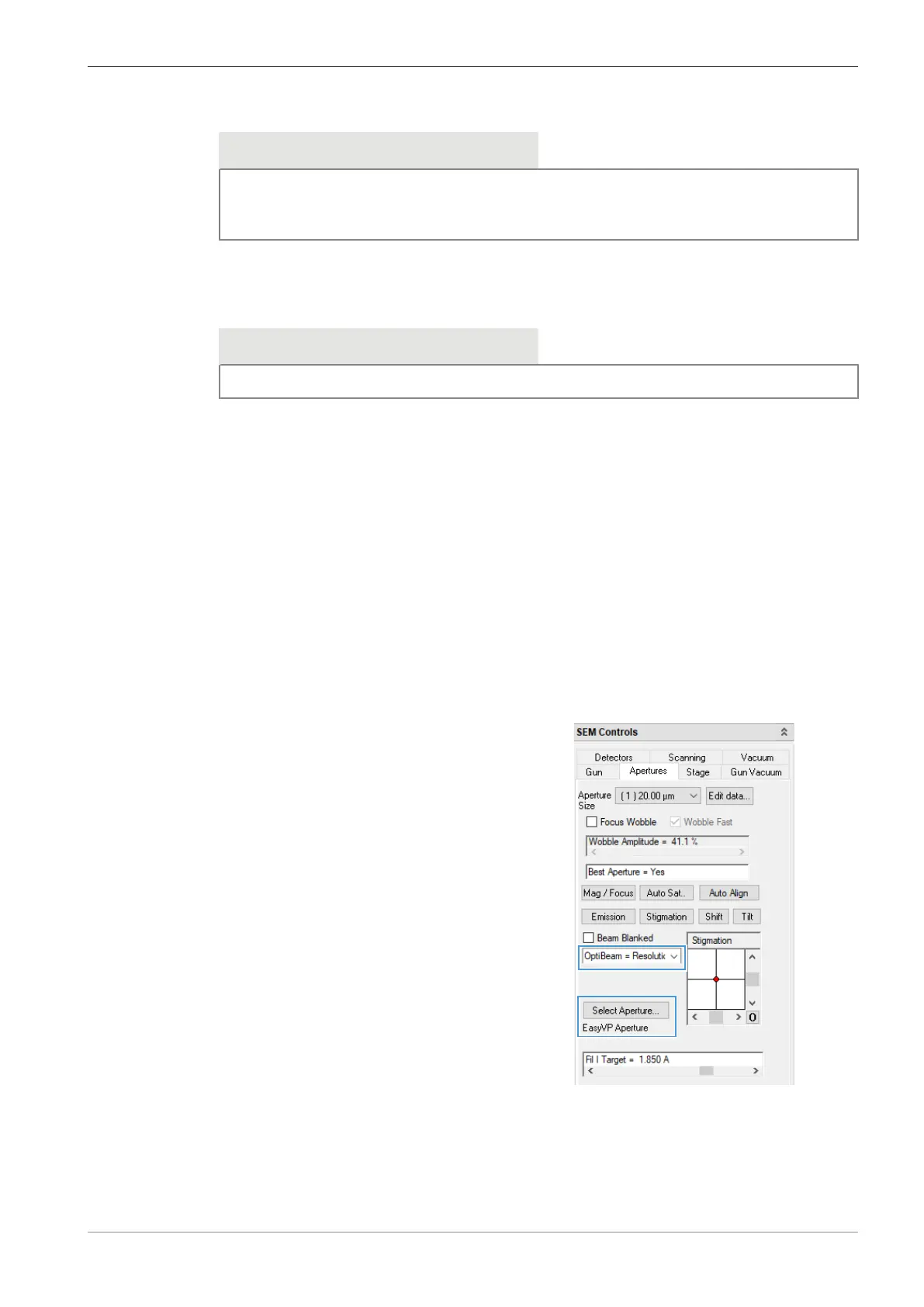
1. In the SEM Controls panel, select the Apertures tab.
2. From the Optibeam drop-down list, select
Optibeam = Resolution.
à The Optibeam mode is set.
3. Click Select Aperture and select the EasyVP Aperture.
à The pressure-limiting aperture is set.
Instruction Manual ZEISS EVO | en-US | Rev. 10 | 354706-0780-006 73



 To Next Page