ZEISS 5 First Operating Steps | 5.4 Acquiring an Image
5.4.9.4 Setting a Fast Scan Speed
Procedure
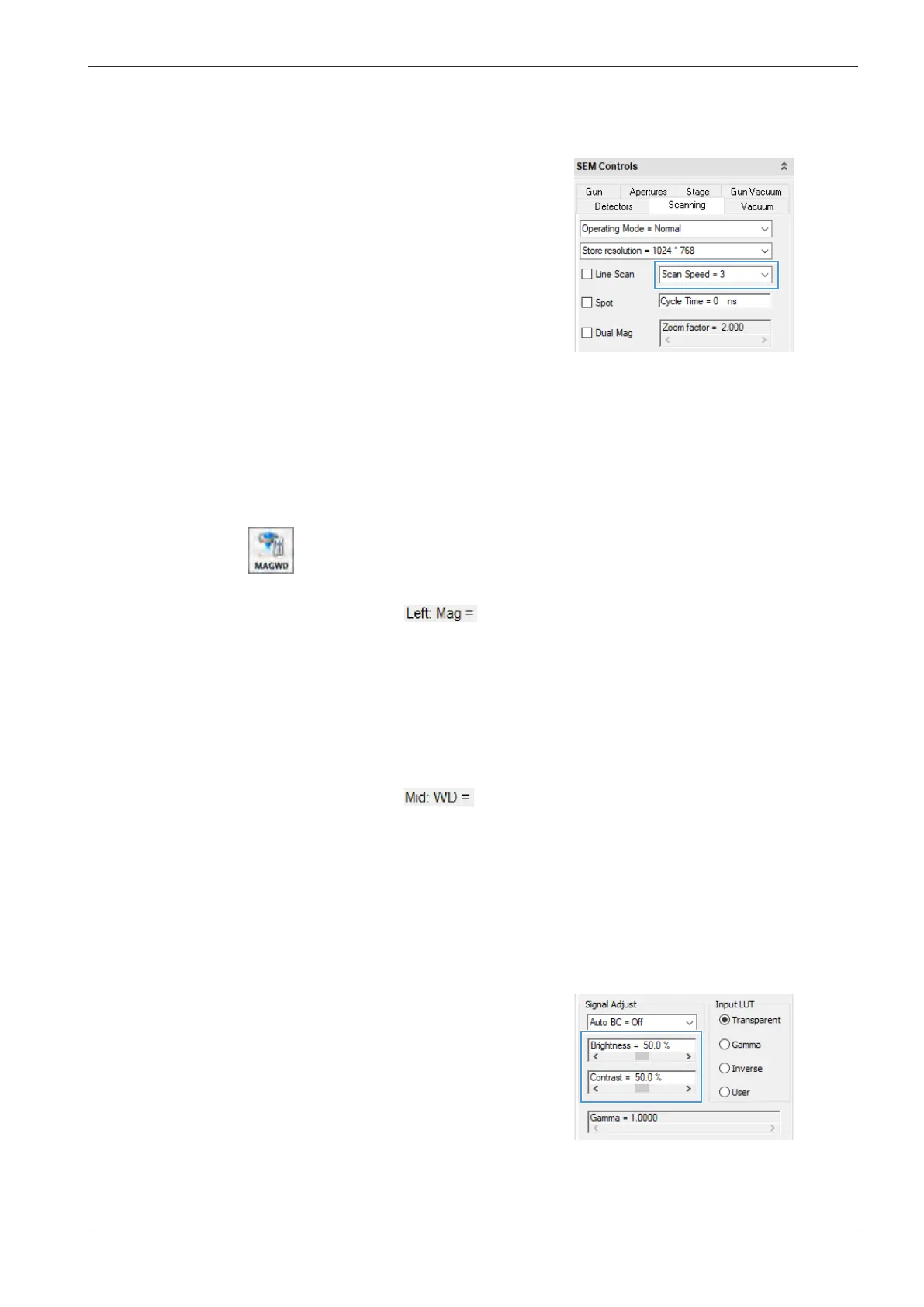
1. In the SEM Controls panel, select the Scanning tab.
2. From the Scan Speed drop-down list, select a
fast scan speed, e.g. Scan Speed = 3.
INFO: The lower the scan speed number, the
faster the electron beam scans across the speci-
men. Scan Speed = 3 allows you to get an im-
age quickly.
à If the image is noisy, then change the scan speed to 4 or 5, but no higher than 6, as it
slows down the specimen navigation process.
5.4.9.5 Setting a Low Magnification
Procedure
1. To move the specimen stage to a suitable location for imaging, use the X and Y controls on
the joystick.
2. In the Toolbar, select the MAGWD icon.
à The Status Bar displays the values for magnification and focus.
3. In the Status Bar, click
.
à The Mag window is displayed.
4. In the Mag input field, enter 500.
5. Click OK.
à The magnification is set to Mag = 500 x.
5.4.9.6 Setting a Long Working Distance
Procedure
1. In the Status Bar, click
.
à The WD window is displayed.
2. In the WD input field, enter 8.5.
3. Click OK.
à The working distance is set to WD = 8.5mm.
5.4.9.7 Adjusting Brightness and Contrast
Procedure
1. In the SEM Controls panel, select the Detectors tab.
2. In the Signal Adjust section, use the scroll
bars to adjust brightness and contrast.
Instruction Manual ZEISS EVO | en-US | Rev. 10 | 354706-0780-006 75



 To Next Page