5 First Operating Steps | 5.4 Acquiring an Image ZEISS
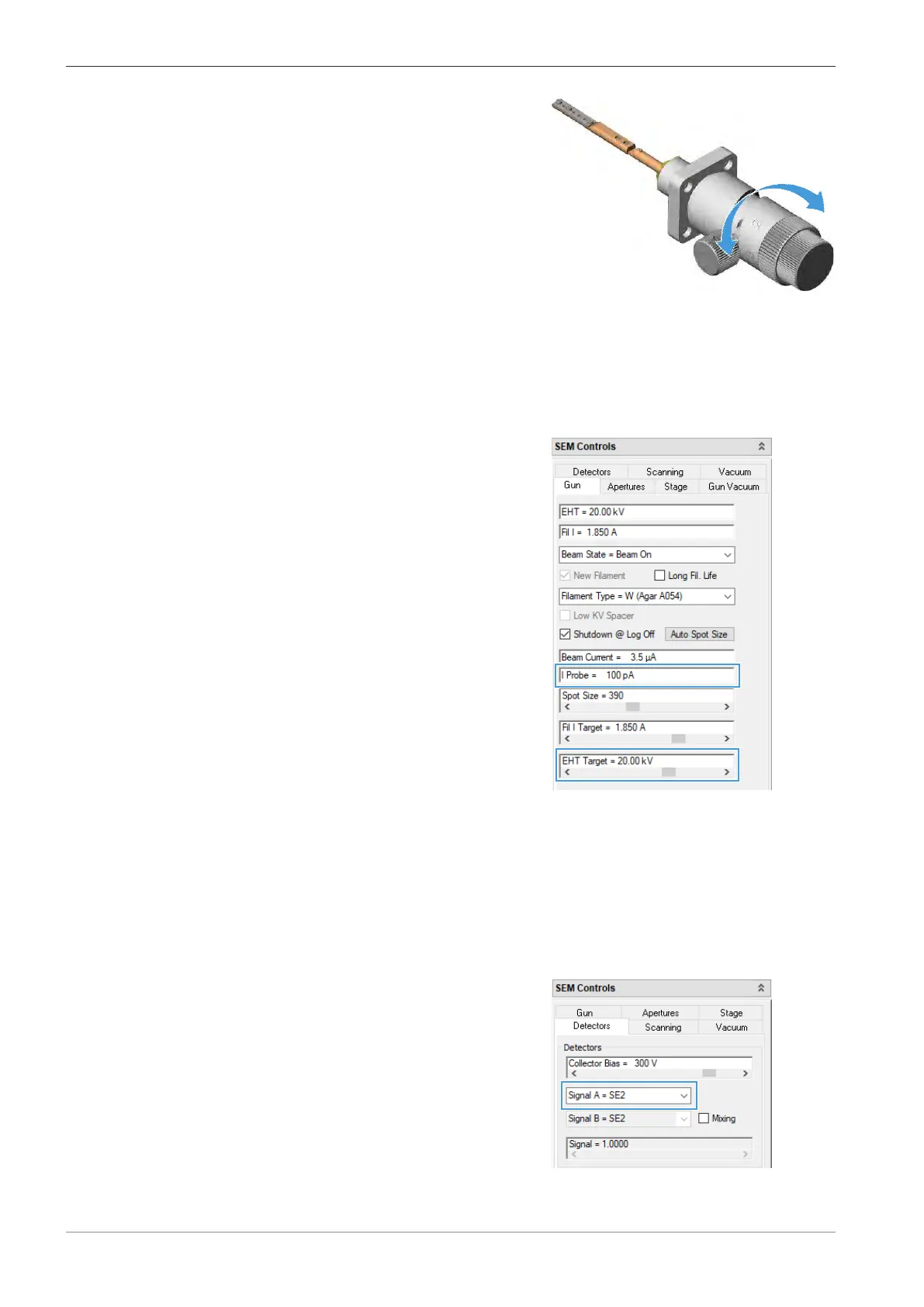
4. Turn the knob of the mid-column aperture
changer to select the 20µm aperture.
5. In the Apertures tab of the SEM Controls panel, select the 20.00µm from the Aperture
Size drop-down list.
à The 20µm aperture is set.
5.4.9.2 Setting EHT and Probe Current
Procedure
1. In the SEM Controls panel, select the Gun tab.
2. Double-click the I Probe readout and enter 100.
à The probe current is set to 100 pA.
3. Double-click the EHT Target readout and enter 20.
à The EHT is set to 20.00 kV.
5.4.9.3 Selecting the SE Detector
Procedure
1. In the SEM Controls panel, select the Detectors tab.
2. In the Detectors section, select Signal A = SE2
from the Signal A drop-down list.
INFO: We recommend using the SE detector to
obtain the first image. This detector provides a
good signal-to-noise ratio even at long working
distances.
74 Instruction Manual ZEISS EVO | en-US | Rev. 10 | 354706-0780-006



 To Next Page