ZEISS 5 First Operating Steps | 5.3 Starting the Software
Prerequisite
ü
The microscope is energized.
ü
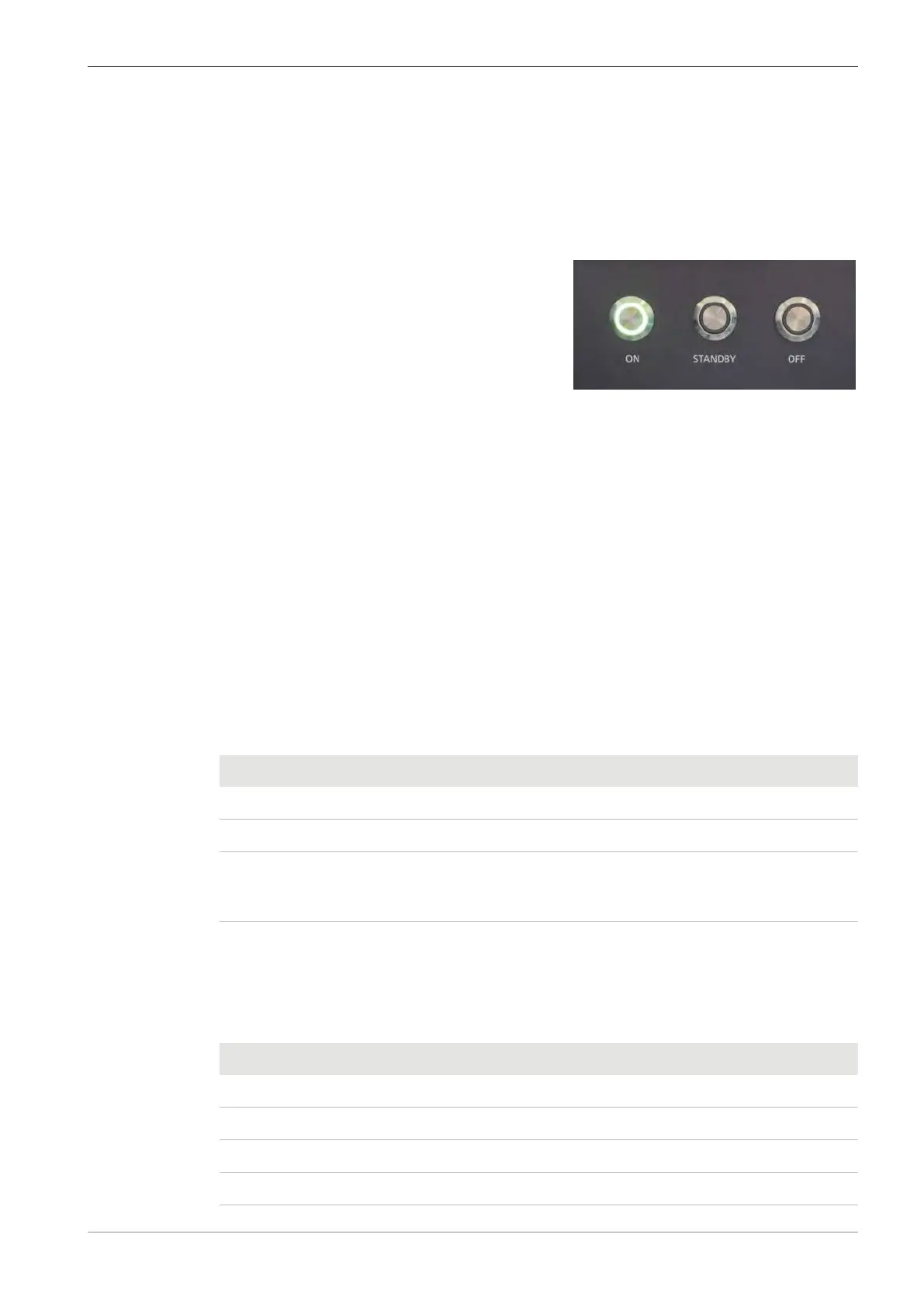
The microscope is in OFF mode. The OFF button is illuminated.
Procedure
1. Press the STANDBY button at the front of the plinth.
à The STANDBY button lights up yellow and the microscope starts pumping the chamber.
2. Wait for 10 seconds.
3. Press the ON button.
à
The ON button lights up green and the mi-
croscope PC starts.
5.3 Starting the Software
Procedure
1. Power up the computer and log in.
2. Start the SmartSEM user interface via the ZEISS SmartSEM icon on the desktop.
Alternatively, select Windows start menu > SmartSEM > SmartSEM User Interface.
à The EM Server opens while loading various drivers. The EM Server implements the inter-
nal communication between software and hardware of the microscope.
à The EM Server Log On dialog is displayed.
3. Enter the user name and password.
4. Click OK.
à The SmartSEM user interface opens and is ready to operate the microscope.
5.3.1 Calling up the Help
There are different ways to access topics in the Online Help.
Function Menu Shortcut Control Elements
Startup page Help F1 –
Table of Contents Help > Contents Ctrl+F1 –
Context-sensitive – § Shift+F1
§ F1 on focus
Question mark icon
in the main window
and in modal dialogs
Detailed information about using the help system is given in the Online Help directly.
5.3.2 Keyboard Shortcuts
The following keys are shortcut keys and have special meaning.
Shortcut Function
<F2> Toggles Tool Bar on/off
<F2 + SHIFT> Hysteresis removal
<F3> Closes all windows except the Tool Bar and Status Bar
<F3 + SHIFT> Toggles PC Plane ON/OFF
Instruction Manual ZEISS EVO | en-US | Rev. 10 | 354706-0780-006 59



 To Next Page