ZEISS 7 Troubleshooting | 7.2 Column
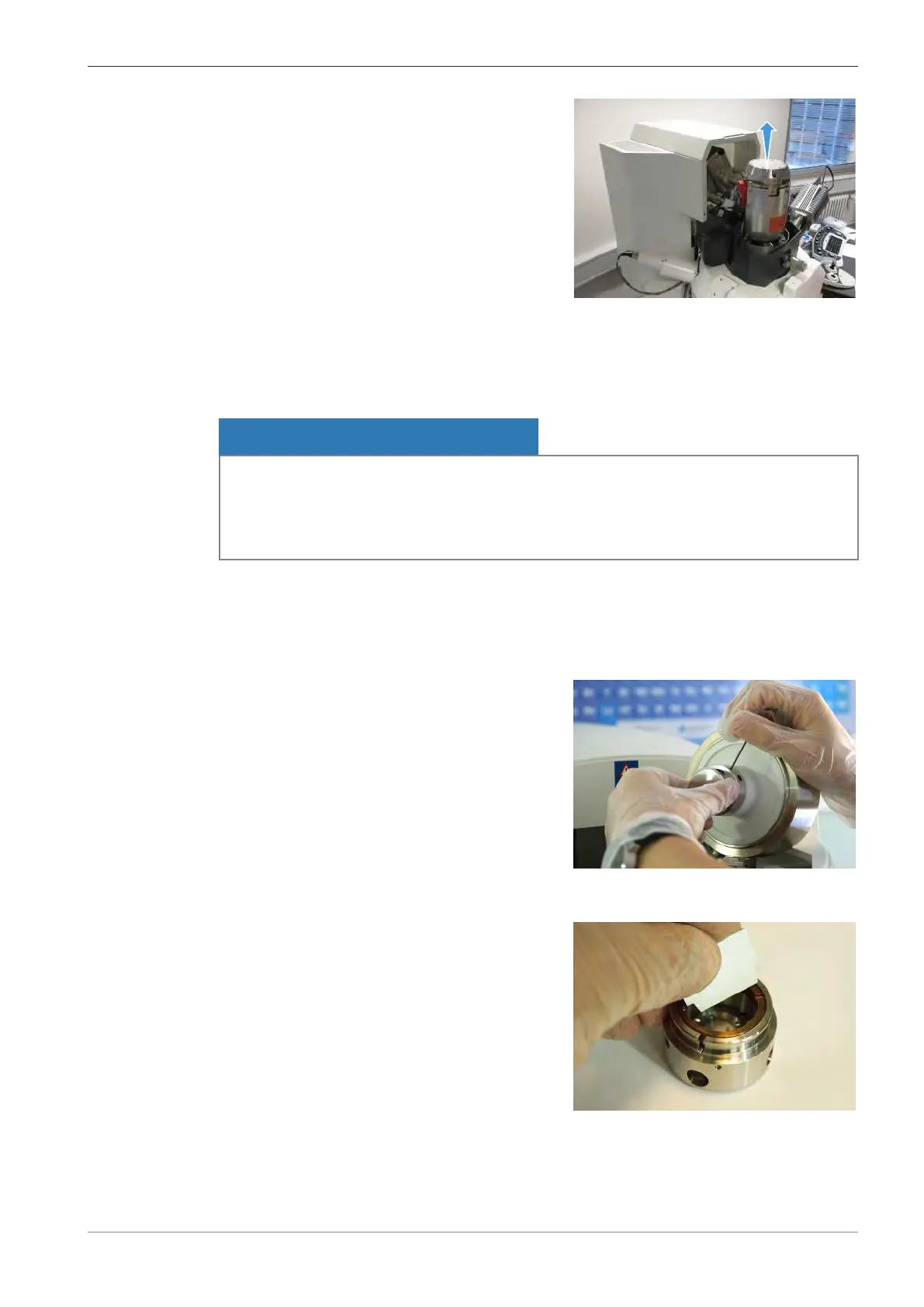
3. Open the gun.
7.2.2.1.4 Disassembling the Firing Unit
Before you can replace the filament, you need to disassemble the firing unit, which contains the
filament holder.
NOTICE
Contamination by dust particles or fingerprints
Dust particles or skin grease can cause contaminations, which lead to flashovers or to bad vac-
uum.
4 Wear lint-free gloves throughout the whole procedure of replacing the filament.
Parts and Tools
Lint-free gloves
Hex key, 1.5 mm
Prerequisite
ü
The gun is disassembled.
Procedure
1. Use a hex key 1.5mm to loosen the three
screws of the firing unit.
INFO: If possible, only loosen the screws and
do not completely remove them from their
holes.
2. Carefully remove the firing unit.
3. Put the firing unit onto a clean surface.
4. Insert the adjust key into the slots in the brass
retaining washer.
Instruction Manual ZEISS EVO | en-US | Rev. 10 | 354706-0780-006 127



 To Next Page