7 Troubleshooting | 7.2 Column ZEISS
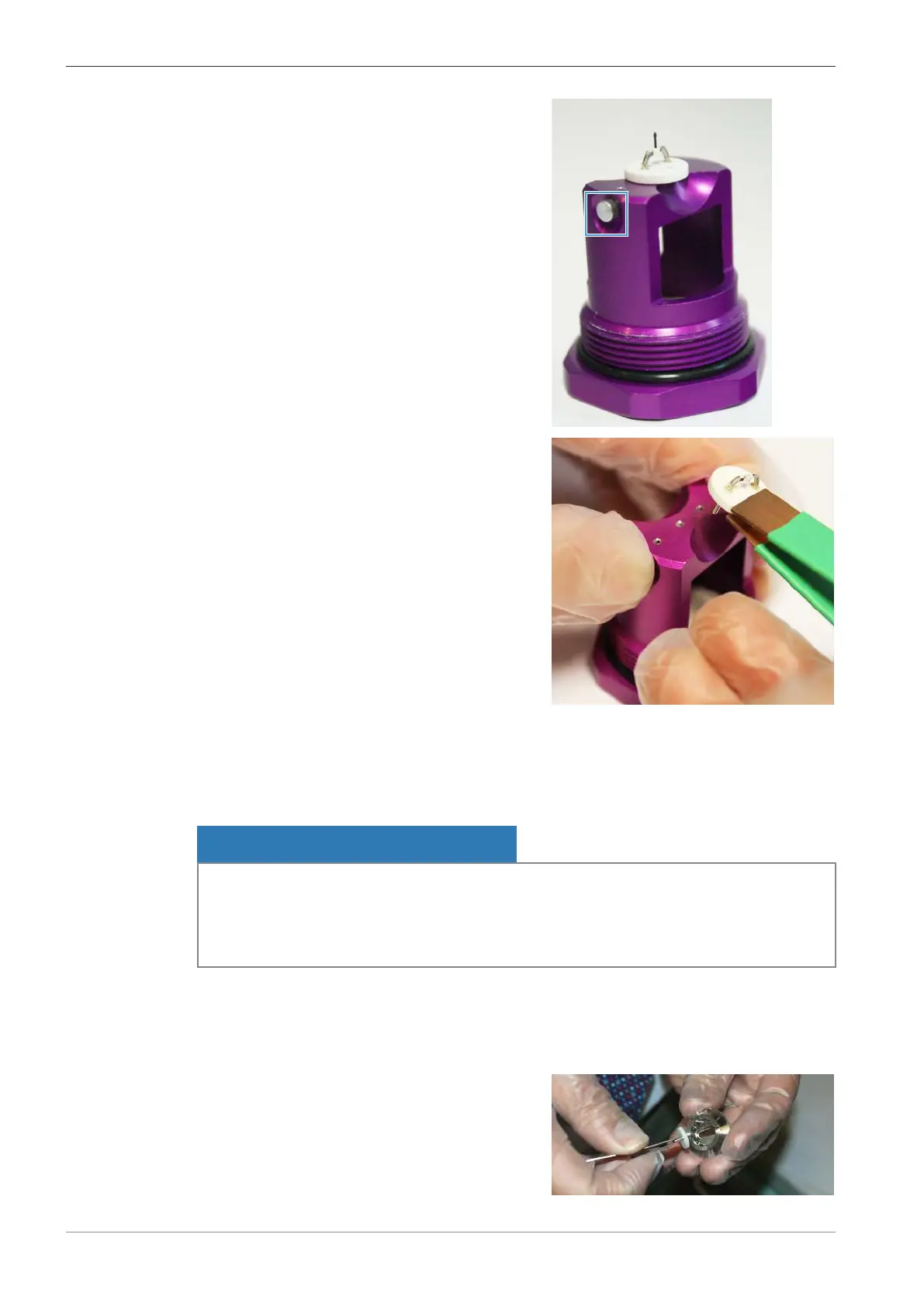
2. Press the metallic pin to unlock the filament.
3. Use the filament tweezers to remove the new
LaB₆ filament from its holder.
7.2.2.3.4 Installing the Filament to the Filament Holder | Tungsten (Not Pre-Aligned) and LaB₆
After you have disassembled the filament holder and removed the old filament, you can install a
new filament.
NOTICE
Contamination by dust particles or fingerprints
Dust particles or skin grease can cause contaminations, which lead to flashovers or to bad vac-
uum.
4 Wear lint-free gloves throughout the whole procedure of replacing the filament.
Parts and Tools
Lint-free gloves
Hex key, 1.5 mm
Adjust key (350061-1904-000)
Procedure
1. Use the adjust key to insert the new filament
into the top section of the filament holder.
136 Instruction Manual ZEISS EVO | en-US | Rev. 10 | 354706-0780-006



 To Next Page