5 First Operating Steps | 5.6 Finding Appropriate Detector Settings ZEISS
3. Carefully fit the BSD in the working position.
NOTICEAvoid any contact with the
diode surface as it can easily damage the
detector.
4. Carefully close the chamber door.
5. Pump the specimen chamber.
6. In the Detectors tab of the SEM Controls panel, select BSD from the Signal A drop-down
list.
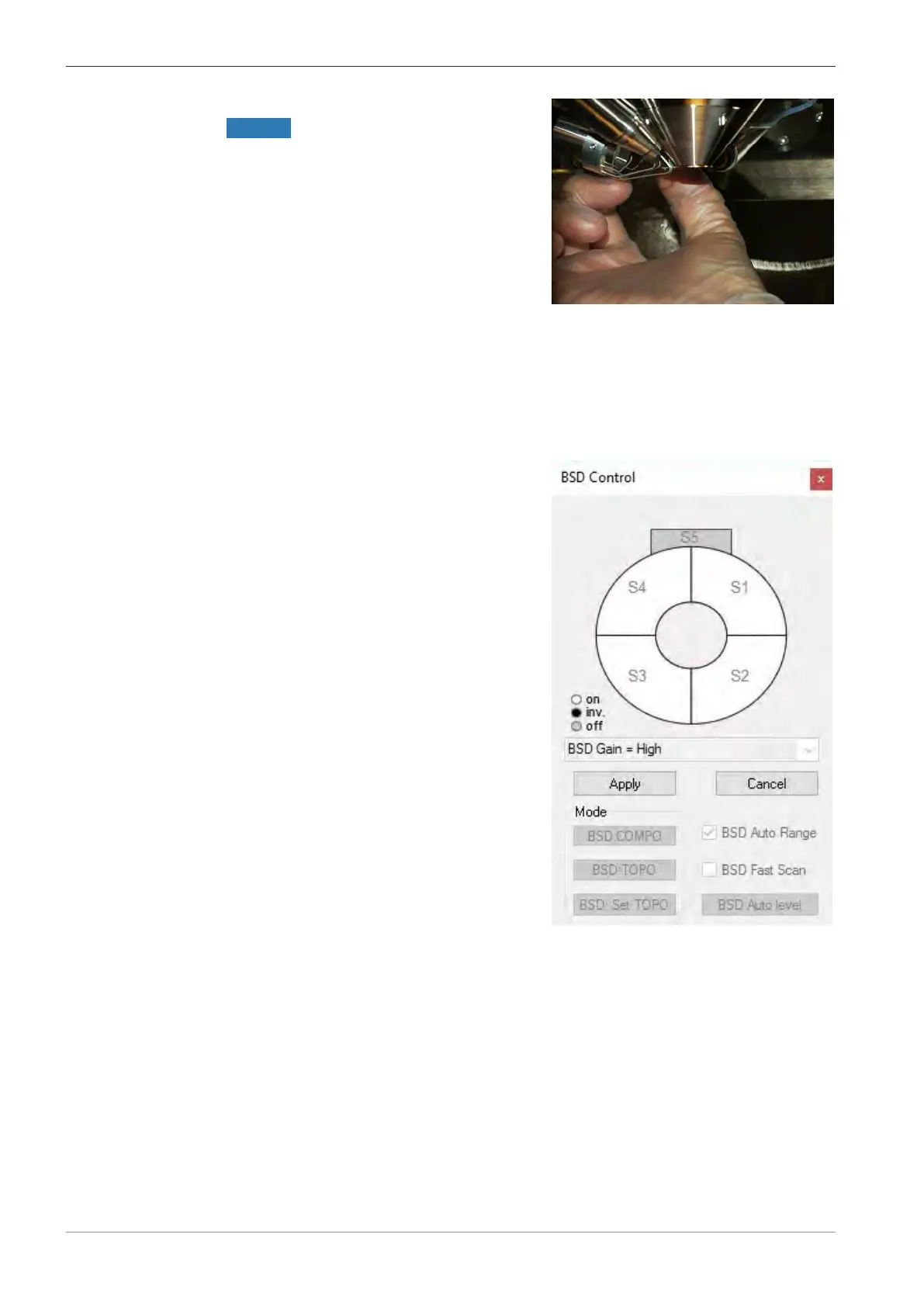
7. From the Panel Configuration Bar, select BSD Control.
The BSD Control panel enables you to change the polarity of the segments, select BSD
modes, and set the BSD gain.
à
The BSD Control panel is displayed.
8. Click a segment symbol to toggle its status between on (white), inverted (black), and off
(gray).
9. To confirm the settings, click Apply.
10. To select compositional mode, click BSD: COMPO.
11. To select topography mode, click BSD: TOPO.
INFO: The topography mode has a default setting that can be changed by the user. To
change the default setting, select the desired segment combination and click BSD: Set
Topo.
86 Instruction Manual ZEISS EVO | en-US | Rev. 10 | 354706-0780-006



 To Next Page