5 First Operating Steps | 5.6 Finding Appropriate Detector Settings ZEISS
NOTICE
Touch alarm disabled
When beam deceleration or stage bias is activated, the stage touch alarm is automatically de-
activated. A warning is displayed to inform you that the touch alarm is not enabled. This
means that any stage collisions will not be detected.
4 Move the stage carefully.
Prerequisite
ü
Stage is initialized.
ü
HV mode is active.
ü
Standard conducting dovetail-mounted specimen holder is fitted.
Procedure
1. In the Stage Navigation Bar, click Settings.
INFO: To open the Stage Navigation Bar, navigate to View > Toolbars and activate
Stage Navigation Bar (for Widescreen users). Alternatively, you can access the Stage
Navigation Bar via Stage > Navigation.
à The Stage Navigation Settings dialog is displayed.
2. Activate the Safe Navigation checkbox.
3. In the Stage Navigation Settings dialog, click Sample Holder Gallery.
à The Sample Holder Gallery dialog is displayed.
On the left hand side, a list of icons represents the specimen holders.
4. In the Sample Holder Gallery dialog, select the installed specimen holder.
5. Activate the Is Available checkbox.
6. Close the Sample Holder Gallery dialog.
7. Close the Stage Navigation Settings dialog.
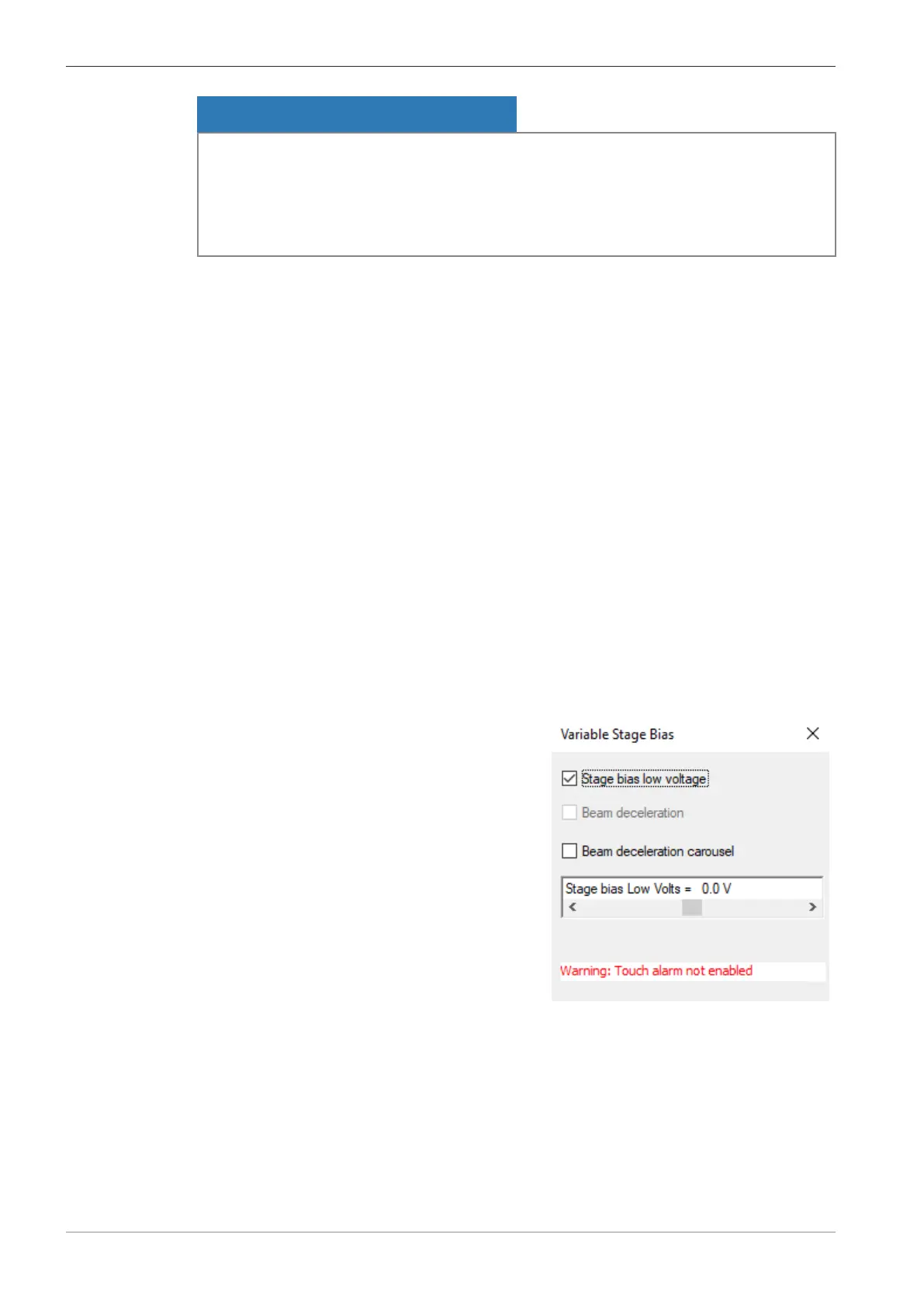
8. From the Panel Configuration Bar, select Variable Stage Bias.
à The Variable Stage Bias window is displayed.
9. Deactivate the Beam deceleration carousel checkbox.
10. Activate the Stage bias low voltage check-
box.
11. Use the Stage bias Low Volts scroll bar to adjust the voltage until you are satisfied with
the result.
90 Instruction Manual ZEISS EVO | en-US | Rev. 10 | 354706-0780-006



 To Next Page