3 Installation
3-4 NetPath 100 User’s Manual - Installation Guide 980-001-0210G
June
1999
Power
Connections
NetPath 100
Power
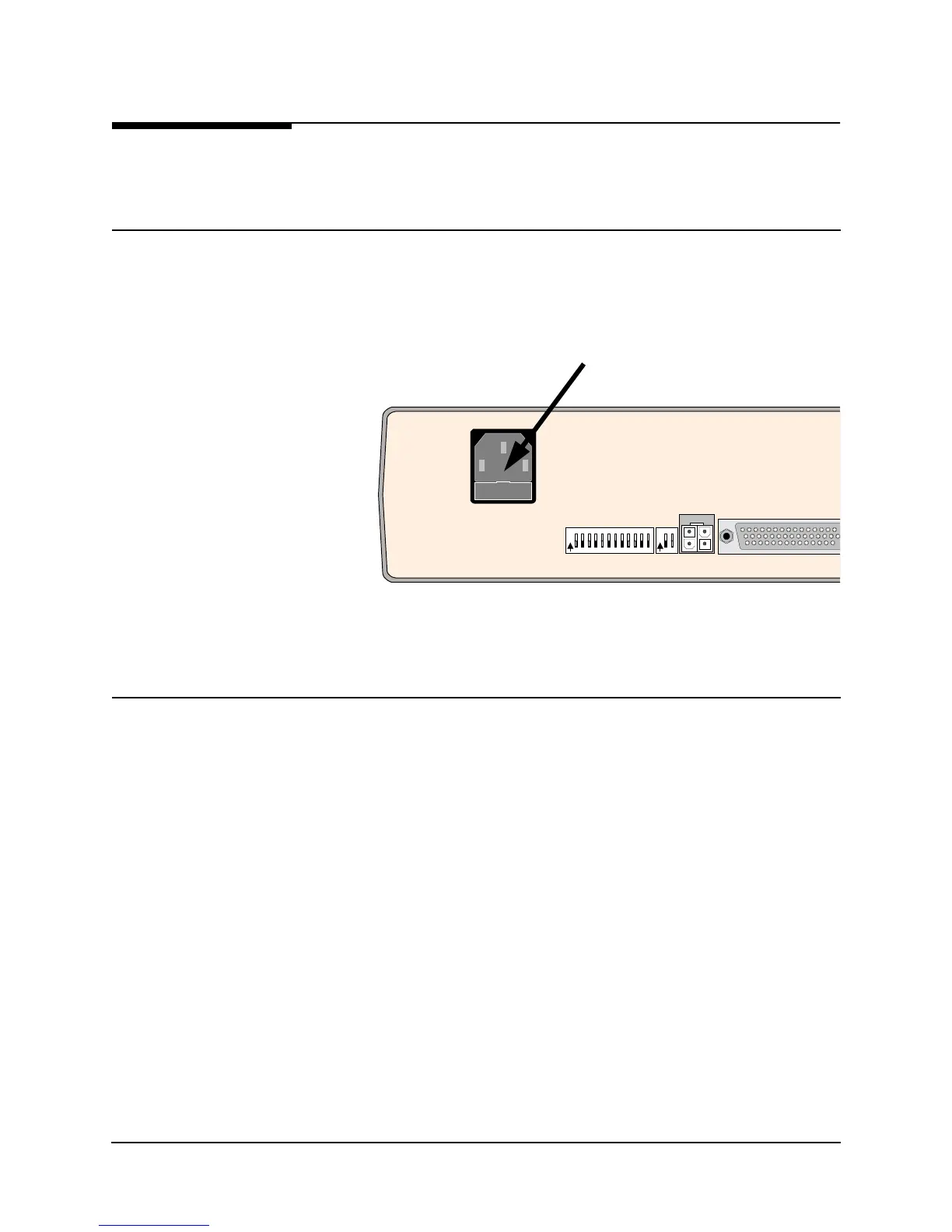
1. The NetPath 100 includes an internal universal Power Supply. Plug the IEC 320
end of the Power Cord into the connector on the rear of the NetPath 100, shown in
Figure 3-11.
Fi
ure 3-11 NetPath 100 Power Connection
Power On
Self Test
2. Verify that the proper voltage (90 - 250 VAC, 50 - 60 Hz) is present at the outlet to
be used. If the outlet voltage is correct, plug the other end of the Power Cord into
the AC outlet.
3. Once connected, the NetPath 100 will go through the following normal power up
sequence:
Basic NetPath 100
a. The POWER LED will light immediately and stay on.
b. The READY LED will flash while the unit performs its self-test (test
duration - approximately 45 seconds).
c. The READY LED will be ON steady after successful completion of
the self-test.
d. The T1 ALARM and FR MGMT. LEDs should not be flashing
together.
e. All other LED indications should be ignored at this time.
FOR CONTINUED PROTECTION AGAINST RISK OF FIRE,
REPLACE ONLY WITH SAME TYPE AND RATING OF FUSE.
(IEC 320)
AC Power Connector



 To Next Page