4 Operation
980-001-0210G NetPath 100 User’s Manual - Installation Guide 4-3
June
1999
CSU
Parameters
To set the T1 Line configuration and CSU operating mode:
1. Set the two-position DIP Switch - 1 = ON, 2 = OFF.
2. Set the 12-position DIP Switch to select the configuration.
3. Depress the NVM RESET / CONFIG push button for at least one second to enter
the parameters in the unit’s NVM.
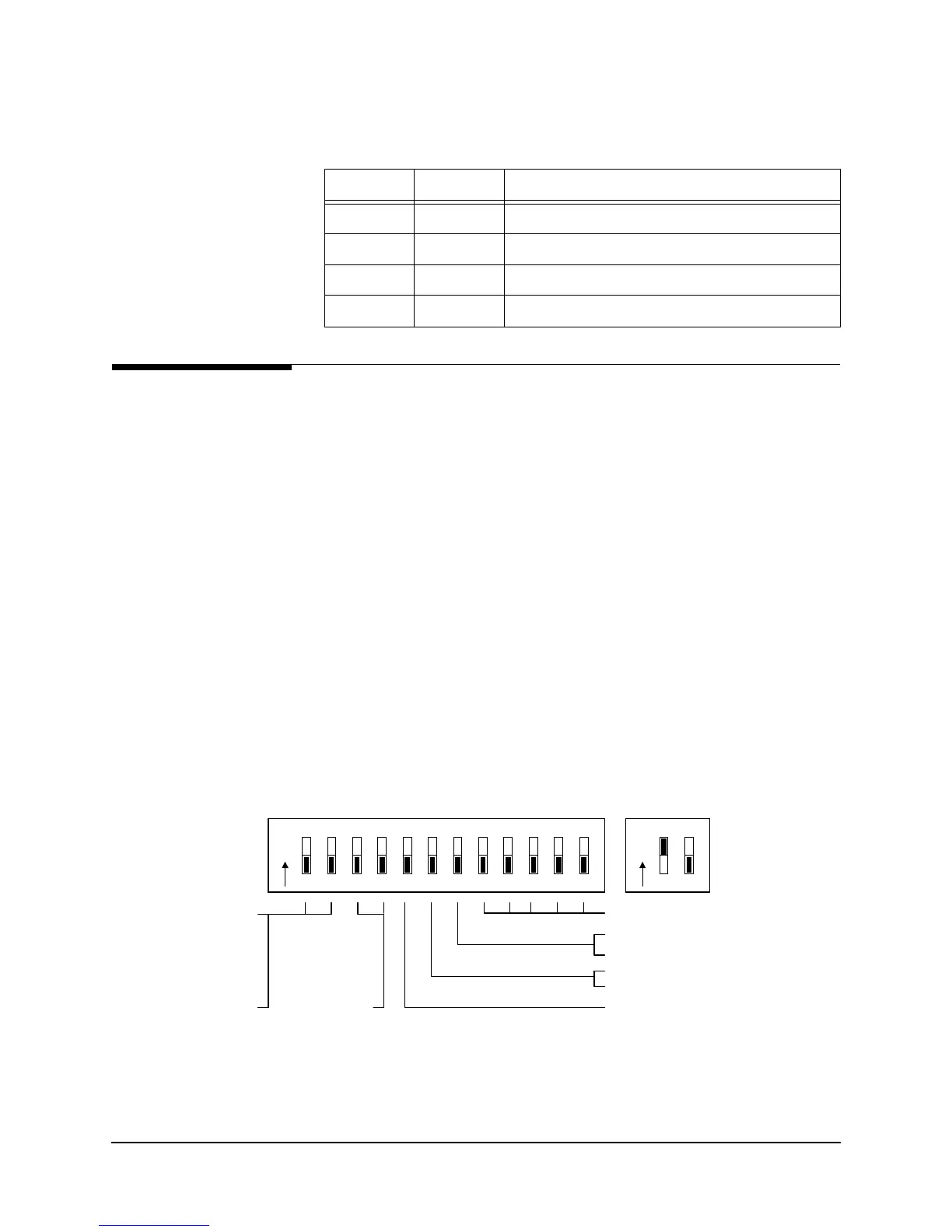
The meaning of the 12-position DIP Switch settings are shown in Figure 4-2 and de-
scribed as follows:
Switch positions 1 - 2 select the LBO setting from 0 to -22.5 dB.
Switch positions 3 - 4 select the Framing Mode of ANSI, AT&T, or SF.
Switch position 5 selects the coding method B8ZS or AMI.
Switch position 6 selects whether the Tx data input is aligned with the DCE-supplied
clock, or the DTE-supplied clock.
Switch position 7 selects Frame Relay or Transparent (Clear Channel) mode.
Switch positions 8 - 12 are reserved for future use and should remain off.
Fi
ure 4-2 Set CSU Parameters
Table 4-1 Two-Position DIP Switch Functions
Pos. 1 Pos. 2 Function
OFF OFF Set WAN Management DLCI address
OFF ON Set time slots
ON OFF Set CSU parameters
ON ON Reserved
Set CSU Parameters
* Changes to these items will cause unit to reset.
Reserved (Off)
LBO:
00 = 0
01 = -7.5
10 = -15.0
11 = -22.5
Frame:
00 = ANSI
01 = AT&T
10 = SF
11 = Resv.
On = AMI, Off = B8Zs
On = DTE, Off = DCE
(Transmit Data Clock Source)
On = Transparent (ClrChan) *
Off = Frame Relay Management *
O
N
12
3
45678
9
10 11 12
O
N
12



 To Next Page