4 Operation
980-001-0210G NetPath 100 User’s Manual - Installation Guide 4-5
June
1999
CAUTION
If the WAN DLCI value is chan
ed, the NetPath 100 will
perform a system reset after the new value is entered.
The system reset will terminate any console session in
pro
ress and interrupt data traffic.
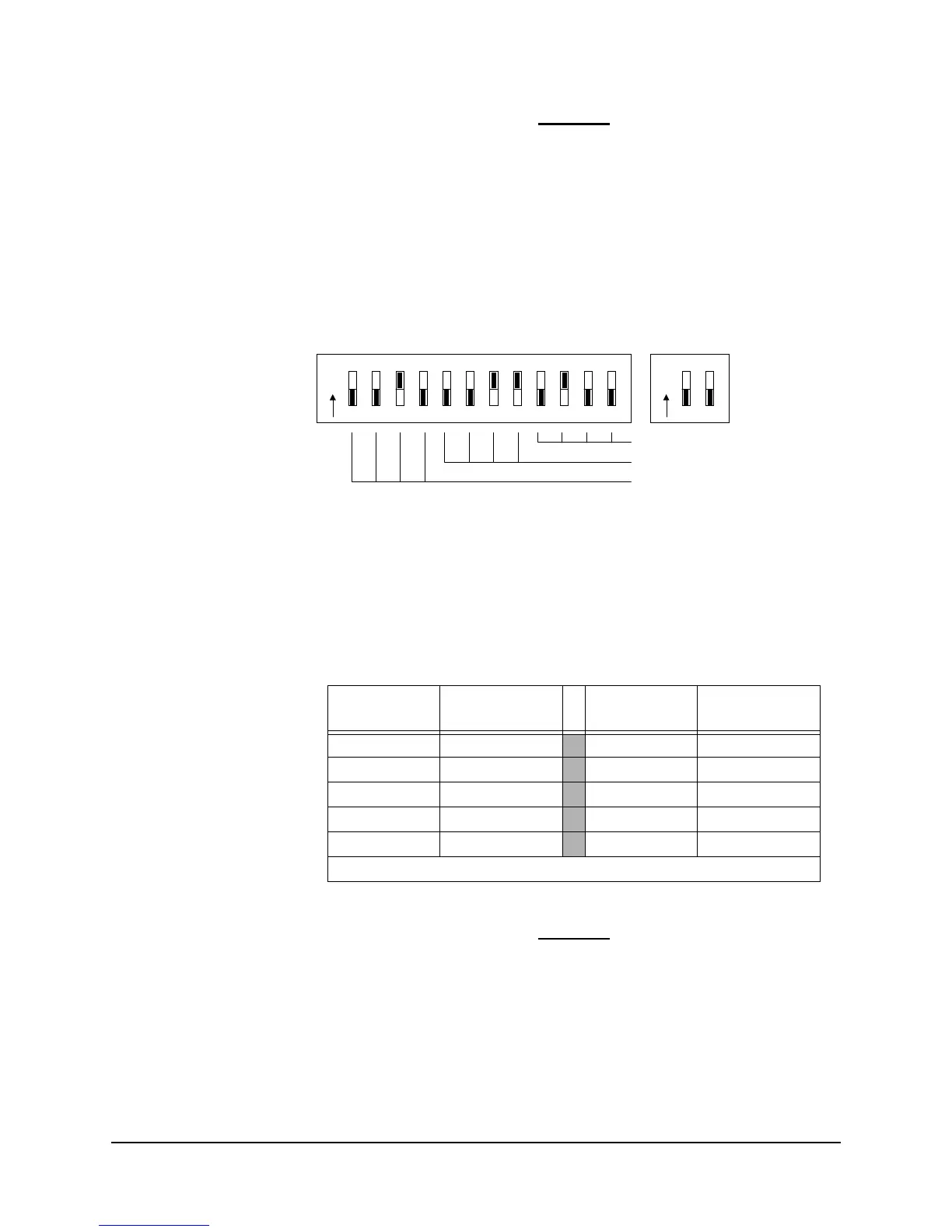
An example DLCI switch setting is shown in Figure 4-4.
Figure 4-4 DLCI DIP Switches
The DLCI is a three-digit decimal number, with each digit represented in binary format
(BCD - Binary Coded Decimal) by four DIP switch positions.
The DLCI DIP Switches are set for the desired value using the switch positions shown
in Table 4-2 to represent each of the decimal digits.
CAUTION
An unintentional parameter chan
e and possible unit
reset could occur if the “NVM RESET / CONFIG” push
button is pressed while the unit is operatin
. To prevent
this, set all the DIP Switches to “OFF” after the WAN
DLCI, Time Slot and CSU parameters have been entered.
Proceed to the next section of this manual, Establish Management Session.
Table 4-2 DIP Switch Settings (BCD)
Decimal
Digit
Switch
Positions
Decimal
Digit
Switch
Positions
0 DDDD 5 DUDU
1 DDDU
6 DUUD
2 DDUD
7 DUUU
3 DDUU
8 UDDD
4 DUDD
9 UDDU
Note: U (Up) = ON, D (Down) = OFF
Set WAN DLCI Digits
0 to 9 x1
in BCD
0 to 9 x100
in BCD
0 to 9 x10
in BCD
O
N
12
3
45678
9
10 11 12
O
N
12
Exam
le
Shown:
DLCI = 234



 To Next Page