3 Installation
3-14 NetPath 100 User’s Manual - Installation Guide 980-001-0210G
June
1999
Console Cabling
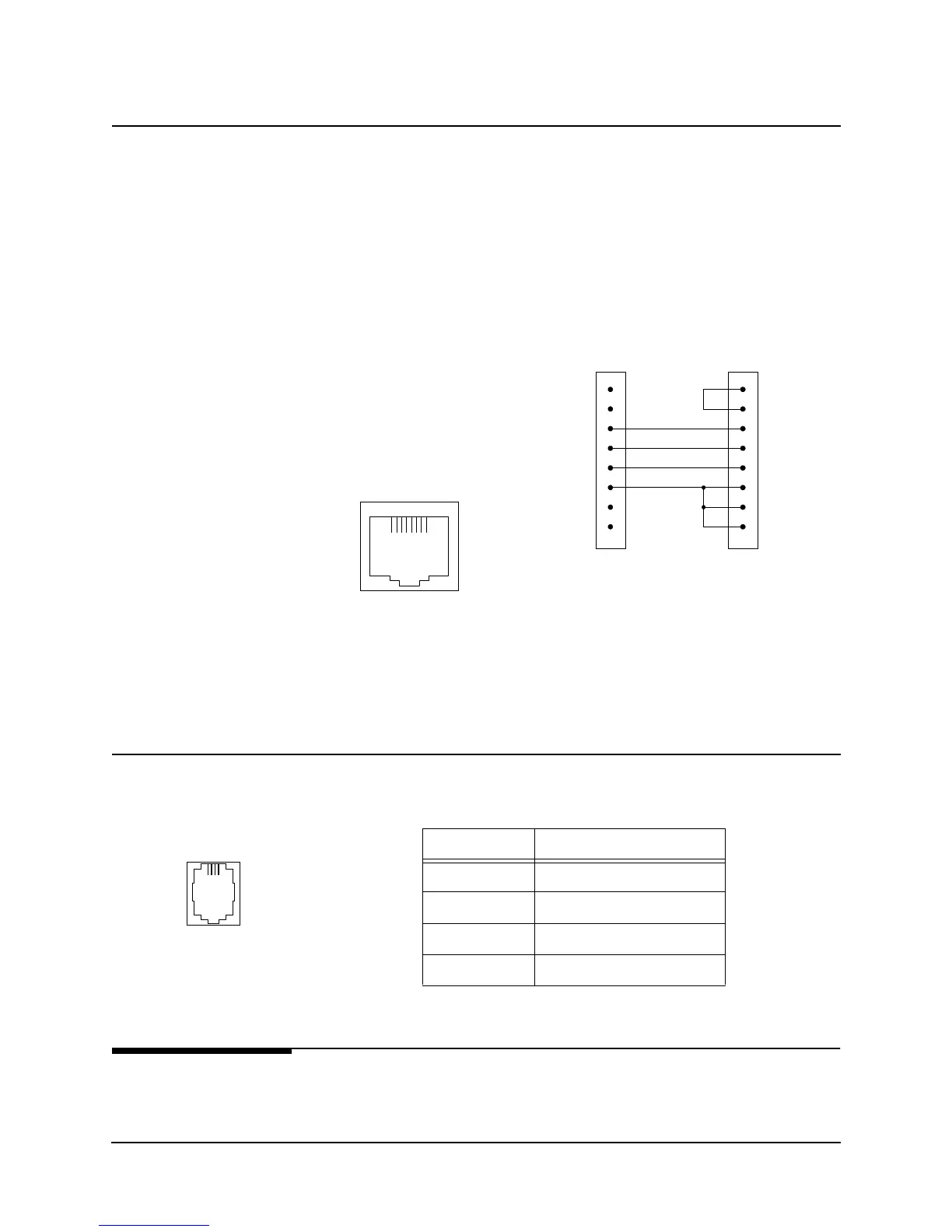
In Console Mode, the AUX 2 port is configured as a VT-100 interface, 9.6Kbps, asyn-
chronous, 8 data bits, one start bit, one stop bit, and no parity.
The Console Mode is enabled on the AUX 2 port when the “Console” Pin (#5) on the
AUX 2 connector is asserted (connect the Console pin to the terminal’s DTR), as
shown for the cable adapter in the Figure 3-13 example. CRC adapter cables are avail-
able: modular to DB25 - # 135-007-0400, modular to DB9 - # 135-000-0464
NOTE: When AUX 2 Console Mode is enabled, the internal Modem is disabled.
Fi
ure 3-13 AUX 2 Port, Console Cablin
Modem Line
Connection
Use CRC cable assembly # 135-007-7200, or per pinout shown in Table 3-10.
Connections
Completed
All connections to basic NetPath 100 are now completed.
Proceed to the Configuration in section 4 Operation of this manual.
3
4
5
6
8-Pin
Modular
AUX 2 Port
Connector
Console
GND
RD
TD
3
7
20
2
8
6
4
5
DB-25F
VT-100 Terminal
Connector
DSR
DCD
RD
TD
DTR
GND
RTS
CTS
Direct Connect Console
Cable Adapter
18
AUX
Connector
Table 3-10 Modem Line Pinout, RJ11C Connector
Pin Description
1,2 No Connection
3R (Ring)
4T (Tip)
5,6 No Connection
14
Dial
Line



 To Next Page