SC800 User Manual
Page | 17 Copyright©2022 ZKTECO CO., LTD. All rights reserved.
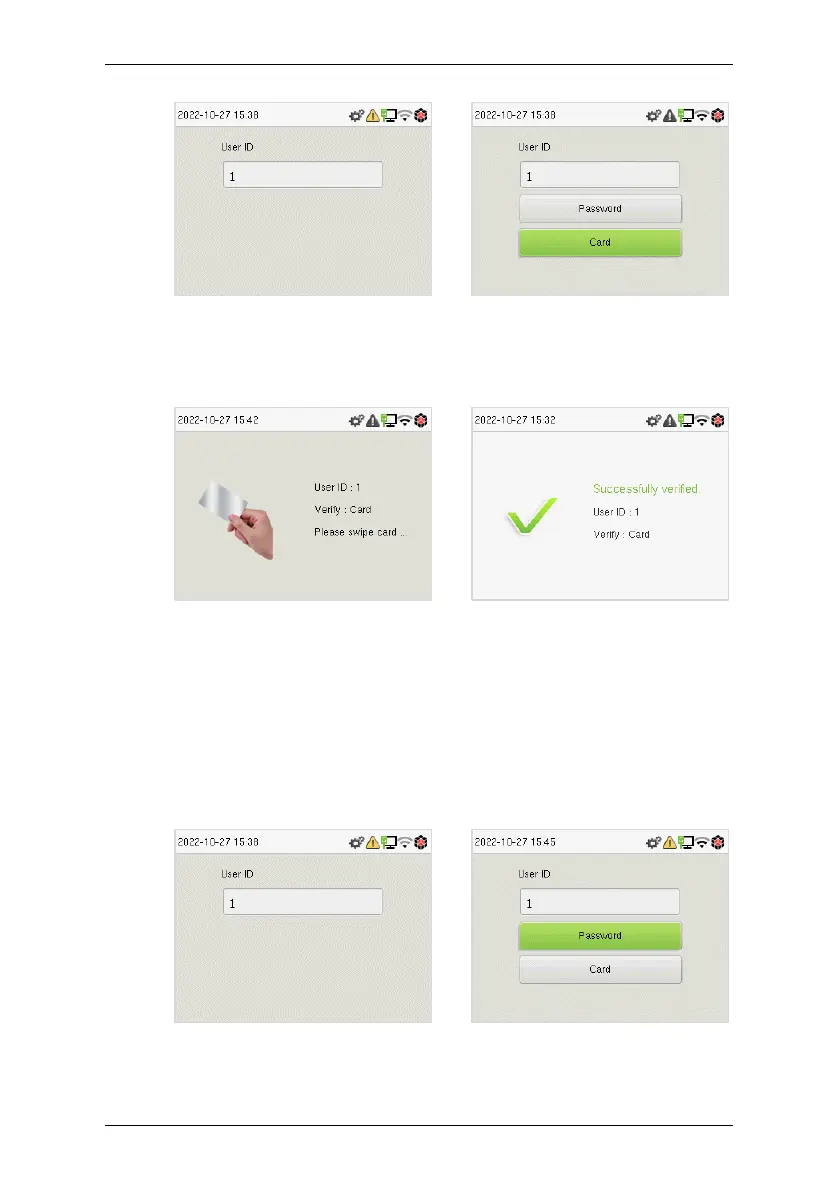
If an employee registers a password in addition to the card, the following
screen will appear. Select the card to enter card verification mode.
4.3.2 Password Verification
The device compares the entered password with the registered password of
the given User ID.
Enter the user ID and tap M/OK to enter the 1:1 password verification mode.
Then, input the user ID and tap M/OK.


 To Next Page
 Loading...











