SC800 User Manual
Page | 102 Copyright©2022 ZKTECO CO., LTD. All rights reserved.
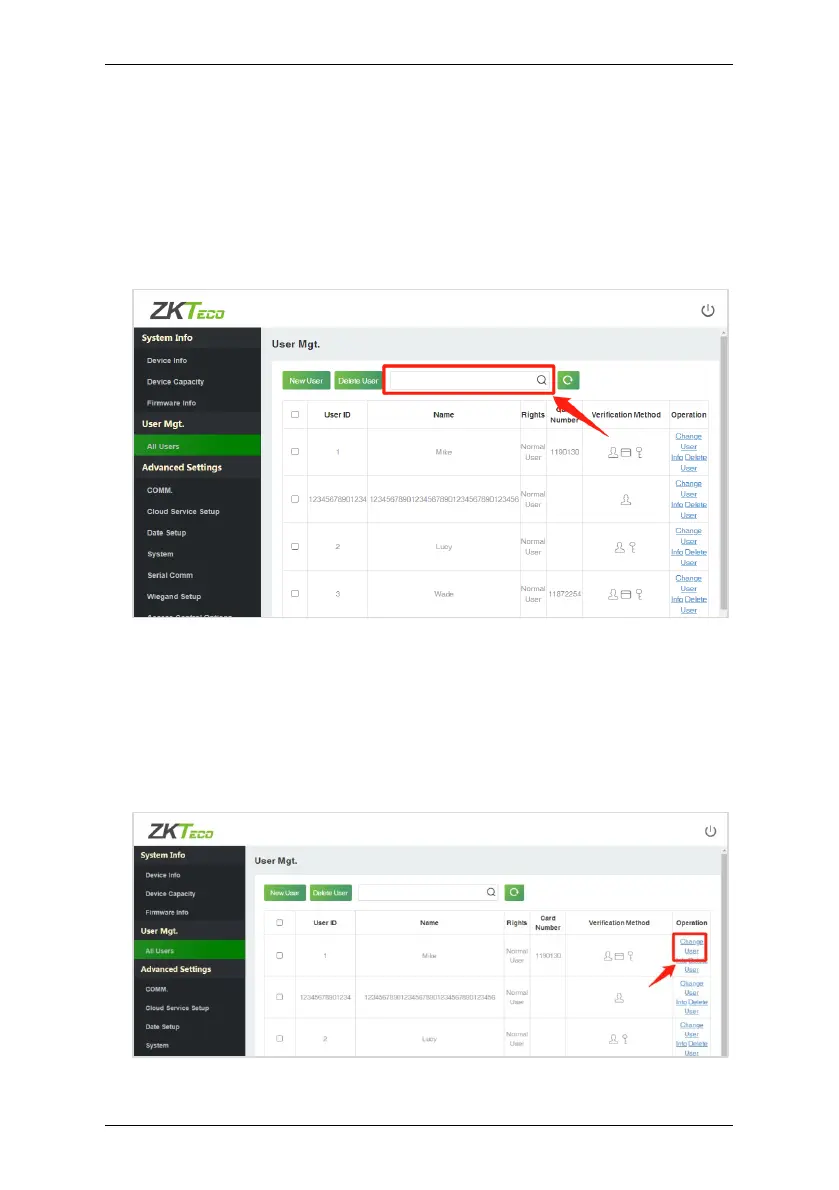
Search for Users 19.4
Click All Users on the WebServer, click the Search Bar to enter the required
retrieval keyword (which the keyword can be the user ID, surname or full name)
and the system will search for the related user information.
Edit User 19.5
On the All Users interface, select the required user from the list and click
Change User Info to edit the user information.


 To Next Page
 Loading...











