Recording
Recording mode overview
19
H5 Handy Recorder
Recording mode overview
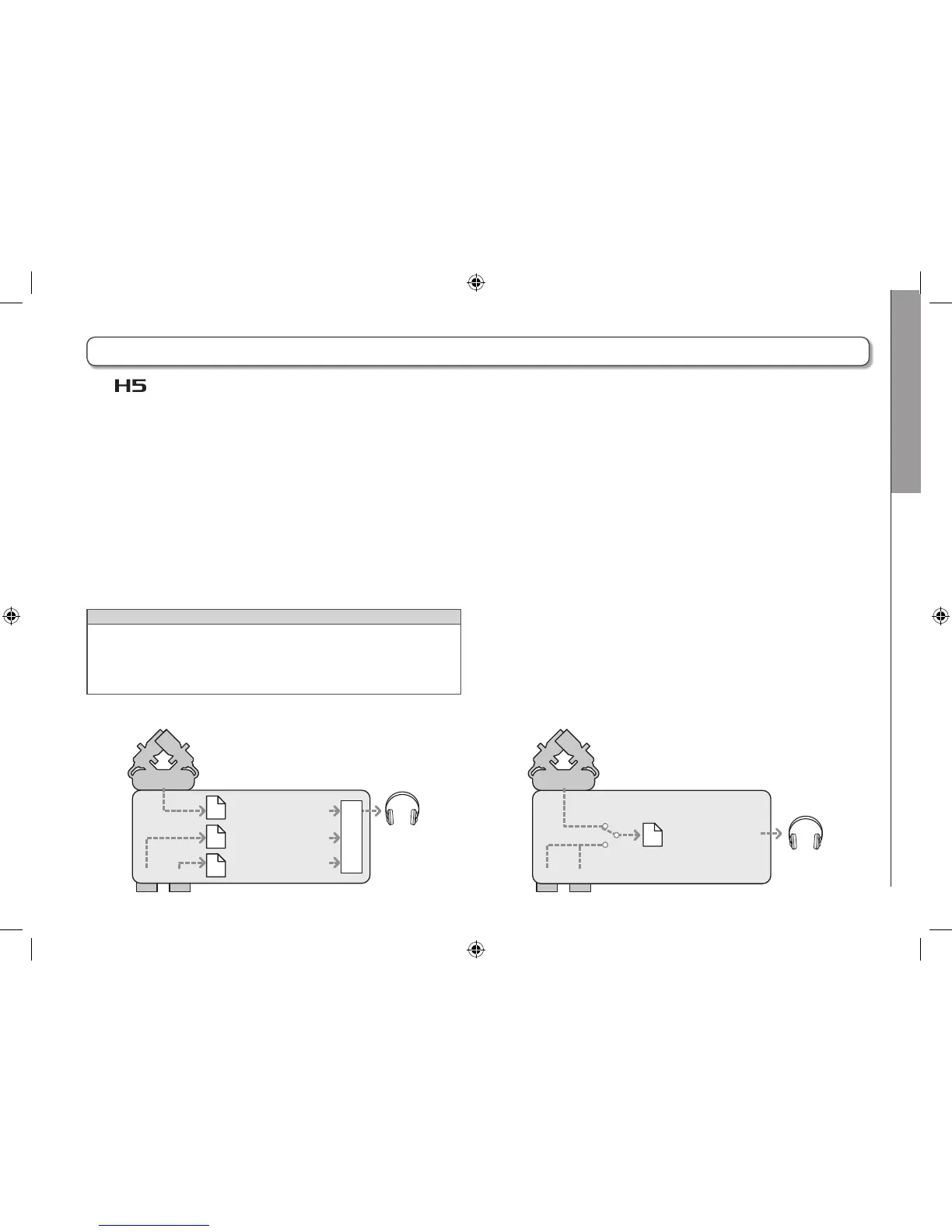
The has two recording modes: MULTI FILE and STEREO FILE.
The file types and formats of recordings differ according to the mode.
MULTI FILE mode
The L/R inputs from the XY mic or other input capsule are
recorded to the L/R tracks, and Inputs 1/2 are recorded to
tracks 1/2 as separate files.
Since the signals from the inputs are recorded to separate
files, you can change their playback volumes and positions,
for example, independently after recording.
Only 44.1/48kHz WAV formats (16/24-bit) can be selected when
recording in MULTI FILE mode.
HINT
By linking Inputs 1 and 2, you can also record them together as
a single stereo file. When Inputs 1 and 2 are linked, two stereo
files will be created. One for the L/R inputs and one for the 1/2
Inputs.
STEREO FILE mode
The L/R inputs from the XY mic or other input capsule and
Inputs 1/2 are recorded together as a single stereo file.
In this mode, only two tracks can be recorded, but you can
select the recording format freely according to your pur-
pose. (→ P. 89)
Use this mode when you want the highest audio quality or
you need smaller files.
ZOOM0001_TrLR.WAV
(Stereo)
ZOOM0001_Tr1.WAV
ZOOM0001_Tr2.WAV
Recording format limited to 44.1/48kHz 16/24bit WAV
M
I
X
E
R
21
L/R
ZOOM0001.WAV
(Stereo)
96kHz 16/24bit WAV and MP3 recording formats also okay
21
L/R



 To Next Page