Checking/editing projects/files
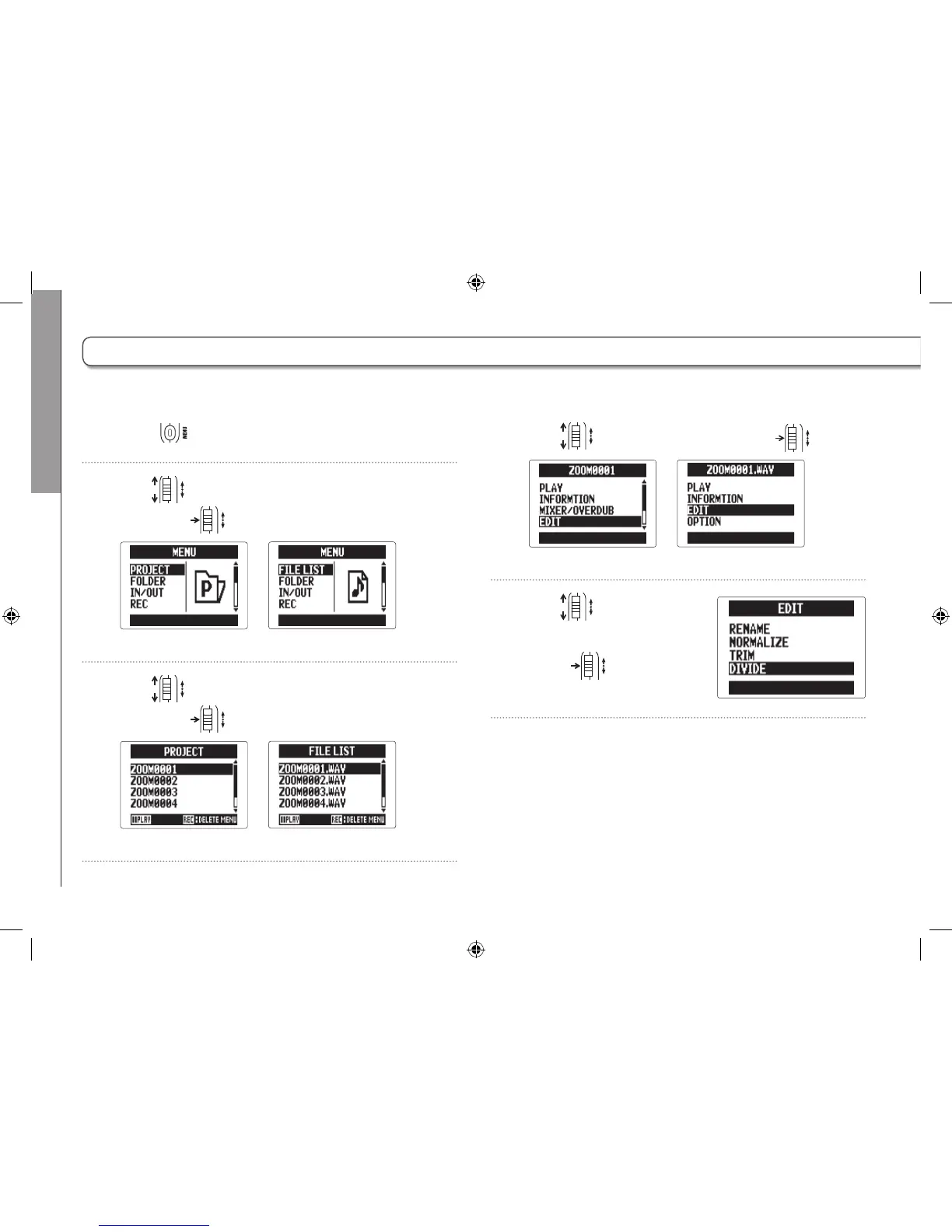
Dividing projects/files
60
4. Use to select “EDIT", and press .
MULTI FILE mode
STEREO FILE mode
5. Use to select
“DIVIDE", and
press
.
1. Press .
2. Use to select “PROJECT/FILE LIST",
and press
.
MULTI FILE mode
STEREO FILE mode
3. Use to select the project /file to divide,
and press
.
MULTI FILE mode
STEREO FILE mode
Dividing projects/files
You can divide a project /file into two at any point.



 To Next Page