Other settings
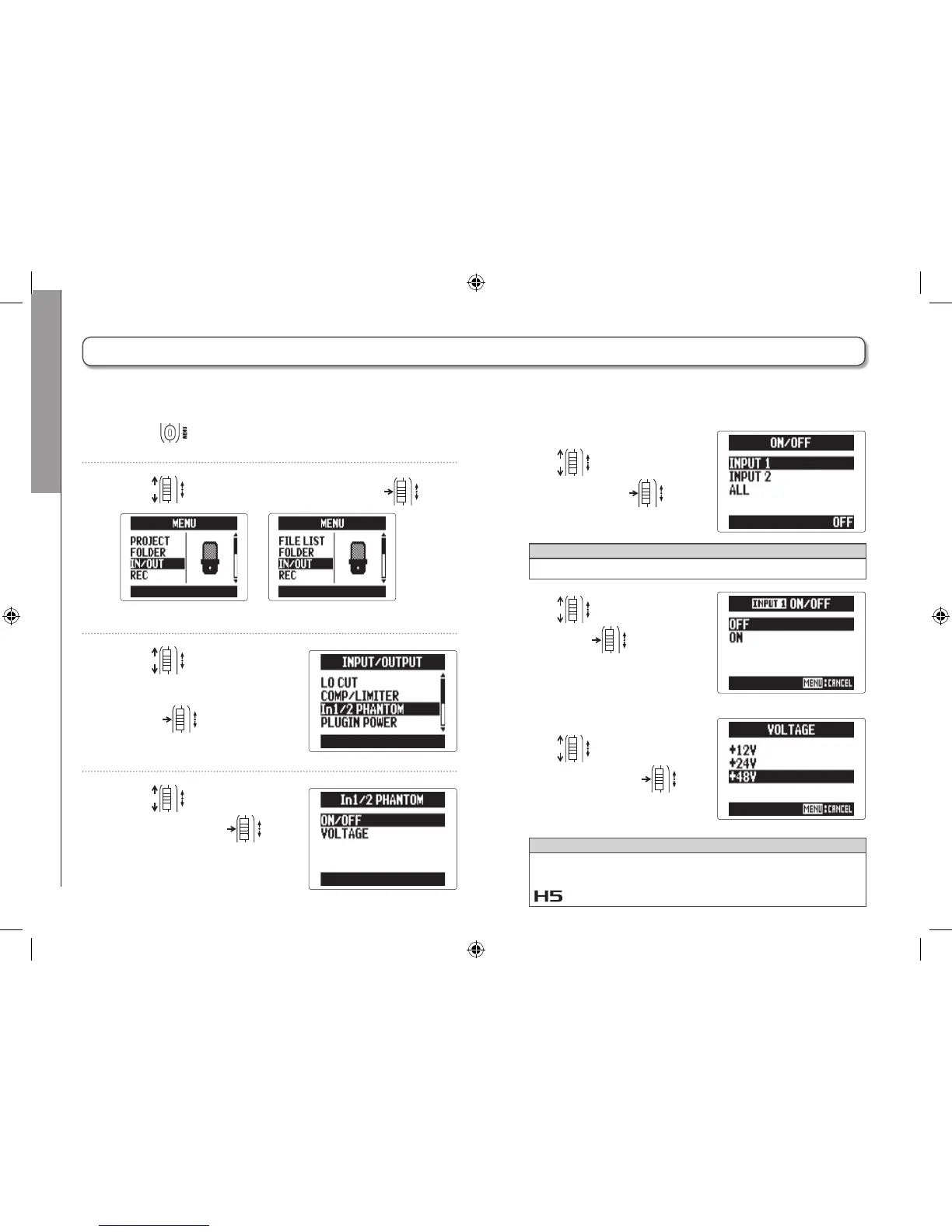
Changing the phantom power setting
96
Changing the phantom power setting
1. Press .
2. Use to select “IN/OUT", and press .
MULTI FILE mode
STEREO FILE mode
3. Use to select “In1/2
PHANTOM", and
press
.
4. Use to select an
item, and press
.
■ Turning "ON/OFF"
Use
to select an
input, and press .
HINT
Select ALL to use phantom power on both inputs.
Use
to select “ON",
and press .
■ Set the "VOLTAGE"
Use
to select the
voltage, and press .
HINT
If a condenser mic can be used with less than +48V, lower-
ing the voltage will reduce the amount of power that the
uses.
Input 1/2 can provide phantom power of +12V, +24V or +48V.



 To Next Page